

Muvize 1.7 – Live Streaming, Cloud Storage & New Visualizers for Music Creators
Hello Product Hunt,
I’m excited to share Muvize 1.7 — one of the biggest updates we’ve shipped so far for music creators, especially those working with AI-generated tracks, indie releases, or lo-fi / electronic sets, here’s what’s new and why we built it:
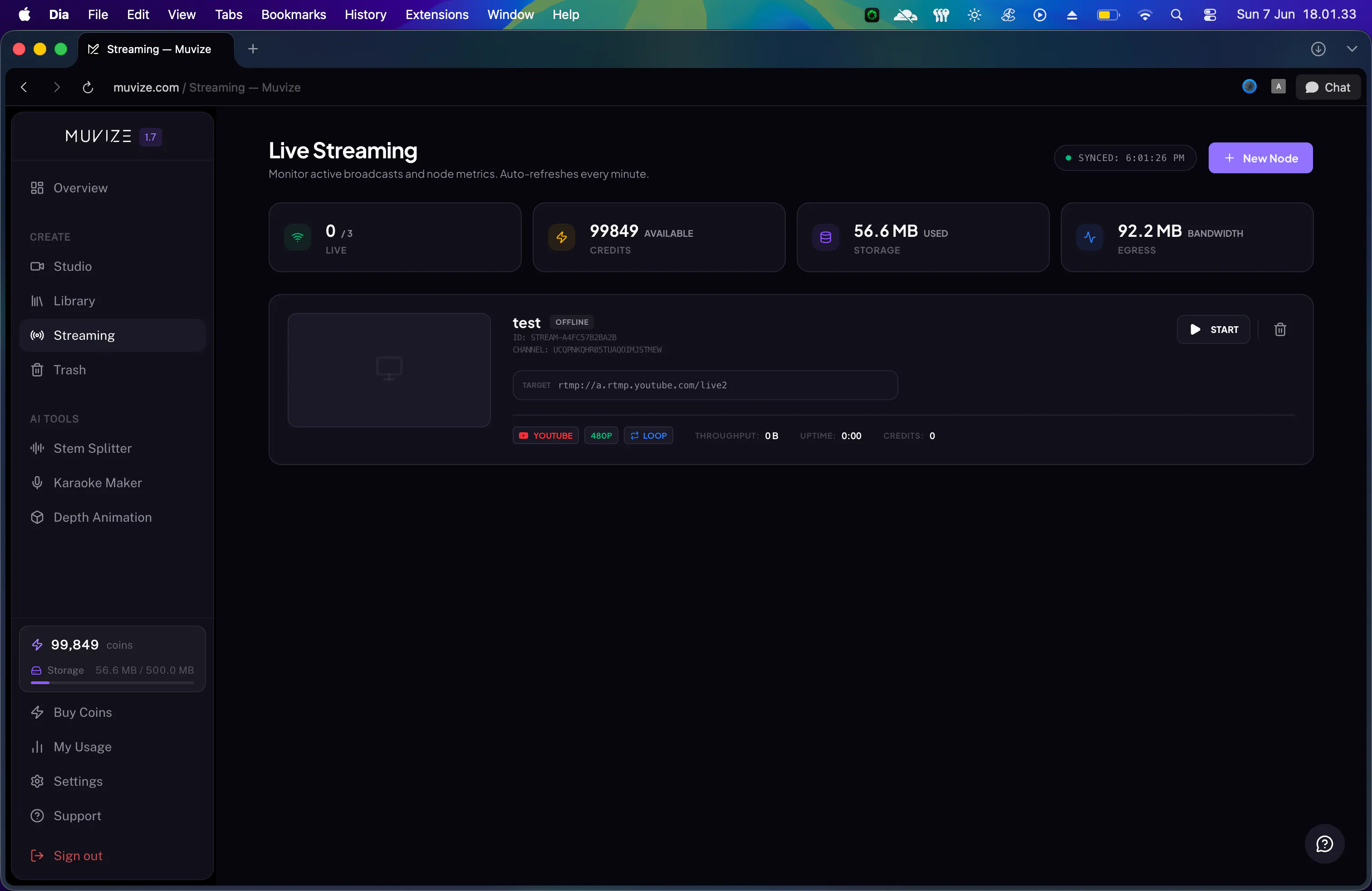
1. Live Streaming to YouTube, Twitch, Facebook & RTMP
You can now stream your music and visuals live, directly from Muvize.
Stream to YouTube, Twitch, Facebook, or any custom RTMP destination
Run up to 3 simultaneous streams
Choose 480p, 720p, or 1080p
Live cost projection before you go live, so you know exactly what you’ll spend
We designed this for creators who want to run 24/7 "radio-style" channels or regular music livestreams without juggling multiple tools. For anyone who just wants to try it out, there’s a free tier: up to 2.5 hours of live streaming per month and 0.5 GB of cloud storage to sync/share assets across devices.
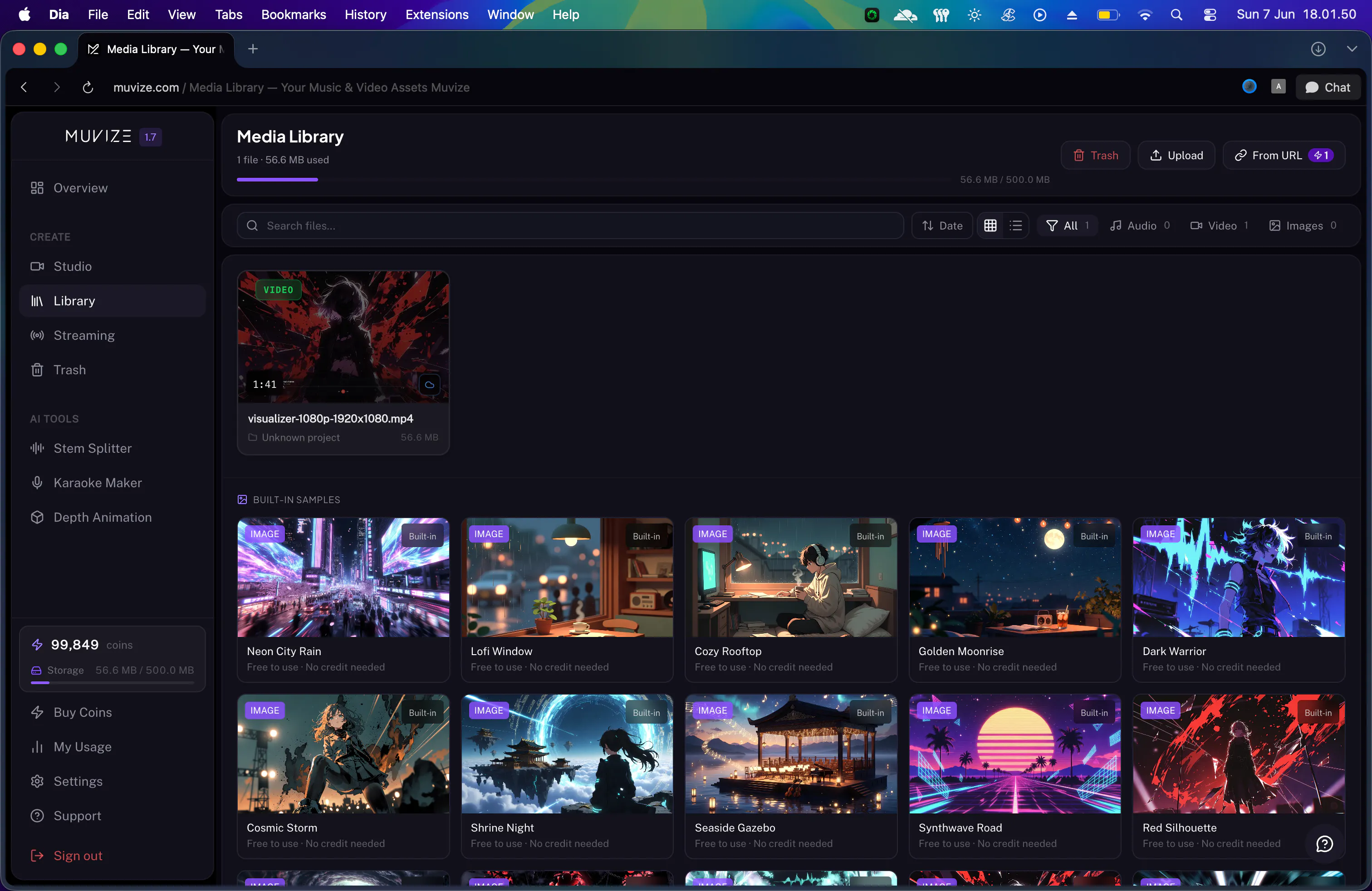
2. Smarter Cloud File Management
We’ve reworked how files are handled in the cloud so it feels more like a proper library instead of a simple upload bucket:
Deleted files go into a 7-day trash (with restore) before permanent removal
Real-time storage and bandwidth usage in the sidebar and account overview
Color-coded warnings as you approach quota limits
This is especially helpful if you’re working across multiple machines and don’t want to lose track of backgrounds, overlays, or templates.
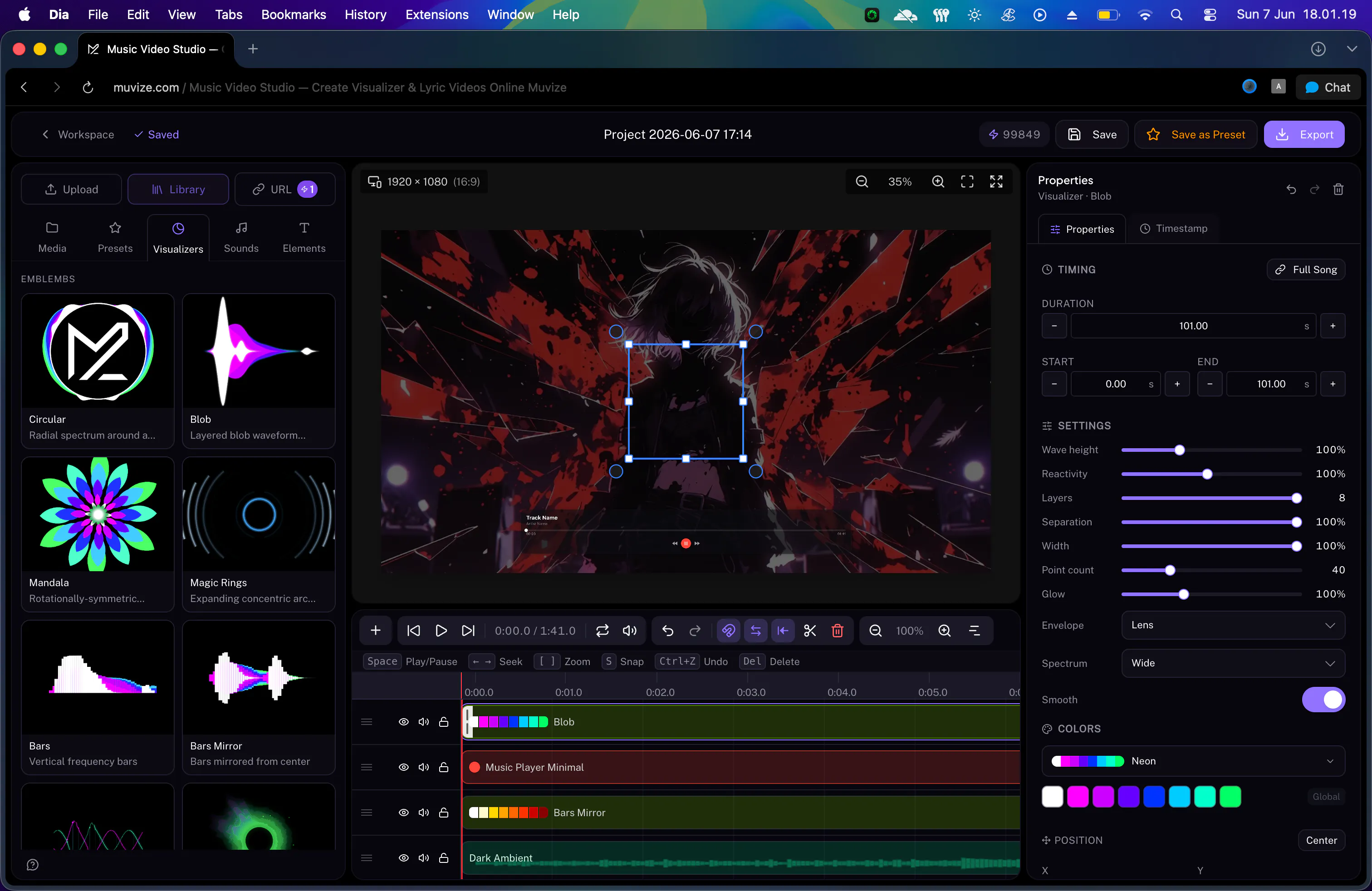
3. New Audio-Reactive Visualizers + Blurry-Motion Effect
We added three new visualizers in the studio:
Blob – organic, breathing shapes that react to spectrum or envelope data
Mandala – rotationally symmetric petal patterns that pulse with the beat
Magic Rings – expanding neon-style rings that flare on kick and transients
All three support full video export.
There’s also a new Blurry-Motion post-processing effect that combines Gaussian blur and subtle distortion to create a smeared, motion-blur aesthetic. It works especially well on slower, atmospheric or ambient tracks, and renders correctly at higher export resolutions.
I’d love feedback from the Product Hunt community on:
What you’d expect from a "full" livestreaming workflow for music channels
Any visualizer styles or effects you feel are still missing
Pain points you’ve hit with existing tools (OBS, traditional editors, etc.)
Happy to answer any questions and go deeper into how we built the live streaming stack or the visualizer engine.
Replies
Be the first to reply
Have a question or a thought to share? Add a comment above to start the conversation.