

🚀 @mnexium/chat — Drop-In AI Chat for Any Web App

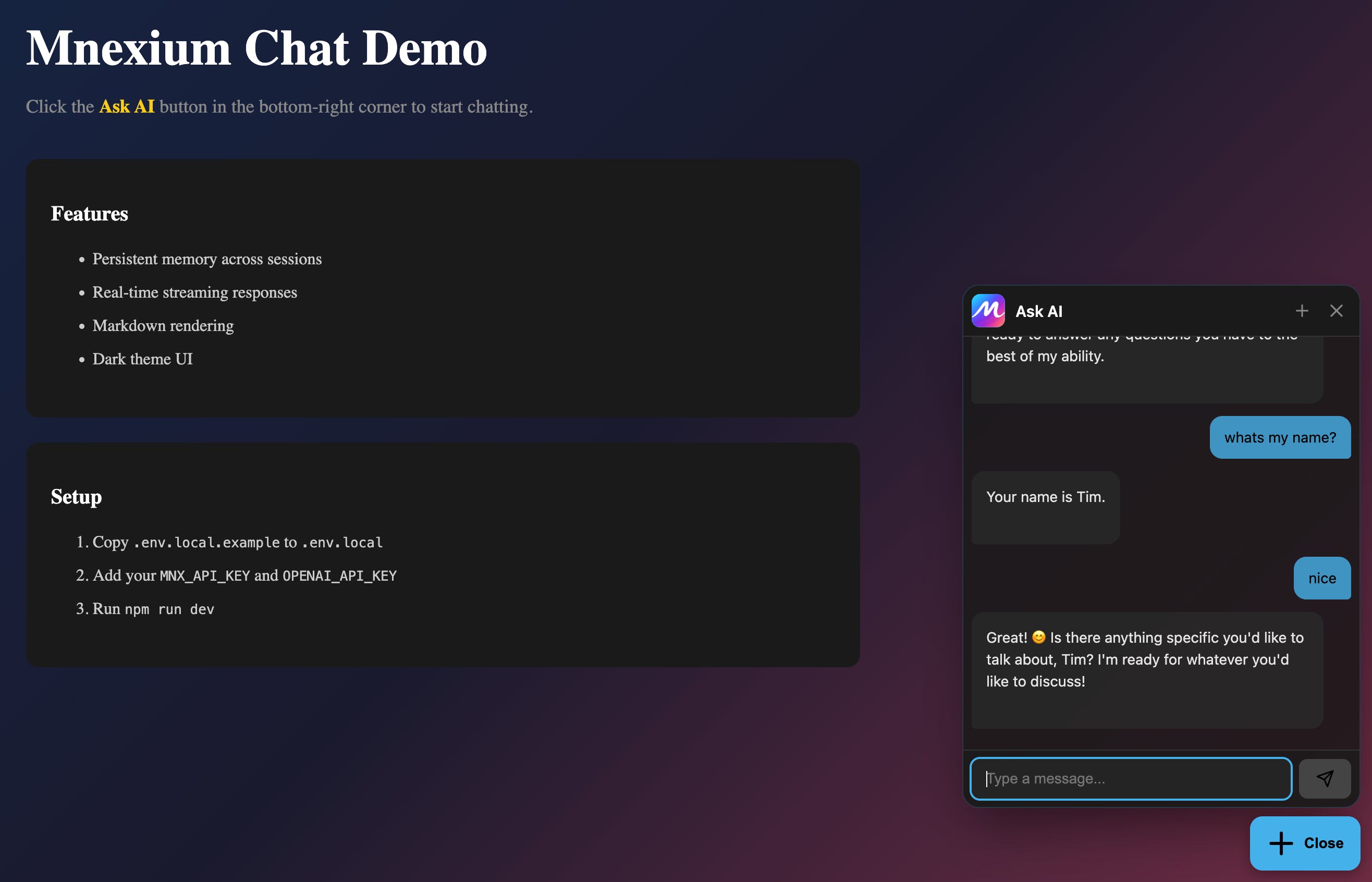
We just shipped @mnexium/chat: a single npm package that adds a polished, production-ready AI chat widget to any website. React, Next.js, Express, or plain HTML — it just works, and most importantly it remembers.
The Problem
Adding AI chat to a product usually means:
Designing and building a custom UI
Handling streaming responses
Managing conversation state
Securing API keys
... and it still wont remember anything about your users
That’s a lot of engineering just to let users ask questions.
Demo
Visit mnexium.com or mnexium.com/docs and try it out on the @Mnexium AI website.
The Solution
NPM Package - https://www.npmjs.com/package/@mnexium/chat
npm install @mnexium/chatOne package. Three ways to use it:
⚛️ React / Next.js
import { MnexiumChat } from '@mnexium/chat';

export default function App() {
  return (
    <>
      <YourApp />
      <MnexiumChat endpoint="/api/mnx" />
    </>
  );
}
A floating chat button appears. Click. Chat. Done.
🌐 Plain HTML / Express
<script
  src="/mnexium-chat.js"
  data-endpoint="/api/mnx"
  data-theme="dark"
></script>
Same UI. No React. No build step.
🧩 Headless (Bring Your Own UI)
import { MnexiumClient } from '@mnexium/chat/core';

const chat = new MnexiumClient({ endpoint: '/api/mnx' });
chat.onMessage((messages) => renderYourOwnUI(messages));
await chat.send('Hello!');
We handle streaming + state. You control the interface.
What You Get
Floating widget with modern glass design
Real-time streaming responses
Markdown rendering
Dark/light themes + custom colors + logo
Multi-provider support (OpenAI, Anthropic, Gemini)
Persistent memory across sessions
Why Mnexium?
The widget is powered by Mnexium, which gives your AI:
🧠 Memory across conversations
📚 Automatic learning from users
🎯 Personalization over time
You get a smarter assistant without building memory infrastructure.
@mnexium/chat v2.0.0 is live on npm.
One package. Any framework. Instant AI chat.
Replies