

Why we build Ting Whatsapp

Ting's magic has always been in "multiplayer" mode - CC the AI, and it books your meetings with other people.
But we quickly realized a huge part of calendar management is actually "single-player," because: CC'ing an AI adds friction if you don't have a thread going, and digging through an old Ting thread to reschedule is a massive pain. We knew we had to build a way for you to just chat with Ting directly and have it orchestrate all the boring stuff in the background.
We started 1-on-1 emails first, but that felt clunky and slow. The obvious answer for a busy person on the run was WhatsApp. We've had a lot of requests for it, since these days meetings are discussed in many places - not just email, but LinkedIn DMs too.
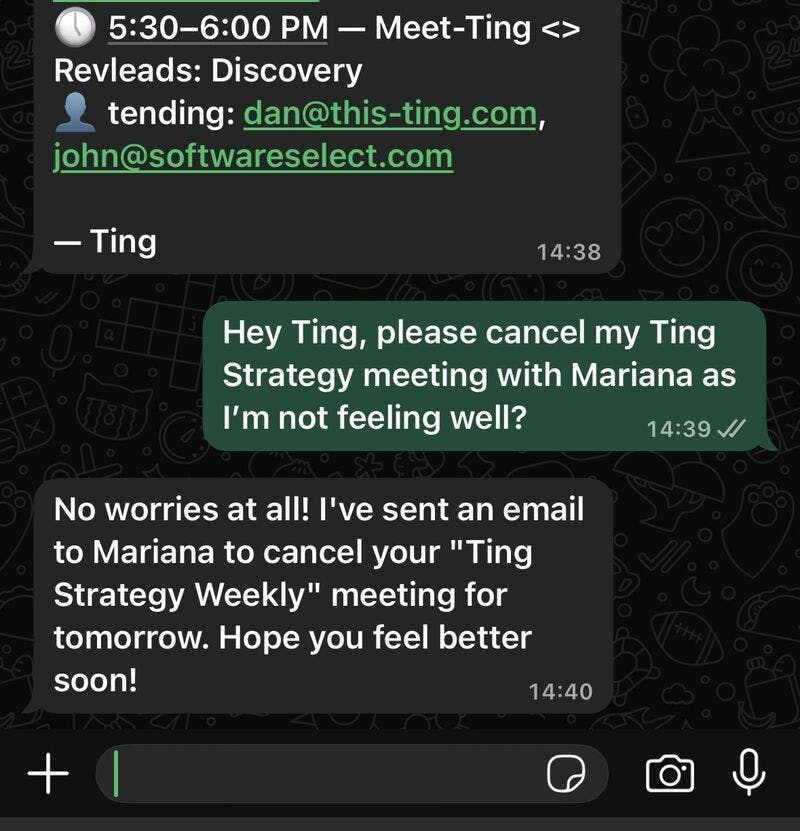
Here's what you can do with the new Ting on WhatsApp:
- "Book a meeting with email@example.com"
- "Update my working hours on Friday to finish at 5 pm"
- "Cancel all my meetings tomorrow"
- "Show me what my calendar looks like next week"
The solution wasn't to rebuild our scheduling logic from scratch. Instead, we opted for a multi-agent system. Instead, we deliberately used our existing, well-tested "Email Ting" - which already hits 80-90% reliability. WhatsApp Ting simply calls up Email Ting to handle the scheduling.
We're still in alpha, but if you want in:
- Got a Ting account? DM me your WhatsApp number and email, and I'll get you connected.
- Want to wait? No worries, a self-serve setup is coming to the platform in a few days! 🔜
Replies