

What Happened After I Spent One Week Testing Turie for a Travel Client
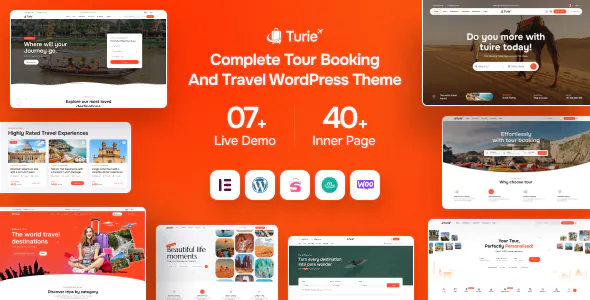
My 7-Day Travel Website Rebuild Diary Using Turie
A few weeks ago, one of my clients asked me to rebuild an old travel agency website. The site was getting visitors from Google, but bookings were low. Pages loaded slowly, tour information was hard to find, and the mobile experience felt outdated.
Instead of rushing into the redesign, I decided to keep notes during the project. Here's what happened over the next seven days.
Day 1 — Moving Away From the Old Site
The old website had been running for almost five years. It used a generic business theme with a few booking plugins added later.
The biggest problem was structure.
Tour packages, destinations, and blog posts were all mixed together. Visitors had to click through multiple pages just to find basic trip information.
For the rebuild, I started with Turie - Modern Travel & Tour Booking WordPress Theme.
What caught my attention wasn't the homepage demo. It was the way tour content was organized. Categories, tour details, and booking sections already followed the workflow most travel businesses need.
That saved a lot of setup time.
Day 3 — A Small Problem Appeared
By the third day, most pages were ready.
Then I noticed something annoying.
The tour archive pages were loading large featured images even on mobile devices. The images looked great, but they were heavier than necessary.
It wasn't a major issue, but it affected page speed.
I fixed it by forcing a smaller image size through a simple filter:
add_filter('post_thumbnail_size', function () {
    return 'medium_large';
});
After regenerating thumbnails, page weight dropped noticeably.
This is the kind of small adjustment that rarely appears in theme sales pages but often matters in real projects.
Day 5 — Cleaning the Database
The client's old site had years of leftover plugin data.
After checking the database, I found thousands of expired transients.
I logged into the server and cleaned everything through WP-CLI:
wp transient delete --all
wp cache flush
Then I optimized several large tables directly in MySQL:
OPTIMIZE TABLE wp_options;
OPTIMIZE TABLE wp_postmeta;
The WordPress dashboard became much faster afterward.
Clients often think speed problems come from hosting alone. In reality, old databases can slow things down just as much.
Day 7 — Final Performance Work
The last day was dedicated to testing.
I checked booking forms, mobile layouts, destination pages, and caching behavior.
One thing I always do before launch is review static file caching.
For this site, I added a simple Nginx rule:
location ~* \.(css|js|jpg|jpeg|png|webp)$ {
    expires 30d;
}
Nothing fancy.
Just enough to reduce repeat requests from returning visitors.
After that, I tested the site on several phones and tablets. Everything loaded smoothly and the booking flow felt much simpler than before.
What I Liked
The biggest advantage was the content structure.
Instead of forcing me to build custom layouts for every tour page, the theme already provided a logical starting point. That meant less development time and fewer things to maintain later.
The mobile layout was also cleaner than many travel themes I've worked with.
What Could Be Better
The documentation covers installation well, but I would have liked a few more examples showing advanced customization for tour listings.
I solved everything quickly, but newer WordPress users might need extra time to find certain settings.
After seven days, the finished website looked better, loaded faster, and was much easier for the client to manage.
The biggest improvement wasn't the design.
It was reducing friction.
Visitors could find tours faster, read important information without digging through menus, and reach the booking form with fewer clicks.
From my experience, that's usually what makes the difference between a travel website that gets traffic and one that actually gets bookings.
Replies
Be the first to reply
Have a question or a thought to share? Add a comment above to start the conversation.