

7 Days Building a SaaS Startup Website with Soft WordPress Theme
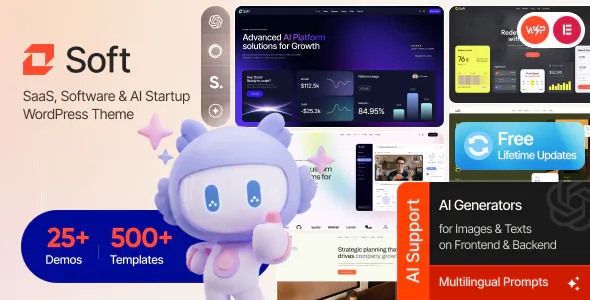
A 7-Day Developer Diary: Rebuilding a SaaS Website from Scratch
I have built many WordPress websites for different types of businesses over the years. Some projects are simple company websites, while others need complex systems with dashboards, payment pages, and customer areas.
A SaaS website is a little different.
It is not only about showing information. It needs to explain a product clearly, build trust quickly, and guide visitors toward signing up.
Last month, I helped a small software startup rebuild their website. Their old website had a common problem. It looked like a normal company site, but they were selling software.
Visitors could not quickly understand what the product did.
The homepage had too much text, screenshots were placed randomly, and the pricing section was not easy to find.
I decided to rebuild the site and record my process for seven days.
This is what happened.
Day 1 — Checking the Old Website
Before installing anything, I spent several hours checking the old website.
I usually avoid changing things immediately because many problems are not caused by the theme itself.
First, I checked:
Current page speed
Plugin list
Database size
Image sizes
Mobile layout
User flow
The old website had 41 active plugins.
That was my first warning sign.
Many plugins were installed during different development stages, but nobody removed the unused ones.
I created a simple list and marked every plugin:
Keep.
Replace.
Remove.
After cleaning, only 18 plugins remained.
The next step was choosing a better foundation.
For this project, I tested Soft - SaaS, Software & AI Startup WordPress Theme.
I was not looking for the most impressive demo.
I was looking for something practical.
A SaaS website usually needs product pages, feature sections, pricing areas, integrations, and landing pages.
The structure needed to support those things without building everything from zero.
Day 2 — Rebuilding the Content Structure
The biggest mistake I see on SaaS websites is explaining features before explaining problems.
A visitor does not wake up thinking:
"I want a software dashboard with API integration."
They think:
"I need a better way to solve this problem."
So I changed the homepage structure.
The old version started with technical features.
The new version started with:
What problem does this software solve?
Who is it for?
How does it work?
Why should people trust it?
This sounds simple, but it changes how users move through the page.
I also cleaned the content hierarchy.
Instead of creating many small pages, I grouped information into useful sections:
Product Overview
Main Features
Use Cases
Pricing
Customer Feedback
Documentation
A website should guide people, not make them search.
Day 3 — Fixing a Small Theme Issue
During customization, I noticed the blog cards were using larger featured images than needed.
The design looked good, but loading many blog posts on archive pages created unnecessary requests.
This was a small issue, but performance problems often come from many small things.
I solved it by adding a custom WordPress filter in the child theme.
add_filter('post_thumbnail_size', function($size) {
    return 'medium';
});
After regenerating thumbnails, the archive page became lighter.
This is one reason I always use child themes for client projects.
Small changes should not disappear after updates.
Day 4 — Improving Database Performance
The old website had thousands of old entries in the database.
Some were from deleted plugins.
Some were temporary settings.
I first created a backup.
Then I used WP-CLI to clean temporary data.
wp transient delete --all
wp cache flush
After that, I checked large database tables.
The wp_postmeta table was bigger than expected because many plugins stored unnecessary information there.
For larger websites, database structure matters.
A simple index can help with repeated searches.
Example:
ALTER TABLE wp_postmeta
ADD INDEX meta_key_index (meta_key);
I do not add database indexes randomly.
Every change needs testing.
A bad database change can create new problems.
Day 5 — Working on Page Speed
SaaS websites often contain many screenshots, icons, and animations.
These things make pages look better, but they can also slow things down.
I reviewed every image.
Some screenshots were over 3MB.
That is too large for a normal website.
I compressed images and changed several files to WebP format.
I also added a basic Nginx cache rule:
location ~* \.(jpg|jpeg|png|webp|css|js)$ {
    expires 30d;
}
This helped returning visitors load static files faster.
I have learned that speed optimization is not about one magic plugin.
It is about many small improvements.
Day 6 — Testing Mobile Experience
Most SaaS traffic now comes from mobile devices.
The desktop version looked good, but mobile needed more attention.
I checked:
Button sizes
Menu behavior
Pricing table layout
Text spacing
Form usability
One problem was that some feature boxes had too much text.
On desktop it looked fine.
On mobile it became difficult to read.
I reduced the text and focused on the main points.
Good mobile design is not about making everything smaller.
It is about removing unnecessary things.
Day 7 — Final Review and Client Feedback
On the last day, I asked the client to test the website like a normal visitor.
Not like an owner.
That difference is important.
Website owners already understand their products.
New visitors do not.
The client noticed that users could now understand the software faster.
The signup path was also much clearer.
After launch, we monitored the website for several days.
No major problems appeared.
My Honest Thoughts About Soft Theme
After working with this theme for a real project, I liked several things.
The layout style fits SaaS companies well.
The sections are practical.
The design does not force developers to create everything manually.
But there was one thing I would improve.
The documentation could provide more advanced examples for developers who want deeper customization.
For beginners, the basic setup is fine.
For developers, more code examples would save time.
Final Notes From a WordPress Developer
After many years working with WordPress, I have stopped chasing perfect themes.
There is no theme that solves every business problem.
A good theme is only a starting point.
The real work comes from:
Understanding users
Cleaning unnecessary code
Improving performance
Building clear content
Testing real devices
The seven-day rebuild was not about installing a new theme and pressing import.
It was about creating a better experience for people visiting the website.
That is what makes a SaaS website useful.
Replies
Be the first to reply
Have a question or a thought to share? Add a comment above to start the conversation.