

FinderGit 0.14.0 — see why a repo is heavy 🔍
by•

A git gc tells you a repo is big. 0.14 tells you why.
🔍 Analyze history (in the Maintenance tab) — find out if a stale branch or an oversized clone is weighing a repo down: it ranks the heaviest branches and estimates what you could reclaim. Read-only — it never changes a thing.
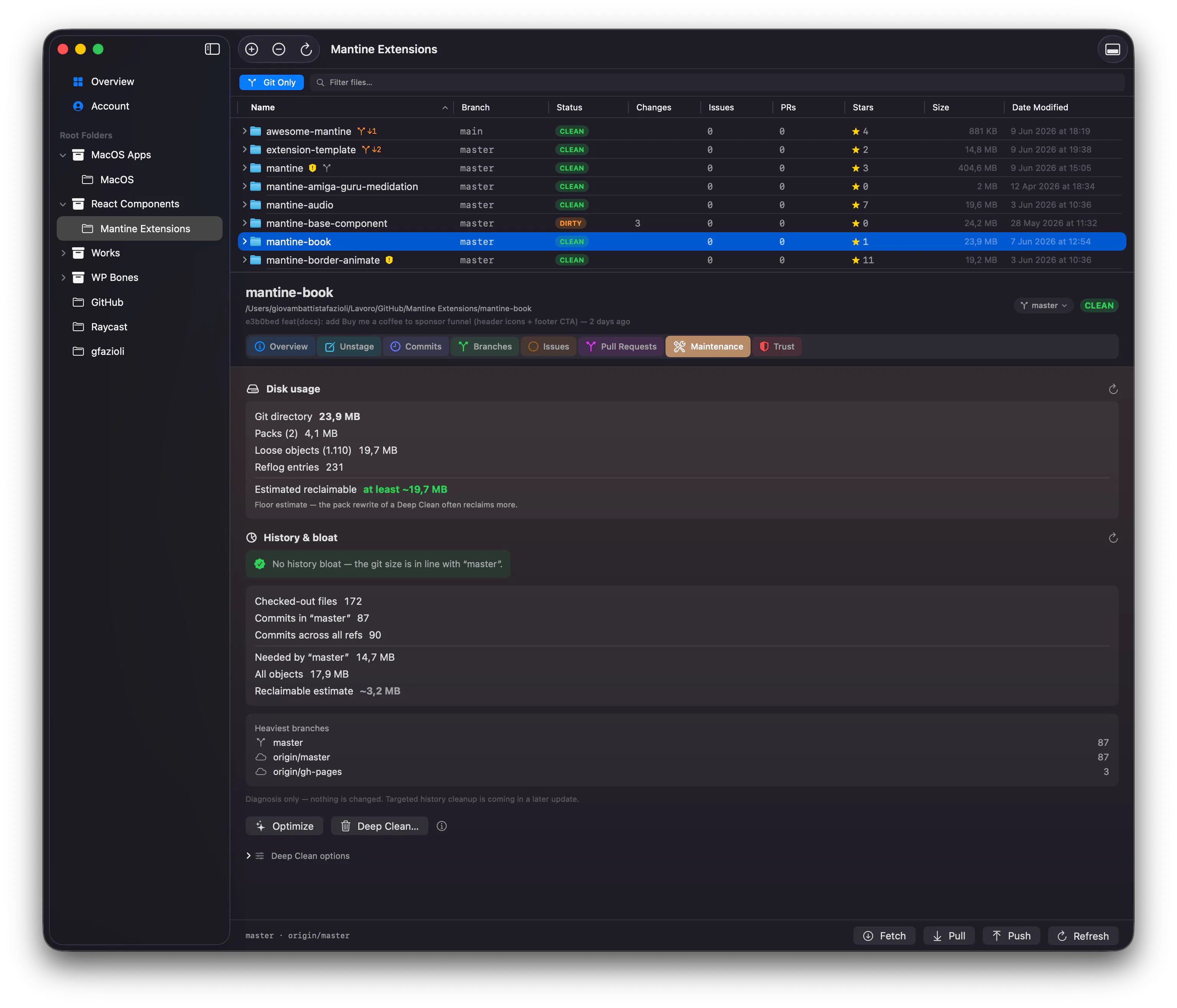
⚡ Lighter Overview refresh — refreshing a workspace with lots of repos is now a smooth, paced sweep instead of all at once.
🐛 And opening a repo from an Overview list now jumps straight to it the first time.
Free, macOS 15+ → https://findergit.app
What's the most bloated .git you've ever found on your disk? 👇
29 views
Replies
Had a monorepo balloon to 4GB after years of large binary commits nobody ever pruned. Being able to spot exactly which branches are the culprits without running manual git commands is a game changer.
@ivan_stakhov Thanks, this is exactly the scenario I built Analyze history for — those old binary commits are sneaky because nothing flags them until the repo is already huge. btw, was it mostly one branch hoarding the weight, or spread across a few? And did FinderGit’s estimate match what you actually reclaimed?
@gfazioli Mostly one branch - an old feature branch where someone had committed a bunch of design assets directly. FinderGit's estimate was spot on, reclaimed almost exactly what it predicted. Having the branch-level breakdown made it obvious where to focus instead of guessing.
@ivan_stakhov Classic culprit 😄 So glad the estimate held up — thanks for sharing the full story 🙏