

FinderGit 0.13.0 — two new dashboards + new-star alerts 🗂️👤⭐

Hey everyone 👋
FinderGit — the Git-aware file browser for macOS — just shipped 0.13.0, and it turns the app from a per-repo browser into a whole-workspace cockpit. Two new dashboards lead the release:
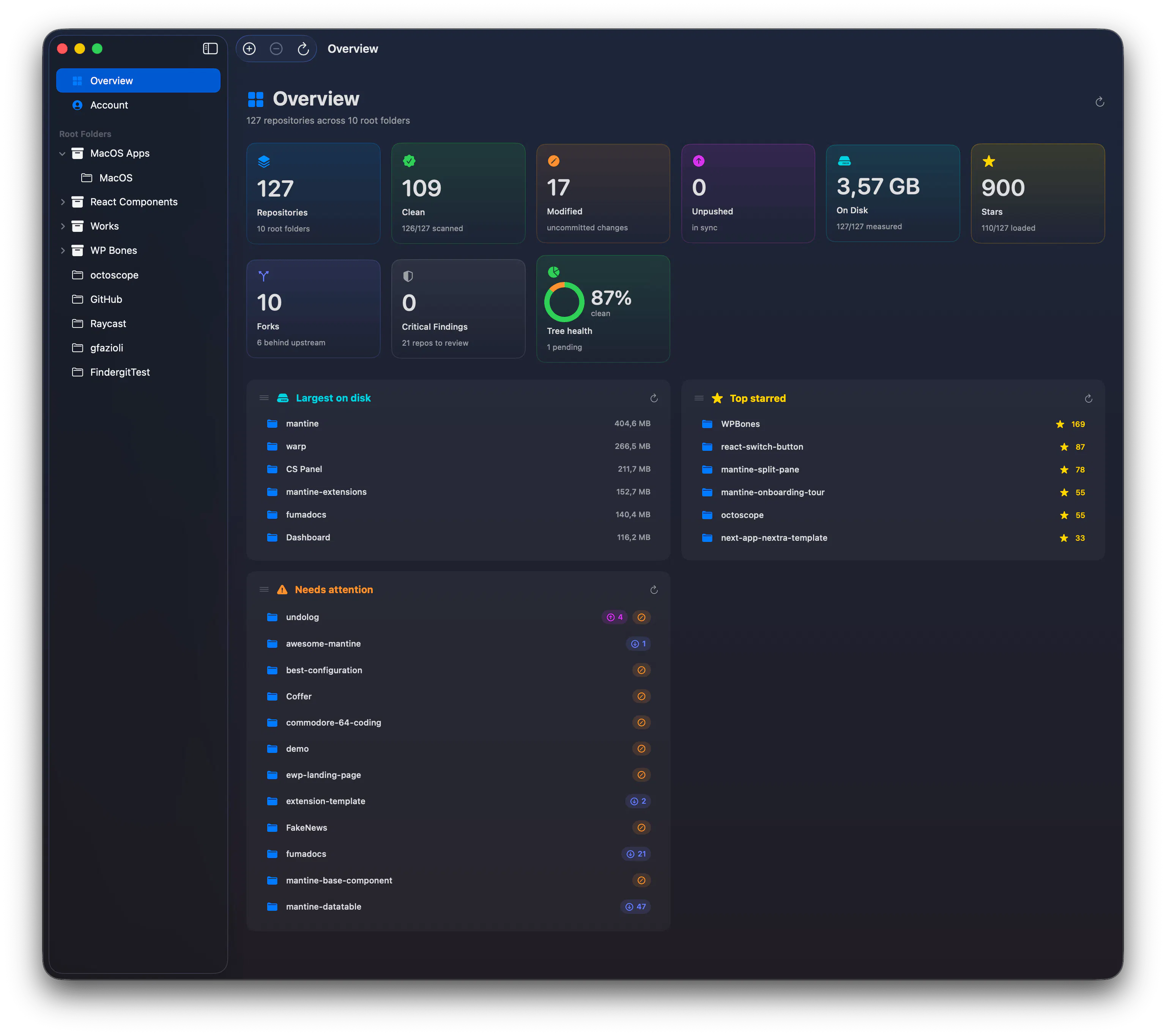
🗂️ Overview
A new default view that pulls every repository under all your root folders into one place. Clean / modified / unpushed counts, total disk usage, stars, and a "needs attention" list that floats the repos that actually need you to the top — so you know what to act on before opening anything. Drag-and-drop reorderable panels, and it stays smooth across hundreds of repos.
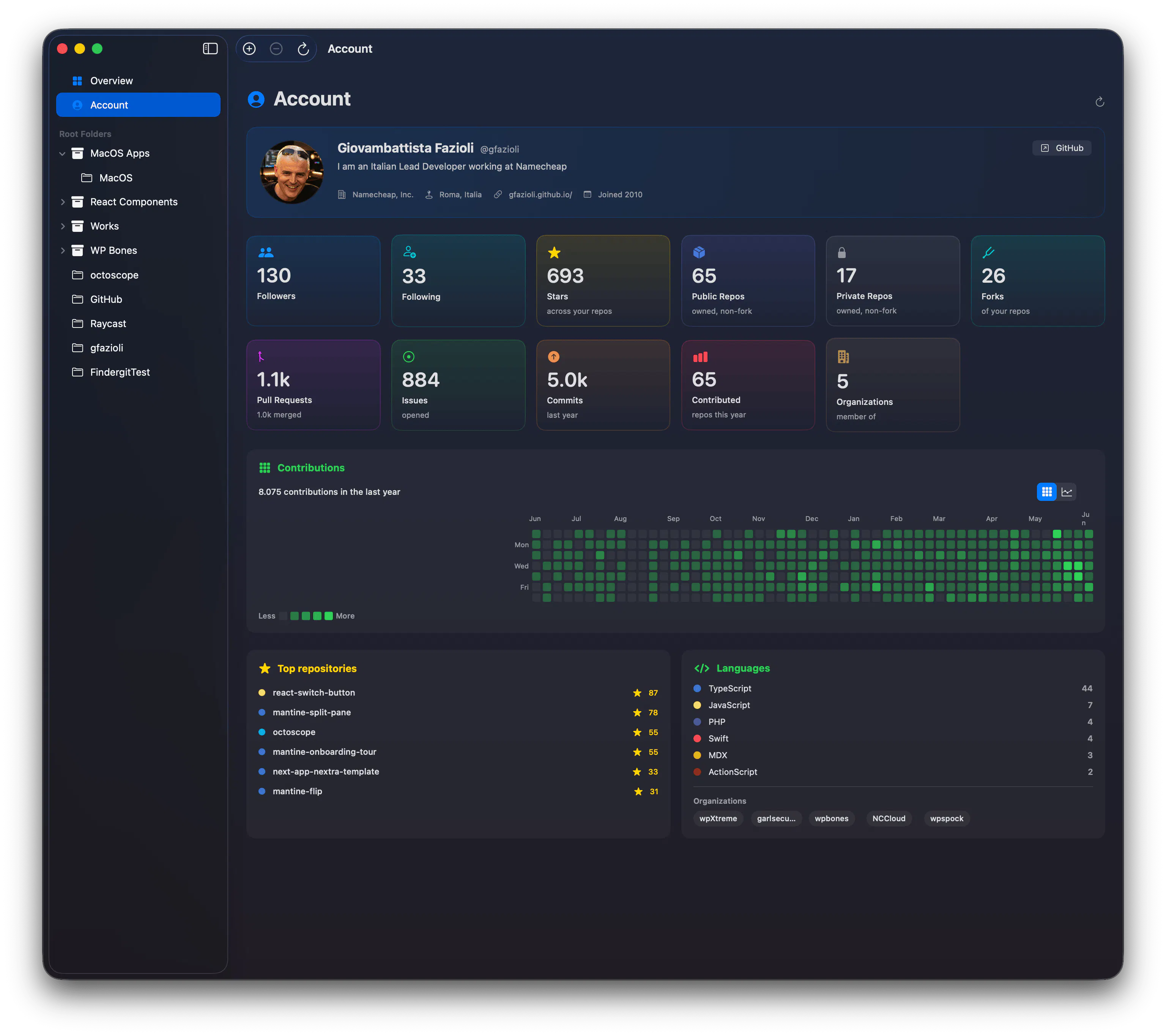
👤 Account
Your GitHub profile, right inside the app — no browser. Followers and stars, public and private repo counts, a full year of contributions as a heatmap or a line graph, plus your top repositories, languages, and organizations.
⭐ New-star alerts
Know the moment one of your repositories earns a star — by name, not just a number — with a badge in the app and optional desktop notifications.
⚙️ And a refreshed Settings layout: cleaner and more legible, every option on its own labelled tile.
Free, signed & notarized, macOS 15+.
→ Download: https://github.com/gfazioli/findergit-website/releases/latest
When you've got dozens of repos checked out locally, how do you keep track of which ones need attention right now? Curious how others handle it 👇
Replies
The "needs attention" panel is exactly what I've been missing. I always lose track of which repos have uncommitted changes sitting around, especially after switching contexts. Star alerts by repo name is a nice touch too, way more useful than just watching a number tick up.