

🚀 FinderGit 0.11.0 — Forks, branches, and a tidy working tree

Three things I kept leaving the app for are now built right in. 👇
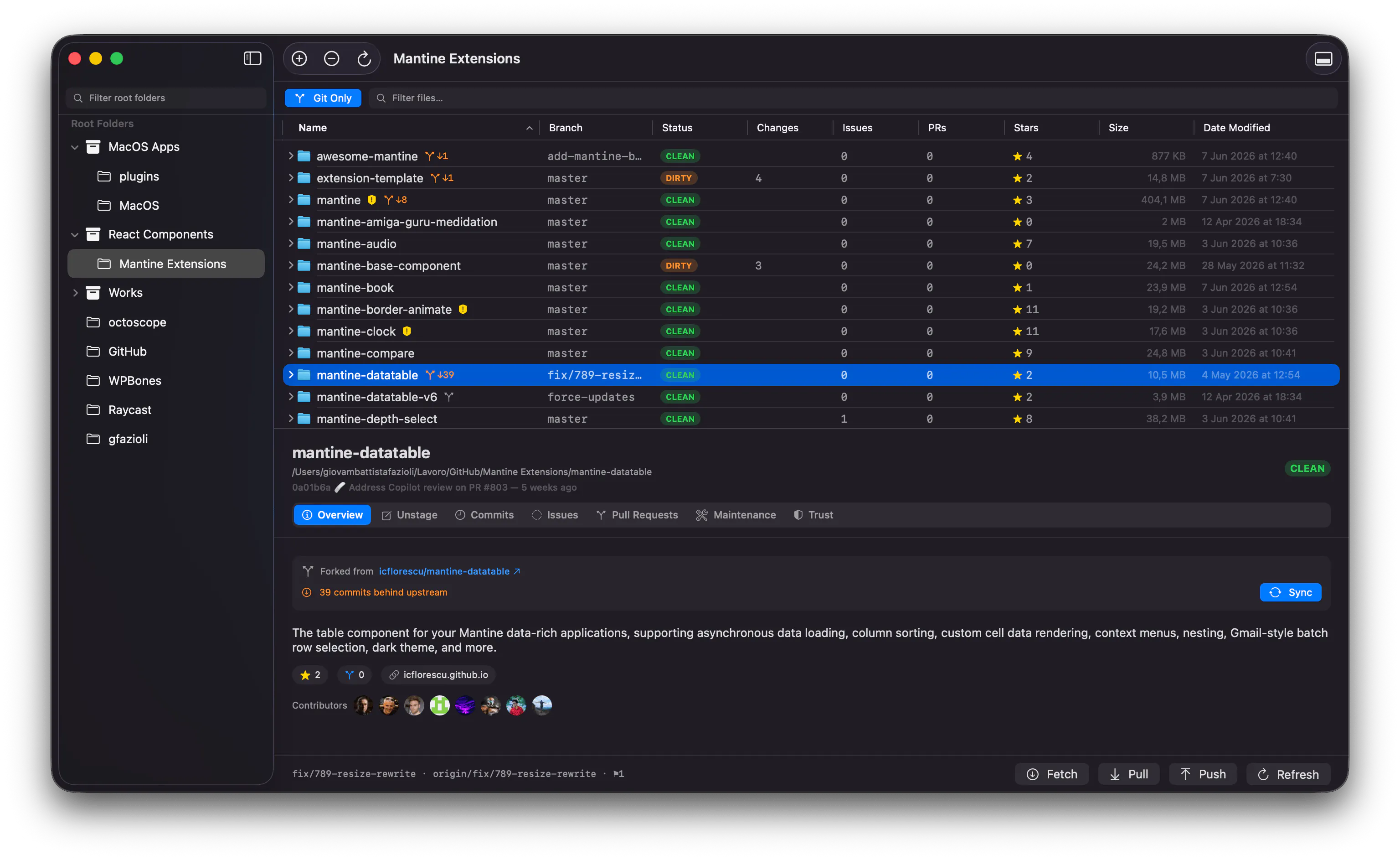
🍴 Forks that tell you when they're stale
Every GitHub fork in your file browser now shows how many commits it trails its upstream (↓5, ↓39…). When one falls behind, Sync Fork brings it current on GitHub and pulls your local clone — one click, done. No more checking repo by repo in the browser. And forks that have diverged are flagged honestly, instead of being offered a sync that can't work. 🤝
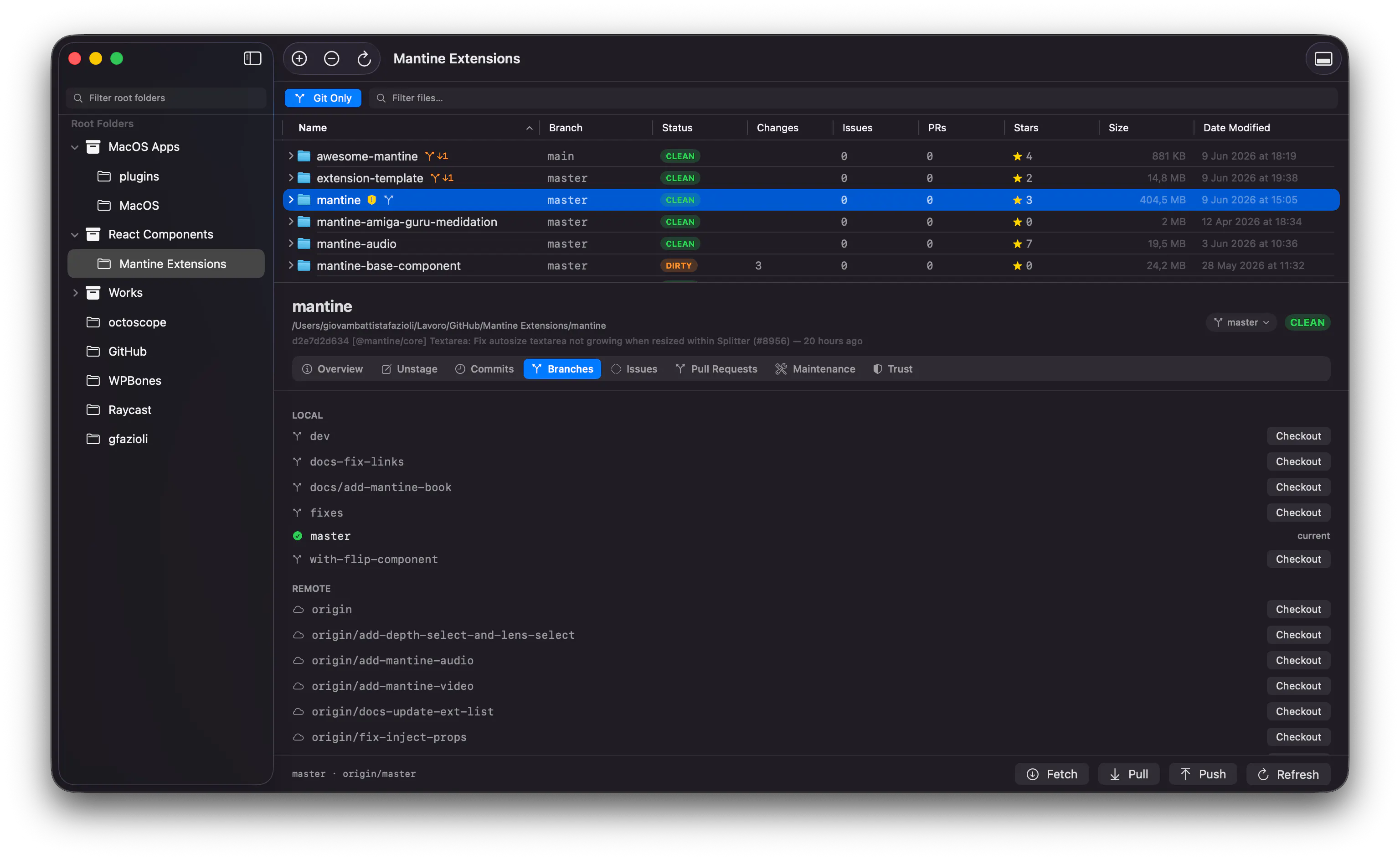
🌿 Switch branches without a terminal
A new Branches tab lists local and remote branches with one-click checkout, plus a branch dropdown right in the panel header and a quick switch in the right-click menu. I built this after catching myself working on the wrong branch — twice. 😅
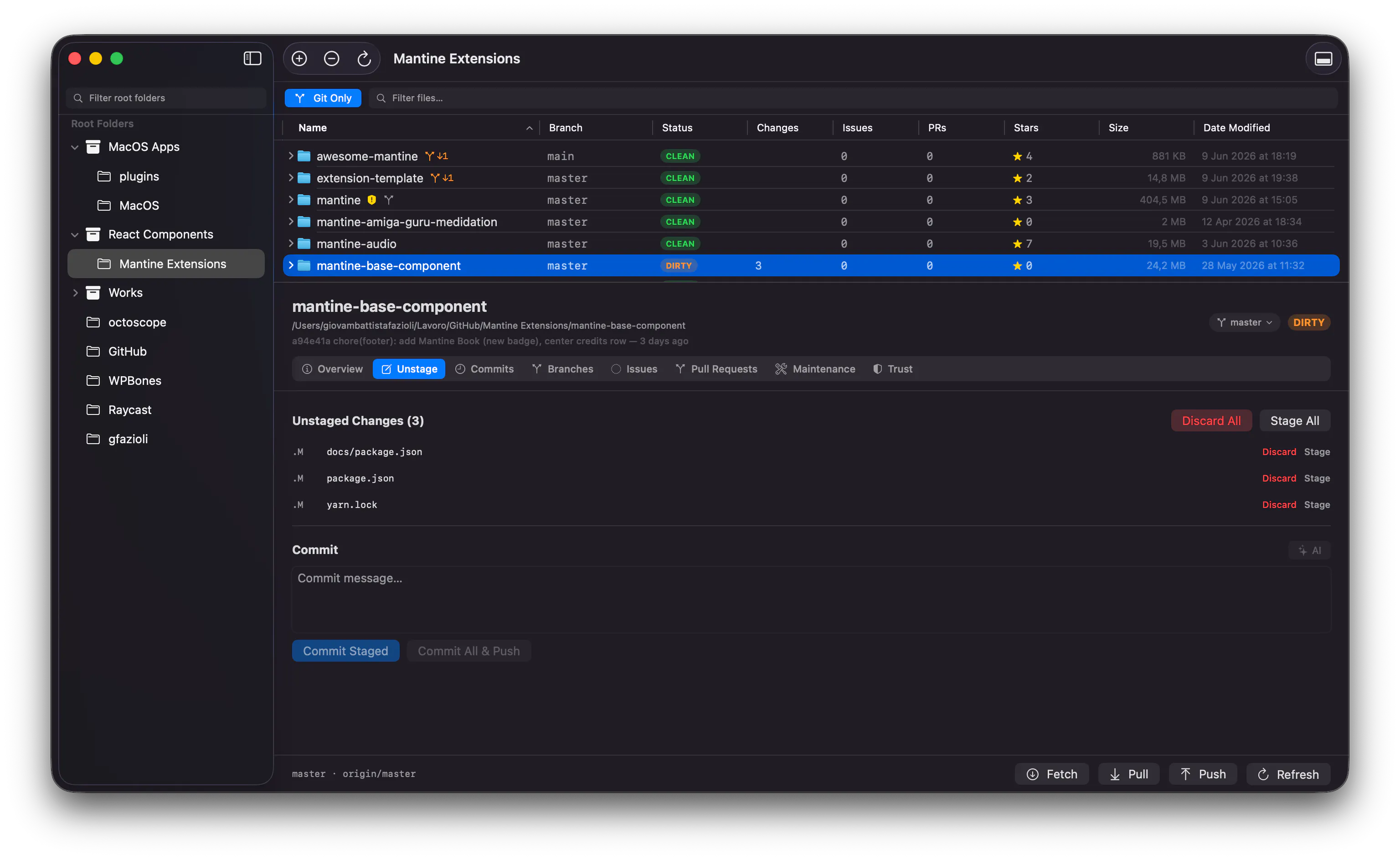
🧹 Discard changes, safely
Revert modified files or clear out untracked ones — per file or all at once, always behind a confirmation. Untracked files go to the Trash 🗑️, not into the void: one "Put Back" in Finder and they're home again.
⬇️ New here? Grab it at findergit.app — free, signed & notarized.
🔄 Already on FinderGit? The update is rolling out automatically in-app.
Feedback and ideas welcome — half of this release came straight from my own daily friction. 💬
Replies
Be the first to reply
Have a question or a thought to share? Add a comment above to start the conversation.