

Cliptop for iOS is out now! You can now sync your clipboard between Mac, iPhone, and iPad

Hey PH 👋
I just shipped Cliptop for iOS, which means Cliptop is no longer just a Mac clipboard manager.
The idea is simple: the useful things you copy, save, and reuse should be available across your Apple devices, not trapped on one screen.
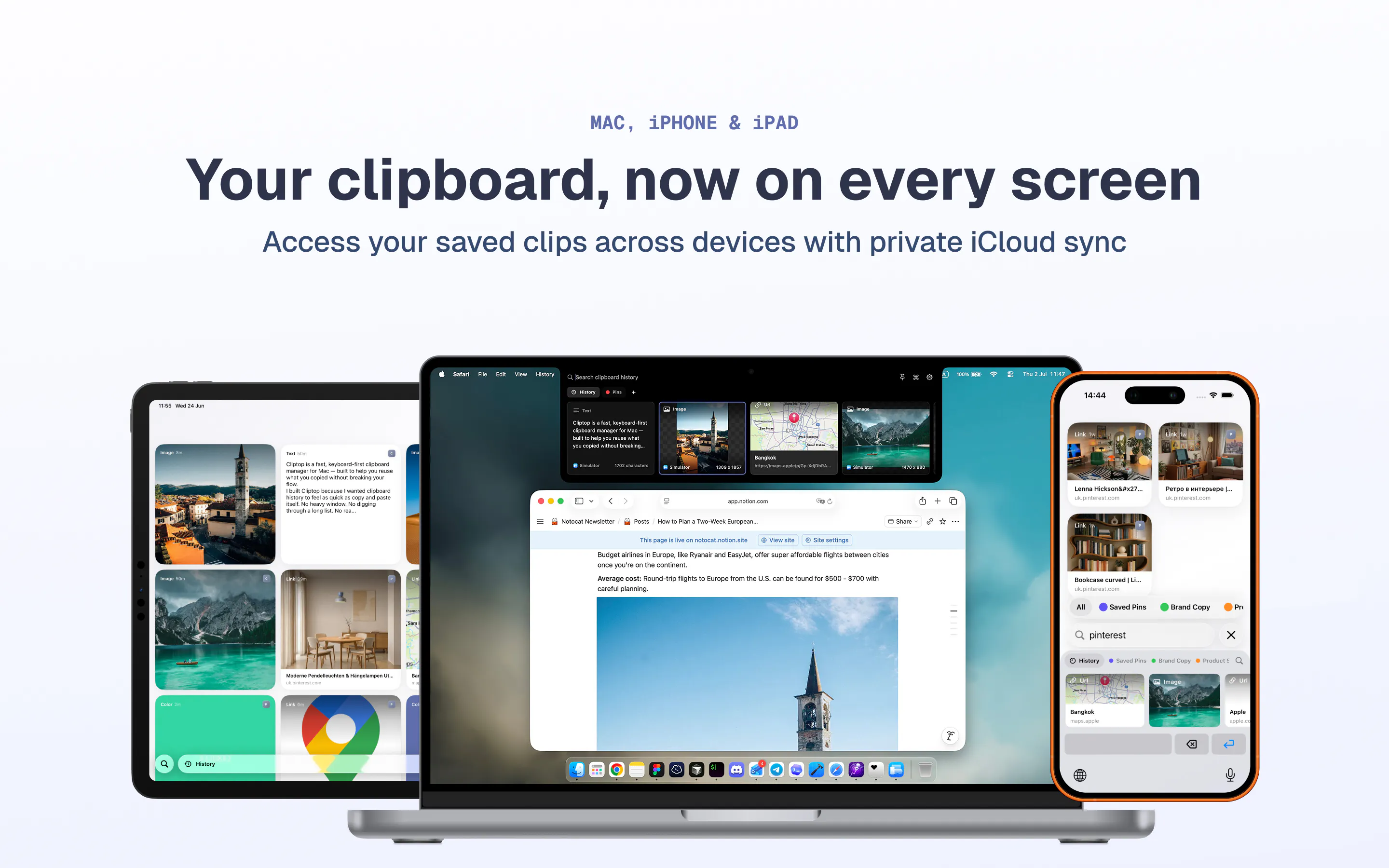
On Mac, Cliptop still works as a keyboard-first clipboard history that sits under the notch and menu bar. You can open it with a shortcut, search instantly, preview what you copied, and paste it back without breaking your flow.
With the iOS app, I wanted Cliptop to be useful on its own too, not just a remote viewer for your Mac clips.
You can now:
Sync saved clips across Mac, iPhone, and iPad using private iCloud sync
Save links, text, images, colors, snippets, and files from your phone
Organize important items into Pinboards
Search your synced clipboard history across devices
Use the iOS paste keyboard to quickly insert saved snippets into other apps
Run OCR on images so screenshots and image clips are searchable
Preview and edit images before reusing them
Use quick paste actions like plain-text paste and link cleanup
I’m especially excited about the “shared clipboard history” side of this. It is not meant to replace Apple’s Universal Clipboard. It is more like a searchable, organized memory for the useful things you copy and save throughout the day.
Would love to hear what you think, especially if you work across Mac and iPhone/iPad a lot.
What would make cross-device clipboard history genuinely useful for your workflow?
----
Available on the AppStore here: https://apps.apple.com/us/app/clipboard-manager-cliptop/id6776080560
Replies
I'm defienetly giving this a try. Clipboard sync across all my Apple devices is something I use every day, so this sounds really useful. Does it also support rich text and images?