ScreeSha

ScreeSha

Share multiple screens two-way

47 followers

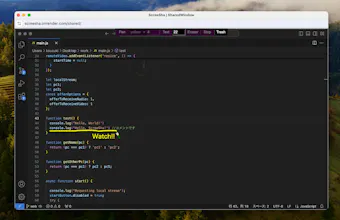
ScreeSha is a web meeting app for small group that enables multiple screens sharing, two-way screen sharing, two-way pointer and comfortable remote control. It is useful if you use multiple monitors or discuss while looking at multiple documents.
ScreeSha gallery image
Free Options
Launch Team / Built With
Famulor AI
Famulor AI
One agent, all channels: phone, web & WhatsApp AI
Promoted

What do you think? 


kou
Maker
📌
When I was doing code review in remote meeting, I found it inconvenient that only one screen could be shared at a time, because the conversation gets interrupted every time I or the other changed the shared screen. So, I developed ScreeSha. In addition to basic web meeting features, the distinctive features of ScreeSha are as follows. ・Screen sharing (multiple / two-way) ・Two-way pointer (not only the person sharing the screen, but also other people can reflect their own mouse cursor to the sharer) ・Remote control (shortcut keys such as copy, paste, undo etc. are OK) ・Annotation (freehand drawing, text annotation, and eraser) ・Chat & File transfer ScreeSha is a desktop app available for Mac and Windows. If you join via the meeting link, it is available for browser (Chrome or Edge). All features are available completely free for 2 months. This is a beta version and the functionality is limited, but if there is a positive reaction I would like to add features and improve the UI.
Kyrylo Silin
Hey kou, I'm curious about how it handles bandwidth requirements, especially when sharing multiple screens simultaneously. Have you considered adding a feature for recording sessions, which could be useful for later reference or for team members who couldn't attend? Congrats on the launch!
kou
@kyrylosilin Thank you for question! As for how it handle bandwidth requirements, I currently do this by throttling the frameRate and limiting the number of participants to 4. It is primarily intended for sharing still documents, videos are not intended to be shared. ScreeSha has only implemented the most notable features so far, so I plan to add features such as recording sessions depending on user feedback.
Martha Enwemuche
This is beautiful! Kudos to the team
kou
Toshit Garg
Congrats for launch of ScreeSha....
kou
@toshit_garg Thank you!
Frank J. Fowler
It's so much easier to discuss complex topics when you can see everything side by side . Awesome!
kou
@frank_j_fowler Thank you!
Chris Chen
Your two-way screen sharing feature is brilliant. It's perfect for remote training or collaborative work. By the way, feel free to check out our YepAI post and leave a comment or upvote. We'd really appreciate it!