
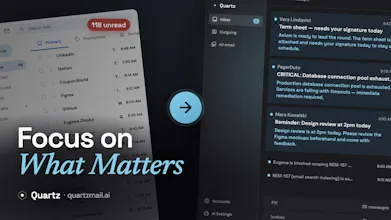
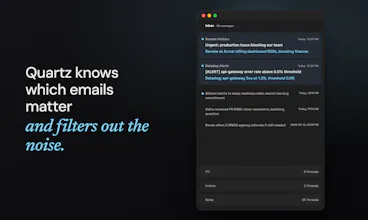
Quartz turns Gmail into a focused inbox. It sorts every message by importance, and learns what matters to you over time. When you reply, it drafts in your own voice. And the AI runs entirely on your own Mac, so your mail stays end-to-end encrypted and never shared with AI providers.


Free
Launch Team / Built With


RATSTag your DJ library by sound, and find what to buy next
Promoted


Congrats on the launch! This tool would definitely make my life easier. Does it support adding multiple emails/domains, to tackle everything at once?
@skottur, thank you ❤️
It supports adding multiple Gmail accounts. I personally have 2 Google Workspaces accounts and one personal Gmail account added.
We just shipped v0.1.84 and it's a nice mix of "finally" fixes and quality-of-life polish. A few highlights:
🔗 Links in plain-text emails are now tappable. Bare web addresses in plain-text messages are live, clickable links now — no more copy-pasting URLs into your browser. Just tap and go.
🍎 Sign-in is reliable again on older macOS. Connecting your account could crash on macOS 14.0–14.3. That's fixed, so sign-in works no matter which version you're on.
Plus a round of refinements:
Recipient names with commas or quotation marks now display correctly — no more split-up addresses or stray escaped quotes in recipient chips.
Draft with AI now has a clear submit button, so it's obvious how to send your prompt.
Settings panels share consistent, polished typography for a cleaner, more cohesive feel.
The Telemetry panel shows your analytics ID as a read-only field — handy for privacy checks and support.
Interesting approach. Curious how well it adapts to different writing styles over time
@rupkatha_saha1 we're still working on improvements to drafting, that appeared to be pretty challenging task. You should notice difference after sending just a couple of emails from Quartz. If you replied in a thread, it'll try to follow your style immediately.
Quartz AI will also adapt to your contact: emails to friends usually look a bit different than emails to clients or colleagues.
I also have to admit we still have work to do for this feature.
@t1m0slav I know! Gmail is such a huge part of the market, and its API makes it much easier to build without losing features people rely on. That said, IMAP support is definitely on our roadmap. Every comment like this helps us prioritize it a little higher ⬆️
Any plans for Windows anytime soon?
@ladefalobi Thanks for asking!
We definitely plan to support Windows. With the huge variety of hardware and system configurations, it’s much harder to guarantee a great user experience, so we decided to focus on Mac first and get that right before expanding.
local AI for email is the right privacy architecture and the right differentiator against every other AI email client. the trust question for email tools is specifically about whether your correspondence is being used to train models or stored on someone else's servers. running on your own Mac removes that question entirely rather than asking users to trust a privacy policy
@ansari_adin to be honest, local-first approach also has some downsides: inference is slower and models aren't that powerful. But we think it's a fair tradeoff for email client.
@dzhlobo that's a fair tradeoff to name explicitly, and it's probably the right one for email specifically since most of what an email client does, sorting and drafting, isn't latency-critical the way something like a coding assistant would be. the model capability gap matters more for drafting quality than for sorting accuracy, I'd guess. is that roughly where you're seeing the tradeoff bite hardest too?
Whoa, this looks really slick! Big kudos on making the AI fully local, too 👍👍👍 I might actually stand a chance at processing my 5k unreads 🤔
@izayats thank you!
We don't process your existing backlog in beta: crunching 5k+ emails can take a while depending on your hardware. But switch to Quartz today and you'll never build up a backlog like that again!