
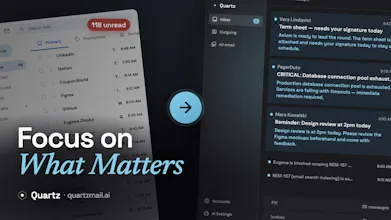
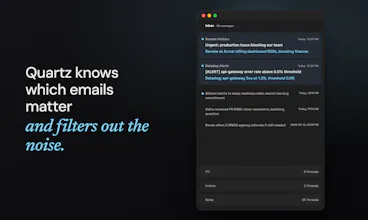
Quartz turns Gmail into a focused inbox. It sorts every message by importance, and learns what matters to you over time. When you reply, it drafts in your own voice. And the AI runs entirely on your own Mac, so your mail stays end-to-end encrypted and never shared with AI providers.


Free
Launch Team / Built With


Framer AI AgentsDesign and publish professional sites with AI
Promoted


Focus and privacy in the same product is rare for an email client. Does it handle multiple accounts in one inbox?
@suzychase, yes, it does. Unfortunately, only Gmail for now. I use multiple accounts myself.
Local-on-Mac with Gemma on-device is a great privacy angle, that's exactly why I run my own AI tools on my own machine too. One thing I haven't seen asked: since the model runs on the Mac, what happens to sorting and drafts when the laptop is asleep or closed? Does it catch up the moment you reopen it, or do you need it awake to keep processing? Congrats on the launch.
@david_marko, when the lid is closed, the app is hibernated and we don't do any processing. The app should resume the processing as soon as you open the lib back up.
So it'll resume automatically but won't process anything when laptop is asleep. In rare case when something gets wrong and processing fails, it's possible to trigger re-processing of an email manually.
How about integrating them with office emails? Mostly office emails consist of 1000+ unread emails, which needs sorting and prioritizing. Any idea how we can integrate with office emails?
@sumit_maiti are you on MS Outlook / Microsoft 365?
Currently, we support Gmail only but other providers are on the roadmap. Tell me your exact setup and I'll see how we can help and bump it up the list.
An email product built around focus! I love that:)
Is there a way to identify which emails are important besides manually marking them myself?
@hun_kim thank you and good question! You can describe it via your user profile first and then teach Quartz with corrections and feedback. It will get better the more you use it!
Running AI locally is a big deal for privacy. Most email tools want you to hand over everything to their servers. Quick question, does it handle multiple Gmail accounts or just one?
@kreativejosh yes, you can add multiple Gmail accounts.
Very excited to try this out! Would that send a push notification when an email is very important so I can respond asap?
@nikita_sakau1, indeed we send notifications for emails that get into important category.
One thing I think we probably should showcase more is that you can change categories of emails manually and this will be remembered (locally, data is visible in settings for review) and would influence categorization of the following emails. If an important email slipped into non-important category, you can fix it manually and next time similar email would go to important and you'll see a notification.
@nikita_sakau1 thank you! Yes, that's the whole idea. You won't see push notifications unless it's important. And "important" is defined by you, Quartz will get more accurate over time as it learns more about you!
Hey, congrats with the launch! What's your vision on future pricing? Downloading and testing the app anyway 💪
@anna_golovchenko, thank you ❤️
We want to know if there's any interest first. In the future I think it could be a fixed yearly payment.
@dzhlobo Testing already.. I have a lot of sparkles in my inbox in Quartz, what does it mean? ✨✨✨
And do you have any keyboard shortcuts in your client?
Can I multiselect more than one mail?
Sorry for lots of questions; I'm curious 🧐
@anna_golovchenko, questions are very welcome ❤️
Sparkles mean AI is processing those emails ✨.
We do have shortcuts:
- Cmd + 1 selects Inbox
- Esc unselects email
- Cmd + R opens reply window, Cmd + Shift + R -- reply all
- Cmd + Shift + F forwards
- Cmd + Ctrl + A archives one
- Cmd + Shift + I opens AI draft box so you can write instructions
- Cmd + Enter sends email
- Cmd + Z undo archive, Cmd + Shift + Z redo archive
No multi-select right now, thanks for the idea ✍️
@anna_golovchenko hi, thank you for questions :).
I quickly built and released v0.1.83 with mentioning all the shortcuts we have. Hope it helps.