
ProdShort
Turn meetings into ready-to-post shorts and posts
1.1K followers
Turn meetings into ready-to-post shorts and posts
1.1K followers
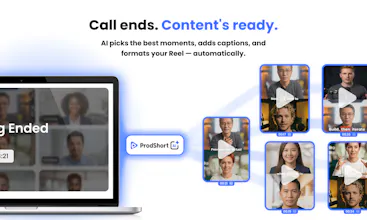
Founders fail at content because it's time consuming and AI just still feels fake. Prodshort fixes that. We don’t generate content. We capture it. Everything you say in meetings is already valuable. We cut it, refine it, and turn it into ready-to-post shorts, Linkedin, Twitter... Automatically. No scripts. No fake voice. No overthinking. Just you, turned into content.




Free Options
Launch Team / Built With


Dropbox SignSimple, secure eSignatures for the way your team works.
Promoted


This is exactly the kind of tool I didn't realize I needed! I’ve had so many great moments from calls that simply get lost and forgotten. Quick question—when you record your own calls with it, do you notice yourself speaking differently because you know it could turn into content, or does the conversation still feel natural? I’m curious about how “authenticity” holds up when you’re aware that you’re being recorded. 👀
@bacelyyorobi In the majority of the calls we just forget about it. But still sometimes there is some moment where you think. This part was soo interesting but let me repeat it for Prodshort in another way...
@bacelyyorobi @bengeekly yes, sometimes you can repeat it .. but generally you just forget about it
@bacelyyorobi The first seconds your are like: ''ok, i am recorded..". But once the conversation starts, your quickly forget about it and speak naturallyy !!!
This is really cool! Could this work with podcast recording platforms like Riverside? I'd love to be able to turn the highlights from my long form podcasts into clips for social.
And by the way, how did you make the hero images (in your PH post)? They're really good! Well done 👏
@sfoscar We can connect to Google meet, Zoom and Teams we might include other platforms but our focus will always be meetings.
We used Figma for the images! so made by a human designer 🧑🎨
@sfoscar thank youu
Much needed and useful! But since meetings can be sensitive, how are you handling privacy, consent, and data storage etc?
@lak7It should be treated as a note taker and is visible in the call from everyone. Then the content is not shared, we just create it for you and suggest it. You still need to check it and post it yourself.
Of course from our side, we prompt in a way that will suggest content that respect your privacy.
curious what the edit step looks like - does it give you one output per meeting or multiple angle cuts? wondering how much manual curation you still need before it's actually postable.
@mykola_kondratiuk 5 mins after the end of the call. You have 5 AI suggestions. They are ready to post. But you can change the title, captions...
We also have a simple timeline if you really want to be picky, you watch the video with a higher speed, and select the moment you want. The videos and text post are generated automatically following this step too
5 mins is the sweet spot - still in the headspace of the call, editing an AI draft takes way less energy than starting cold.
@mykola_kondratiuk Absolutely !! You can also add some small editing (title, captions) !! But, you avoid the boring editing part 😄
Yeah that's the right balance - skip what's tedious, keep control where it matters. Titles and captions are worth the manual pass anyway.
Interesting idea! But what about sensitive data? Is there a risk the service might accidentally publish something confidential?
@mykyta_semenov_ As per now, we don't publish on your behalf, we give you ready to post content, and you publish them. So the risk is 0.
In the future, we want to be able to publish on behalf of the user, but we will always keep a human validation.
"AI still feels fake", yes. I've been trying to build content around my app launch and the gap between how I talk naturally vs. what comes out when I try to "create content" is painful. Does this work with solo recordings (Loom-style) or only multi-person meetings?
@linoy_bar_gal It does work with the solo recordings. But soon we will also add AI interviewers that might help you with keeping the discussion and doing a discussion with them. They will focus mainly on asking you questions related to what you are already saying.
Guys, congrats on your launch! I like the idea! Do you install it once or need to set it up before every call?
@kate_ramakaieva Thank you, there is 3 options: Connect your Calendar (Google), Schedule a call by giving the Meeting link, or Join name also with the meeting link.
@bengeekly thanks, will try it out and consider it as a sign to be more active on socials!
@kate_ramakaieva Woow, I will be honored if you see that as a sign.
It's one of the pain point we don't know how to solve yet. People don't step and start posting. I recommended to some friends to just start recording the calls, even if they don't post them. I also asked some friends if I can post and just tag them as a start.
Creating content is only the first step.
How active are you in SM ?