Migma AI


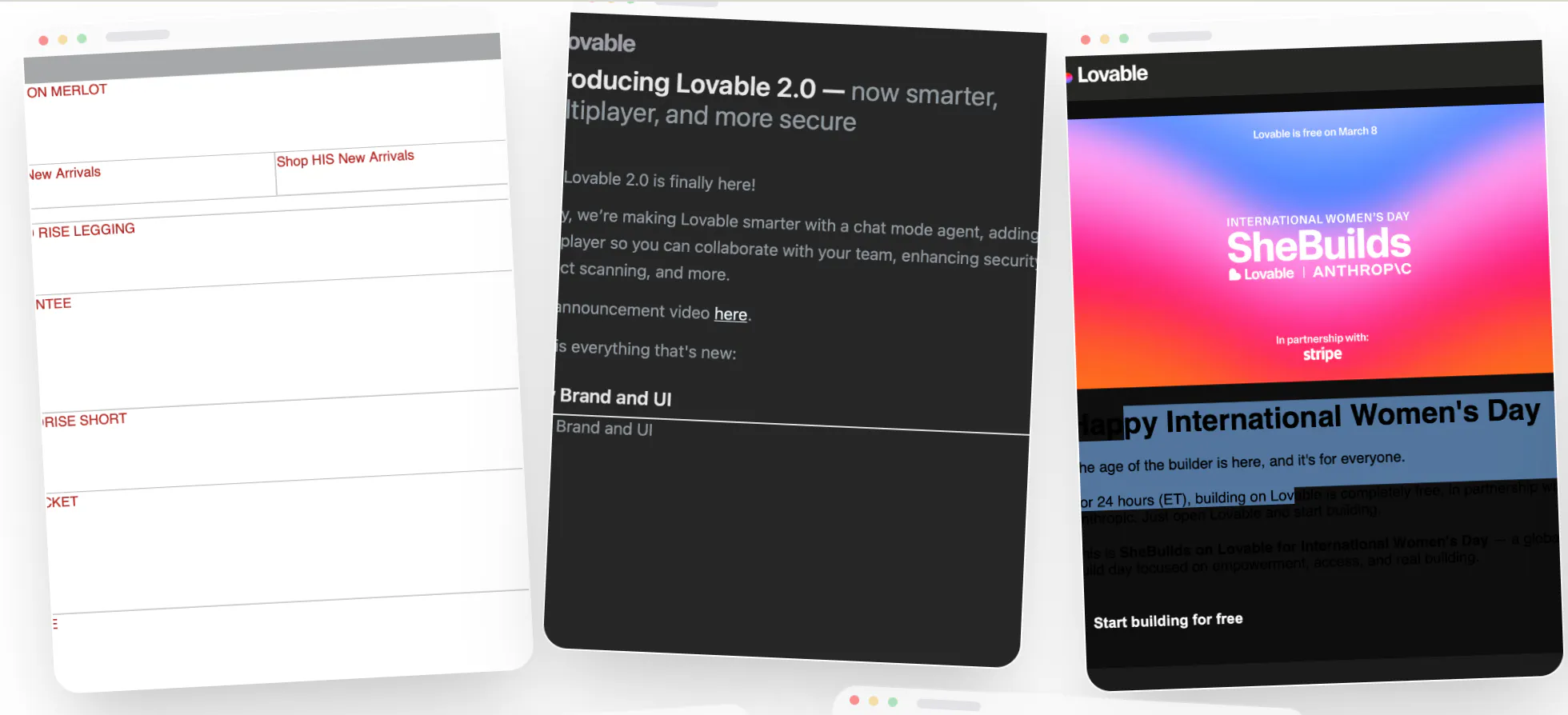
Most AI email tools generate browser HTML.
That works in a preview.
It breaks when it reaches a real inbox.


Hey Product Hunt!
We ve all been there. You design a beautiful, complex layout in Figma, only to have it die a slow death during the "handover." Either the developer says it s impossible, or you spend three days fighting with nested tables and inline CSS to get it to look half as good in an inbox.
No matter what you're building, investors new favorite question: "What stops OpenAI from doing this?"
For @Migma AI: we operate on the software layer while OpenAI provides the foundation models. they re pushing toward AGI, not building specialized vertical products. email requires deep integrations, brand learning, cross-client rendering, and a compiler we built in-house. OpenAI won t spend years perfecting how 40+ email clients render html but that s exactly our edge. Look at how they acquired @Windsurf for billions: instead of building vertical products themselves, they buy proven software players. we re in that category.
Now tell me: what stops OpenAI and giants from doing what you're doing?
I'm a non-technical founder who knows the importance of email for my product-based business. I don't have the technical skills to efficiently build large campaigns. There's so much more to emails that I never realized, beyond just making it look nice. Migma has just blown this out of the water for me. Prompt to fully built email in seconds. Thats all I thought I needed, but there is so much more. They have their "email preflight" checker to make sure it's compatible with all the email servers (Gmail, Outlook, Yahoo, et cetera), checks all my links, makes sure there are no code errors, et cetera. If there are errors, all you need to do is click the "fix with AI" button. Poof. All better.
Migma is wild, and I believe it needs to be a standard part of every business tech rotation. It allows non-technical founders like myself the ability to make high-level emails, give the AI instructions to fix things/move things/re-work things, and have an elite-level email designer, without the high cost of an agency. And then I can export it directly into Klaviyo, ready to go.
It gives people like me the ability to do what I don't have the technical skills to be able to do, and it gives people who do have the technical skills hyperdrive.
Lifelong fan and client.
You have to get good at your prompts and making multiple edits/adjustments in a singular prompt. Each modification to an email you make, creates a new version of that email. The memberships tiers are based on number of daily emails. If you aren't efficient with your prompts and edits, you can burn through your daily allotment and have to pick it back up the next day. Example: "Change the color on this word to Blue" then a separate prompt "Ok change the layout of the text and image and put the image on the left of the text" - this would be 2 emails. Versus " Change the color on this word to blue and move the image in section 3 to the left of the text" - This would be one email.
This is a pretty small point and just takes some getting used to, but is something that could be improved for a UX perspective (maybe a threshold for certain edits to count as a new email).
It massively reduces the learning curve and consolidates the touchpoints for me to build and email. Previously, I would generate the copy and idea in ChatGPT, then I would try to fumble my way through a Canva template to design the email (hours), or try to hire someone on Fiverr to build the email template and do the back and forth refinement (it took weeks and $$), and then I would set it all up it all in Klaviyo, hoping I set it up right.
Now it's prompt to fully built and optimized email, do a small amount of refinement in Migma, to which I export directly into Klaviyo. I built an entire flow (multiple in a series) in about 10 minutes, and it far exceeded anything I could have built (or thought of), even in 20x the time.
It's insane.

Hi Product Hunt,
Over the last year, Liam and I have been obsessed with one idea:
Your email platform should understand what your business is trying to achieve, carry the work all the way to the inbox, then learn what works.
That is what we built Migma to do.
Give Migma your brand, audience and goal.
It plans the campaign.
Creates the complete sequence.
Makes the right versions for different audiences and languages.
Then sends it.
ChatGPT, Claude and other AI tools can create emails that look good in a browser, but break when they reach real inboxes. They don’t understand compatibility, accessibility or compliance in the way email requires.
Since our last launch, we learned that compatibility had to be the foundation.
React Email, MJML and other libraries were still failing to produce emails that looked consistent everywhere.
So we built Zinn, our own markup language.
It generates emails quickly and efficiently while keeping them compatible across email clients, even Outlook 2003.
We didn’t build it just to create more emails.
If you’re paying for a platform, the emails should be worth sending and built to convert.
That’s our mission, and why we watch every metric.
Migma personalizes and localizes each version. Your audience in Spain receives the email in Spanish. Customers in Canada can receive it in French or English based on their location and preferences.
Migma tracks which emails drive clicks, purchases and revenue, then uses those results to improve future campaigns.
Your first campaign should never be as good as your last.
Thanks to our partnership with Cloudflare, we’re also able to offer sending infrastructure you can trust.
Migma handles domain setup, warmup, compliance, unsubscribes and customer preferences.
You can work directly in Migma or from your AI agent, Slack or Telegram.
All of this is also available through our API for marketing and transactional email. We’re already partnering with other platforms to bring Zinn into their products.
Since our last launch, we’ve raised a six-figure pre-seed round and started growing from a team of two brothers into a bigger team.
Today, we’re offering Premium at 50% off for the first 200 customers forever.
You can create and send up to 200,000 emails per month for $49, and keep that price for as long as you stay subscribed.
We wouldn’t be here without your early validation, feedback and support.
Thank you,
Adam and Liam
@adam_lab This is really huge!! Been watching Adam and Liam build this for months and the Zinn markup piece alone is a game changer, finally an email tool that doesn't break the second it hits Outlook. Compatibility + personalization + actual localization in one place? That's the SaaS email marketing has been missing.
@adam_lab From the buyer seat, the scary part of handing email to an agent isn't the copy, it's send judgment: who gets suppressed, when to slow down after a spam spike, when NOT to send. Does the agent make those calls itself, or does a human still hold the throttle? That line is usually where automated email either saves you or burns a list.
@artem_fedorovich Great question, the agent learns from your sending patterns and draft the email designs based on the your calendar events. All you have to do is approve and send. Those you ignore to schedule, the agent will learn from.
Really cool product - congratulation on the launch. In my experience, the hard part in email isn't just the generation, it's the render matrix. Outlook's Word engine, Gmail clipping at 102KB, dark mode inverting your PNGs. Curious whether the "proprietary engine" means real client testing or just conservative table markup.
@aidan_codefox That’s exactly what our Zinn engine is built to solve.
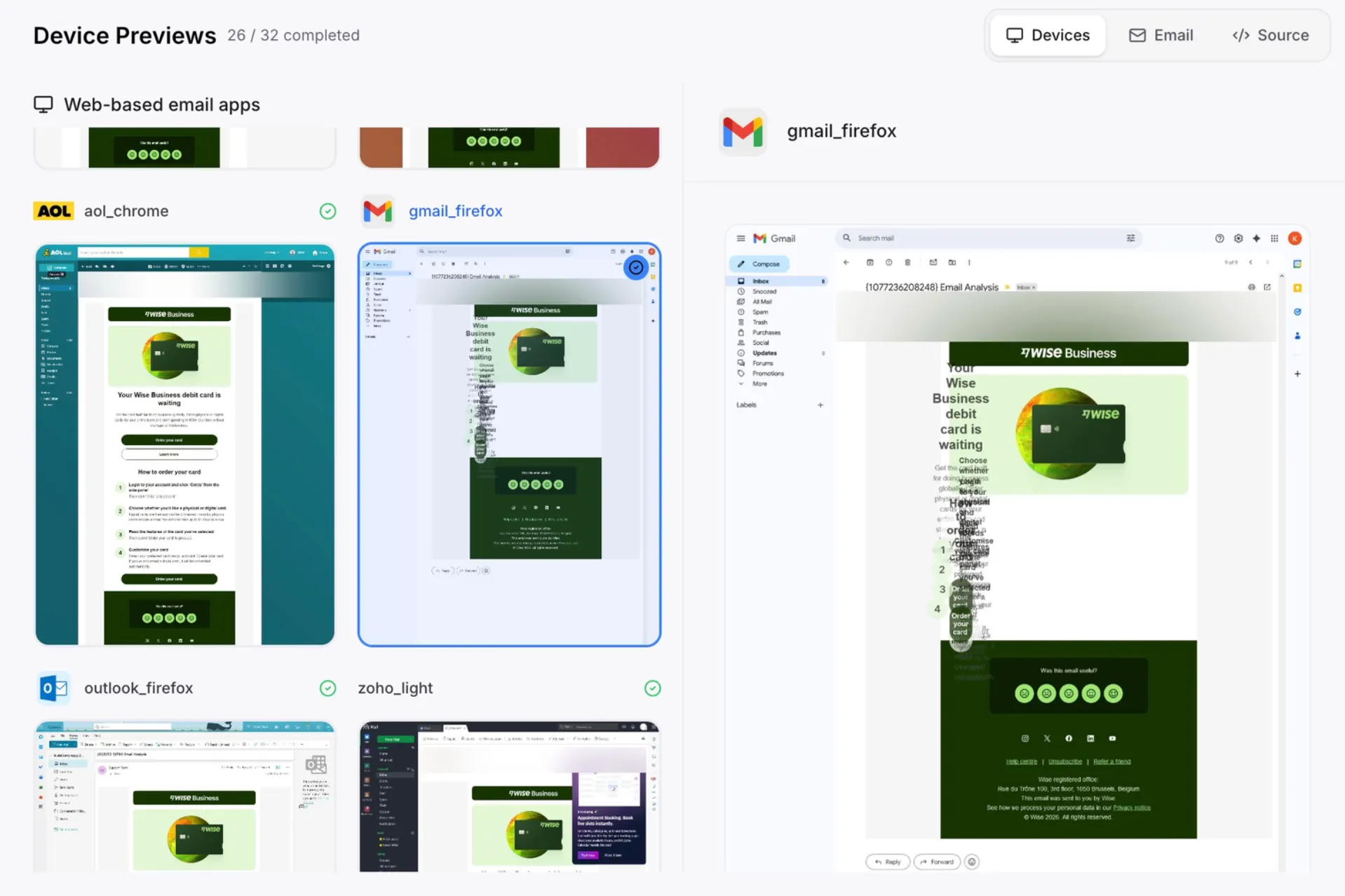
It goes beyond conservative table markup. It handles tricky cases like dark mode color inversion, especially in Gmail on iOS and Android, and you can also run real tests across real devices in Migma before sending to make sure everything renders correctly.
Really appreciate you bringing this up, the render matrix is one of the hardest parts of email, and it’s something we’ve spent a lot of time on.
Give it a try and put it through its paces. I’d genuinely love to hear what you think 🙌

@aidan_codefox We support Gmail clipping too. Migma keeps an eye on the 102KB limit and warns you if the email is getting too large.

Migma feels strongest where most AI email tools fall apart: not the copy generation, but the render and compliance layer. Zinn is the interesting bet here because email HTML is still weirdly unforgiving.
Curious how much testing happens before send. Is Migma validating against real inbox/client previews, or mainly compiling into conservative markup that avoids the usual Outlook, Gmail, dark mode, and clipping issues?
@aditya_harish_2002 You’re spot on, email HTML is still surprisingly unforgiving.
Zinn handles the compilation side, but Migma also checks the campaign before send: real inbox and device previews, dark mode behavior, Outlook and Gmail quirks, clipping risk, broken links, and compliance essentials like unsubscribe and sender details.
So it’s not just “generate and hope.” You can review the actual output, catch issues early, and only send once everything looks right.
Would love for you to try it with one of your tougher templates and tell us where it breaks 🙌
@liam007 The pre-send checks are the interesting part for me. Email HTML is one of those things where the template can look fine locally and still break in Outlook, dark mode, or clipping.
I’ll try it with a rougher template and see where it cracks.
The line that stands out to me is that your first campaign should never be as good as your last. That learning loop is the real moat here, even more than the rendering work everyone is asking about.
My angle is the awkward one for it: I run email to a small, high-value B2B list in healthcare, a few hundred serious buyers rather than a consumer list. There a tone-deaf automated send costs a relationship I cannot re-earn, and the revenue signal comes back slow and sparse.
So, Adam, does the learning loop need consumer volume to work, or can it improve on thin data, where the win is one right email a month rather than a tuned high-frequency cadence?
@clemente_lopez1 No. Volume makes the loop faster, but it is not required.
For a small, high-value list, the useful signals start before opens or purchases: what you approve, edit, reject, who you choose to send to, and when you decide not to send.
Migma should become more conservative in that setting, not more autonomous. It prepares the campaign, learns your judgment, and you keep approval before anything goes out.
The goal is not more sends.
It is one email a month that sounds like you, lands at the right moment, and does not burn a relationship.
The Zinn part is what I'd want to know more about. Every time we've asked a model to emit a bespoke format it drifts back to whatever it saw most in training, so ours kept quietly producing plain HTML where our own schema was required, and prompting never fixed it, a constrained schema did. Is the model writing Zinn directly, or does it emit a structured plan that a deterministic compiler turns into Zinn?
@dipankar_sarkar Great question! The model writes Zinn directly, not plain HTML. That's a big part of why generation is so fast and stays consistent across clients.
"Better with every send" implies real learning loop, not just A/B testing dressed up — curious what's actually feeding that improvement. Is it optimizing on opens/clicks per send, or does it get smarter about audience segmentation and timing over a longer horizon? That's usually the difference between a marginal optimizer and something that meaningfully changes strategy over time.
@abhineetarora Good distinction to draw.
Each send adjusts things right away based on opens and clicks. Over time it also gets better at segmenting your audience and picking the right timing, so the strategy itself improves, not just one campaign at a time.
Come run a few cycles and watch it move.
Can we export raw zinn markup or compiled production HTML straight to our own external ESP via API? huge congrats🙌 on the launch @liam007
@priya_kushwaha1 Yep, compiled HTML, absolutely. Raw Zinn markup, not at the moment.
You get clean, email-ready HTML with merge variables already in the native syntax for Klaviyo, Mailchimp, HubSpot, Brevo, or Omnisend, so you can drop it straight in without having to rewire personalization.
You can push it through the native connectors or pull it via MCP or a webhook.
And the best part is that the HTML is built to render properly across Gmail, Outlook, Apple Mail, dark mode, mobile, and even older Outlook versions, so you know it’ll look right before you send.
Would genuinely love to hear your feedback once you’ve tried it 🙌
@liam007 That's great to hear the compiled HTML export is exactly what I needed. Looking forward to testing it with our ESP. Congrats again on the launch.


Migma AI
Thanks for the love Destoe! 🥂 Glad Migma is making your life easier.