Launch Shots
Create stunning App/Play Store screenshots in minutes
332 followers
Create stunning App/Play Store screenshots in minutes
332 followers
Create beautiful App Store and Play Store screenshots with templates, real device frames, and powerful editing tools. You get 3 free downloads every month, and if you need more, there’s a simple credit-based plan starting at just $1. And unlike those tools that suddenly hit you with a $25/month subscription the moment you’re ready to download… we don’t do that. Pay only when you actually need it.


Launch Shots
ZeroHz
@ajayesivan This was actually an idea I’d been thinking about, and you made it beautifully.
Cheering you on!
Launch Shots
@nerdmakr Thank you for showing support! Please do checkout the product and let me know your feedback. I would love to learn how I can improve it for everyone.
@ajayesivanHow do you think about aligning incentives long-term, making credits feel fair and sustainable for you, without nudging users back into the same “hidden pressure” feeling subscriptions often create? Btw, this pricing philosophy will resonate with a lot of indies!
Launch Shots
@malekmoumtaz Hi Malek, that’s a very thoughtful question!
To be honest, I haven’t figured everything out yet, but my goal is to keep pricing fair, transparent, and sustainable in the long run. Here’s how things work right now.
Launch Shots is completely free to use with no hidden premium features that surprise users at the last moment. The only limit is 3 credits per month, which reset every month.
Then there’s the credit-based pricing. Users can buy credits, and they never expire. Even if someone has paid credits, they’ll still get 3 free credits every month, and those free credits will always be used first.
Credit price starts at $1 per credit, and up to $5 you get 1 credit per dollar. For bulk purchases, users get better value. The largest pack is 100 credits, which works out to about $0.6 per credit.
If someone feels the credit model starts becoming expensive because they’re using more than 20 credits per month, they can switch to a subscription instead. That gives unlimited credits for $12 monthly or $108 yearly. This is cheaper than most alternatives, especially on the monthly plan, since many tools charge $25+ per month.
I’m still exploring the feasibility of the credit model. I know most SaaS companies choose subscriptions for a reason, but I hope a fair mix of credits + subscription gives users flexibility while helping the product stay sustainable.
Hope this answers your question. Feel free to share your insights and continue this discussion.
Thank you so much for your support!
Hi Ajay, saw your Product Hunt launch for Launch shots—congrats!
I work with startups as a remote React / Full-Stack developer.
Would love to connect.
Curious—how are you handling frontend performance or mobile support as usage grows?
Launch Shots
@anadi_thakur1 Thank you!
Happy to connect! I'm in a figure it out as things come mode. So far everything is going well and I'm working on improving the experience everyday.
No mobile support for the editor as of now.
Launch Shots
@dubd59 Thank you for your support!
Please don't forget to share your feedback/suggestions after exploring.
Launch Shots
@german_merlo1 Thank you so much for your support! Please do check it out and let me know if you have any suggestions or ideas to improve it further.
Launch Shots
@e36 Glad you found it valuable!
Definitely use it for your next launch. If you run into any issues, you can reach me at support@launchshots.com.
And if you feel anything is missing or have ideas for improvements, I’d really love to hear them.
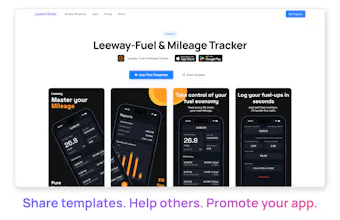
You can also publish your product screens as templates to help others launch faster while helping grow the platform. It’s completely free.
Triforce Todos
This happened to me too, before a launch, worked on screenshots and then got blocked by a subscription. Super frustrating.
This tool would’ve saved me a lot of time. How fast can someone make ready screenshots with LaunchShots?
Launch Shots
@abod_rehman It's super easy. If you're going with a template and your screenshots and copy is ready then under a minute. Like you can see in this video: https://youtu.be/7shyPEi6ios.
You can also do it quick even if you're starting from scratch. In my experience, the screen duplication helps a lot. You can design one screen and duplicate it and just change the image & copy if you're going with the same style for all screens.
Also, I have added features like AI powered translation, no clipping for frames to help extend elements from one screen to other - no more struggle to align multi-screen elements manually.
Try it for your next launch and let me know your feedback and if you find anything missing. Just drop a message to support@launchshots.com.
nice product. good luch 🚀
Launch Shots
@savaskalkan Thank you! Please do check it out and share your feedback.