Honest question, because I might have built the wrong thing.
Most project tools have an AI panel on the right side now. You open it, ask something, then paste the answer back into a task. I never got into the habit with any of them. The panel just sat there.





I've bounced between Trello and Jira for years and somehow both end up annoying me lol.
@ethan_blake27 Ha, that is the exact loop I was stuck in for years.
Trello stays clean because it refuses to grow up. Jira can do anything but makes you fill out a form to move a task two inches. Neither one lets you just look at your project and see it.
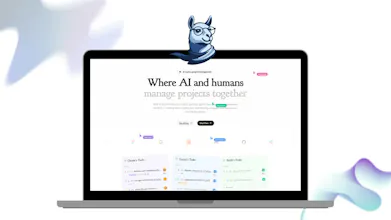
That is the whole reason is.team is a canvas. Boards sit next to each other, you draw a line between two things that actually depend on each other, and structure only shows up when you need it instead of on day one.
Free plan is there if you want to find out whether it annoys you too. Genuinely curious what would break first for you, that is the feedback I actually need.
Visualisation makes it much easier to see where you're at at a glance.
@eyalron Thanks, that is the whole bet really.
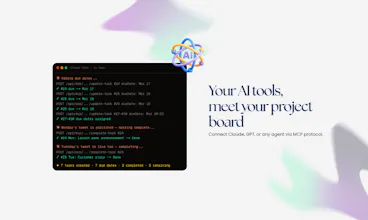
The thing I did not expect is how much it helps once agents are on the board too. A card shows when an agent is actually working on it, so where are we stops being a question you ask people and becomes something you just look at.
The flip side is that a canvas only stays readable if you can hide things, which is why the filter ended up mattering more to me than the pretty part.
@wutlu Filtering is important - Focused view when you need it with the 'noise' hidden.
@eyalron Exactly that. The one I keep coming back to is my own tasks plus the current sprint, everything else off.
The bit I had to add afterwards was a small counter showing how many filters are active. Without it you forget one is on, look at a half empty board and briefly think you lost your work. I did that to myself more than once before the counter existed.
@wutlu absolutely a must