
is.team
Your AI agent joins the board like a teammate
111 followers
Your AI agent joins the board like a teammate
111 followers
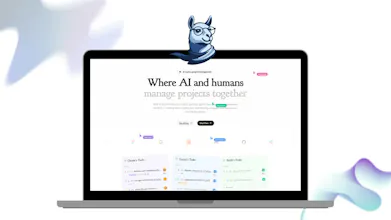
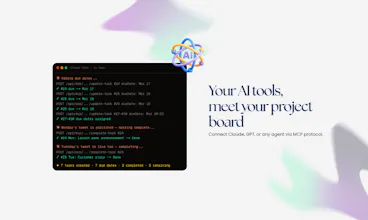
is.team is an infinite canvas where AI agents and your team plan, build, and ship together — visually. Drag kanban boards and notes onto a spatial workspace. AI agents join via MCP as real teammates — creating tasks, joining conversations, and shipping work alongside your team. Built-in voice rooms, real-time collaboration, GitHub/Slack/Calendar integrations. $16/mo flat for 15 people. Free to start, no credit card needed.



Free Options
Launch Team / Built With


@wutlu can teams customize how AI agents participate in different projects ?
@dipanshu_kushwaha5 Yeah, you can. This was one of the first things I had to get right, because I didn't want to hand an agent a whole workspace on day one.
Access goes board by board. A board stays closed to agents until you open it. Inside a board, every column has its own switches: can the agent read it, can it move tasks in and out, can it leave comments. There is also a small text box per column where you write what that column is actually for. Mine says things like "only bugs I have reproduced myself go here" and the agent sticks to it.
So in the same workspace I keep a client board no agent can touch, and an internal one where Claude moves tasks around all day.
One more thing worth knowing: the agent inherits the role of whoever connected it. Read only person, read only agent.
I really like that the AI inherits the permissions of the person who invited it. Smart security move, congrats @wutlu 🙌
@priya_kushwaha1 Thank you. Honestly that one came from being paranoid rather than clever.
The thing that kept bothering me was the idea of an agent quietly having more access than the person running it. So it just borrows their role instead. Read only person, read only agent. And when someone leaves the team, their agent loses access with them.
It is still a young system though, so if you ever poke at it and find a hole, please tell me. I would much rather hear it from you than find out the hard way.
@wutlu Haha, paranoia definitely worked in your favor here, I’ll be sure to share any feedback as when I test it out.
@priya_kushwaha1 Deal, thank you. And please do not be gentle about it. The feedback that actually changes something is always the annoyed kind.
The part about building this with AI is probably what I'm most curious about. Did you end up using your own product much while building it?
@jack_pearson33 Yeah, embarrassingly much. is.team is what I use to build is.team.
The MCP server exists because I wanted it for myself before anyone else asked for it. Claude sits on a board, picks up the next card, does the work, moves it to a column I check later. Most days my actual job is writing the card and reviewing what comes back.
It is also why some of the features exist at all. The column context field, the permission switches, the live canvas updates, all of that came from getting annoyed at my own tool while using it. Dogfooding sounds noble but mostly it is just fixing whatever irritated you an hour ago.
Call the AI move cards around too?
@adam_nurbol27 Yes, and in two different ways.
Tasks move between columns, which is the one people usually mean. But the agent can also move the cards themselves around the canvas, set their position, draw a connection between two of them, or rearrange a whole board in one call. The canvas is just data, so anything you can do by dragging, it can do by asking.
The fun part is that it happens live. Leave the board open, type something to Claude in your editor, and the cards start sliding into place while you watch. No refresh.
So yes, you can get pretty far without ever touching the mouse
I've bounced between Trello and Jira for years and somehow both end up annoying me lol.
@ethan_blake27 Ha, that is the exact loop I was stuck in for years.
Trello stays clean because it refuses to grow up. Jira can do anything but makes you fill out a form to move a task two inches. Neither one lets you just look at your project and see it.
That is the whole reason is.team is a canvas. Boards sit next to each other, you draw a line between two things that actually depend on each other, and structure only shows up when you need it instead of on day one.
Free plan is there if you want to find out whether it annoys you too. Genuinely curious what would break first for you, that is the feedback I actually need.