Hey everyone, I'm launching Dotient on Product Hunt this week and wanted to share what I've been building before the big day.
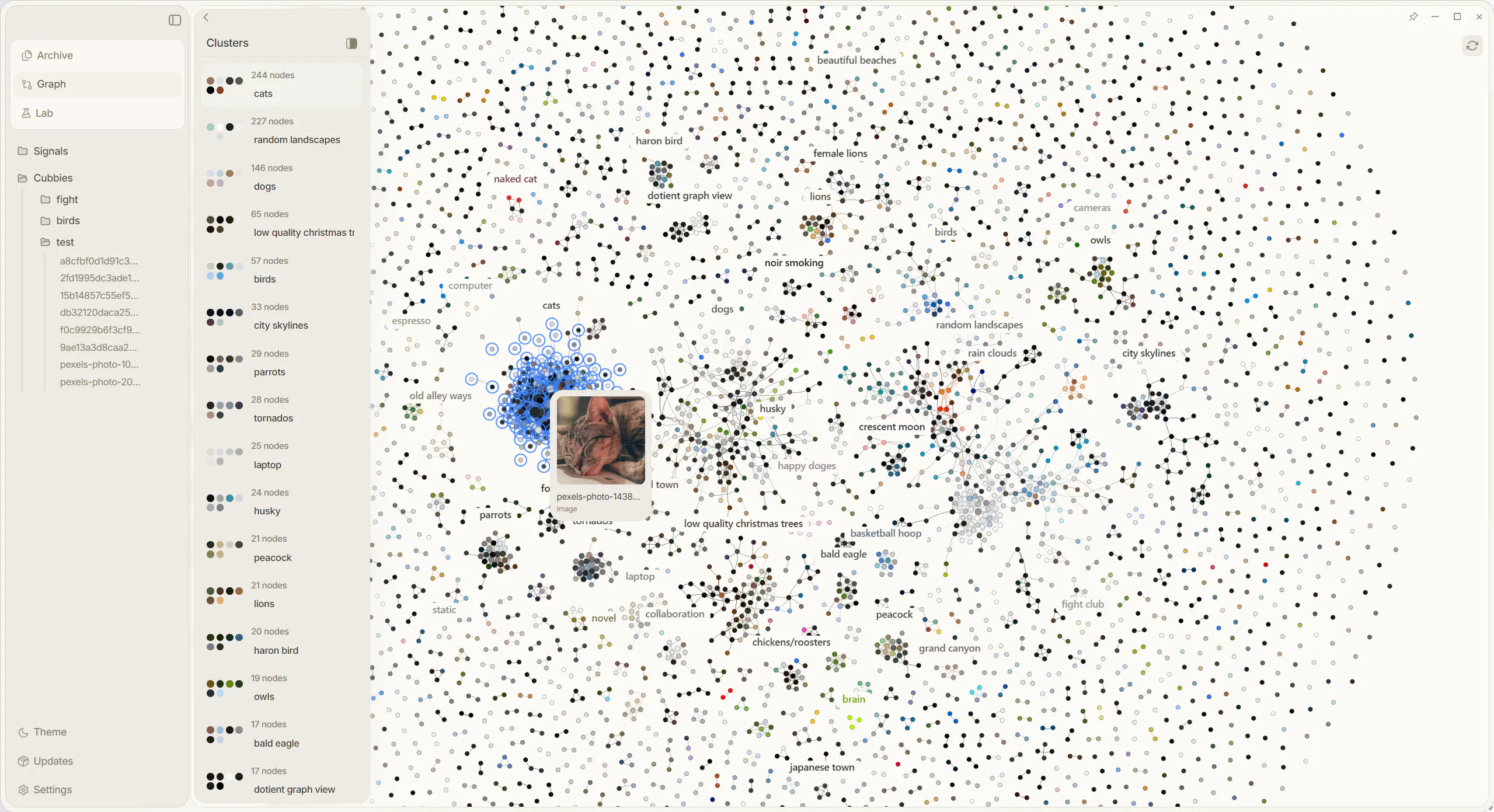
Dotient is a desktop app that lets you search your files by what they look like, not what you happened to name them two years ago. Everything runs completely offline, nothing leaves your machine. It also has a live graph view of your files, deep PDF search, and canvas workspaces for organizing everything.
I built it solo out of pure frustration with Windows File Explorer and the lack of any tool that actually understands your files without making you do all the work manually.
Would love to hear any questions or feedback before launch. Happy to talk through anything.


Good concept. I just bought and tried the app on my Mac.
At first run, I was expecting an auto indexing of my Images/Documents/Download folders but nothing happened. So I drag and dropped the whole content of my downloads folders to the "drop or paste a file" place. Eventually I saw "100%" on the top left corner. Then, nothing?
All researches lead to "no images match your query".
Am I doing something wrong?
@tacitefood Yeah the indexing is manual but it is definitely a high priority now to add some sort of auto indexing after your concern. Regarding the issue with dropping content into the app and nothing happening, theres been a lot of reactivity issues with macos, so maybe do a cmd shift r to refresh the app, switch between pages to see if anything loads in. If nothing happens, try a small batch, maybe 50 files. The processing indicator in the top left is a bit buggy so I definitely have to fix that. Keep in touch with me, I will definitely work to resolve these issues!
@tacitefood Tacite if your still having this issue, I did just recently put out a new update to fix the file processing UI, so things may go a little smoother!
@localdeclan Thanks. I'll wait for a couple more updates because it still doesn't work on my Mac.
Reinstall + adding files just leads to EXC_CRASH (SIGABRT).
panicked at tauri-2.10.3/src/async_runtime.rs:214:52:
called `Result::unwrap()` on an `Err` value:
Os { code: 24, kind: Uncategorized, message: "Too many open files" }
The watcher should not open a descriptor per file. On macOS, prefer notify's FSEvents backend (the default RecommendedWatcher) over the kqueue backend, or at minimum bound how deep / how many paths you watch and handle the watcher's own EMFILE gracefully.
The runtime init should not .unwrap(). Initialize tokio early and explicitly (e.g. tauri::async_runtime::set(...) with a handle you build yourself, or #[tokio::main]) and surface a real error / user-facing dialog instead of letting the lazy first-IPC path panic. Failing to build the runtime should degrade gracefully, not abort.
Finally, raising RLIMIT_NOFILE at startup (via setrlimit) is a reasonable belt-and-suspenders measure for an app that legitimately watches many files, but it treats the symptom — the watcher backend choice is the actual fix.
Increasing the ulimit could work but :
LanguageIdentifier cannot open file: [/usr/share/langid/langid.inv], errno: 24 error: [Too many open files]
2026-06-30 11:07:29.602 Dotient[16426:153499] CoreText: System LastResort not available, using built-in copy.
[SEARCH_TIMING] get_or_build_embedding_ann_index: 508.333µs
[SEARCH_TIMING] ANN index not available — falling back to basic search
LanguageIdentifier cannot open file: [/usr/share/langid/langid.inv], errno: 24 error: [Too many open files]
(also, the panic path leaks your build directory — /Users/tgradwell/.cargo/...)
@tacitefood Thank you for this information, I'll get right to fixing it!
@tacitefood Ok, I believe I have fixed the issue Mr. Tacite. Uninstall Dotient completely and reinstall the latest version @ https://dotient.com/download
Hey, I purchased and downloaded it. But upon opening the file it show it is corrupted. Can you help?
@wilsonbright Hey Wilson, I saw your email. If you are simply on macOS then 90% of the time the issue can be solved with the instructions on this link: https://dotient.com/download/macos
Hey, how are we handling privacy in this? Like, what data actually leaves my device or workspace when I run Dotient on something sensitive?
@romejerome Great Question Jerome! The answer is absolutely nothing. Nothing leaves your device. Everything is stored in the SQLite DB that is on your device. There is no server besides the small API that simply checks if your license key is valid or not, that is the only time something ever communicates outside of your device.
I love your website! Is the expected usage to train a signal before every unique search? If i had a bunch of group photos and I'm looking to search by name, I'd have to create a signal for each person by clicking a bunch of pictures they're in and not in?
@noice30sugar Correct, if you were to label a specific person with a name then it would probably be best to select a few images they are in, maybe lower the threshold a bit just to see all the options. Then if there are certain images that just won't go away and have nothing to do with the person, create a negative signal to eliminate those images. Once the signal is just right, you really shouldn't have to do any more adjusting. Any new image you import of that person, the signal will include it.
@daniellebe Time saved is sort of an unmeasurable statistic as some people are more organized than others. If your system already works for you then you should probably keep doing that. However if your a person like me that really doesn't spend enough time organizing, this is the perfect app. But yeah I see your point, organizing in it of itself takes time, so that is definitely another place time is saved.
@tkeith In the future there will be ways to sync devices over a wifi connection, but nothing over some external server. That would go completely against Dotient's morals.
very cool! and beautifully designed!
is it only for images? any chance to support videos later? and documents files?
@feiou_su It is not only for images, however images are one of the few things that are semantically supported. PDF's being the other file type. Videos will eventually be supported, just a bit tricky with ffmpeg. But yeah besides PDF's and images, everything else is BM25 based search.