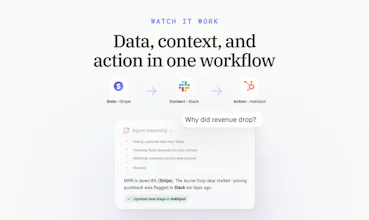
Genie, our AI Analyst, can already tell you what changed in your numbers. It's never been able to tell you why, because the why almost never lives in Databox.
Revenue drops 8%, and the real reason is a stalled deal in HubSpot, a pricing objection buried in a Slack thread, or a support ticket nobody flagged. Right now, finding that out means leaving your dashboard, opening three other tools, and piecing it together yourself. Every time.
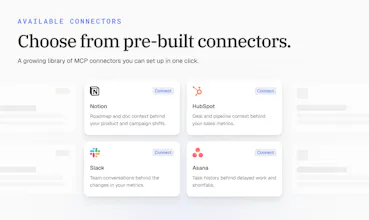
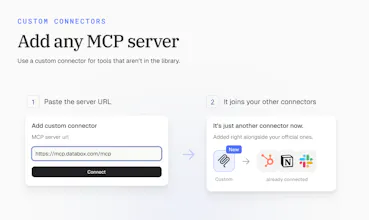
Next week, we're launching MCP Connectors. Connect your CRM, Slack, support desk, or any MCP server, and your AI Analyst gets that same context, right inside the conversation. Ask why a number moved, and it points to the actual deal or thread behind it, not just the number.






The business context layer seems important because numbers without context can easily lead to the wrong conclusion. How is that context added and maintained over time?
Databox
@darly_selby Agreed, Darly, that's exactly the risk we wanted to fix. The good news is that nobody has to add or maintain the context by hand. It already lives in the tools your team uses every day, like your CRM, project tools, and team chat. Once a tool is connected, the AI Analyst reads from it live whenever it's relevant. As your team updates deals, tickets, and threads, the context stays current by itself. There's nothing to copy, sync, or keep up to date.
But when it “acts on what it finds,” what are the limits? Can teams mandate that they get approval before it responds to the CRM or to the customer?
Additionally, Congratulations @zigapotocnik @pc4media and @rohanrecommends 🚀✌️
Databox
@aymi_malik Thanks, Muhammad! Great question. You stay in control of what it can do. Permissions are set tool by tool, with one main setting per connector and overrides for single actions. For example, you can let the AI Analyst update a deal stage on its own, but block it from sending anything to a customer.
Databox
It's worth pointing out that compared to a normal integration, this isnt just data coming in, its tools genie can actually call. It's basically the foundation for agents later, not a standalone feature on its own.
Databox
@marcel_mumel Exactly, Marcel. An integration brings data in. A connector gives Genie, our AI Analyst, tools it can use: it can look things up, and it can act, like updating a deal or creating a task. That's what makes it the base for agents. Every connector a team adds today is one more thing their agents will be able to do later.
Nice, congratz! I work in support and from a technical perspective it's awesome that every connector ships with read AND write tools. Write is just turned off until permissions and oversight catch up. This is a cleaner path to v2 than adding support for write access after the fact
Databox
@emil_korpar Thanks, Emil! Every connector ships with both read and write tools, and both are live. What keeps it safe is the permission setup. You choose what Genie, our AI Analyst, can do, tool by tool, so a team can allow updating a deal but block sending anything to a customer.
Mantra Timer
@zigapotocnik having AI access to your CRM via this MCP is an great addition to the toolset. Best of luck with the launch.
Databox
@codeandsea Thanks, Brent, appreciate the support! The CRM is where most of the "why" behind a number lives, so it's usually the first connector people set up. Genie, our AI Analyst, can read from it and act on it too, like updating a deal stage right after it spots the problem.
Congratulations to the team, this one is well deserved! As one of the engineers that have been working on the MCP connectors I am most proud of the permission setup for every tool. This is a split point between trusting the ai with your crm and never actualy adopting ai at all and skipping the opportunities it brings.
Databox
@rene_kolednik Thanks, Rene, and thanks to you and the team for building it! Fully agree. Most teams won't give AI access to their CRM if it's all or nothing. Being able to choose exactly what the AI Analyst can see and do, tool by tool, is what makes it easy to say yes.
Jakob, on the approval default: how does that work for a Routine running on a schedule, when nobody's in the chat to say OK? I run a few agents unattended on a Mac Mini and that's the case I'd worry about. A routine waiting on approval and a routine that found nothing to do look much the same from the outside, unless one of them says so.