


ClarifyThe autonomous CRM that helps you sell more
Promoted


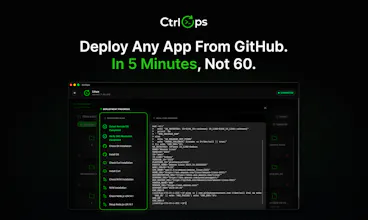

The approval flow is the part I d want to see most clearly on a product like CtrlOps. For teams using AI around SSH or production infra, the scary moment is not command generation; it is deciding whether the next command is allowed.
What proof does the operator get before approval? For example: exact command, expected blast radius, prior command output, remaining debug context, and whether this is a new failure state or just another retry.
Curious how you think about that boundary, especially for teams mixing read-only prod users with fuller staging access.
Honestly didn't expect to feel this way about a server tool. The AI terminal is the thing — you just ask what's wrong and it figures it out. Not magic, just finally something that doesn't make you feel stupid for not memorizing 500 commands. The file manager alone saved me from opening 3 different apps. Everything in one place, actually works, credentials stay on my machine. That part matters more than people realize.
Honestly just want more of it. Mobile companion app would be wild for quick checks. But these are wants, not complaints — the core is already solid enough that I recommended it to two teammates the same week I started using it.
Tried the usual suspects — Termius for SSH, Filezilla for files, random browser dashboards for monitoring. Always switching between tabs, always losing context. CtrlOps is the first thing that made me feel like I actually have control without needing to be a DevOps expert. The switch took about 10 minutes.
It’s fantastic because CtrlOps makes server management simple, fast, and secure without needing deep DevOps knowledge. The AI-powered terminal saves a lot of time by generating commands instantly, while features like one-click GitHub deployments, real-time monitoring, and the visual file manager make the entire workflow smooth and efficient. I also appreciate the privacy-focused approach where everything runs locally and credentials never leave the machine, which adds an extra layer of trust and security. Overall, it’s a powerful and developer-friendly tool that greatly improves productivity.
not anything at the moment
I also considered the overall developer experience, ease of use, performance improvements, and security approach. The fact that CtrlOps removes the need to manage complex server commands manually, reduces deployment time dramatically, and works across Mac, Windows, and Linux makes it highly practical for modern development teams. Its clean workflow, AI assistance, GitHub integration, and zero-agent architecture show that the product is built with real developer pain points in mind, which is why it stands out as such a valuable tool.


@parth_makwana07 The "bash (2)" tab hit too close to home 😭 We literally had a sticky note on the monitor saying which terminal was which. Absolute chaos.
What you built here is what everyone needed but nobody sat down to actually make. Congrats on shipping it — this is the one 🔥

Making infra management conversational is clever but the hard problem is safe command scoping. An AI that can debug is also an AI that can accidentally drop a table. We've been careful at RetainSure about giving AI systems any write access to production infra. How do you scope what CtrlOps can actually execute? Restricted user, sandboxed session, or something else?
@retain_dev, this is exactly the right question and the kind of pushback we genuinely welcome because it means you are thinking about it seriously.
CtrlOps does not execute anything autonomously. The AI generates the command and stops. You see the exact command, you read it, and you approve it manually. There is no background execution, no auto-run, no scheduled AI actions. The human is always the last step before anything touches the server.
So the scoping question becomes less about restricting the AI and more about who you give approval rights to inside your team. The AI can suggest a DROP TABLE, but it cannot run it. Your engineer still has to read it and click approve. That moment of human review is the actual guardrail.
For teams like yours that are careful about write access to production, the practical workflow is to use CtrlOps with a read-only SSH user on prod and a full access user on staging. The AI works the same way either way, but the blast radius if someone approves something they should not is contained.
would be curious what your current setup looks like at RetainSure if you are open to sharing.

The approval boundary feels like the real product here. Once AI is suggesting server actions, the useful question is not just whether a command was generated, but whether the operator has enough context to approve it safely.\n\nDo you show prior command output, host or session scope, expected blast radius, and whether the next step is exploring a genuinely new failure state versus repeating the same debug loop? That kind of receipt would make mixed staging and read-only prod workflows much easier to trust.
@keesan12 You're pointing at exactly the right question. Approval is only meaningful if the operator has real context, not just a command to click yes on.
Right now we show the command, a plain-English explanation of what it does, and the server/session it will run on. Prior output in the same session is visible in the terminal history above it, so you're not approving blind.
Blast radius and "new failure state vs repeating the same loop" are not explicitly surfaced yet; that's a fair gap. Right now that judgment still lives with the operator reading the context, not the tool.
Would love to dig into this more. If you have a minute, what would a good "receipt" look like to you concretely something like a diff of expected state before/after, or more a scoped summary of what's about to change?

Some real stories from people using CtrlOps:
A developer noticed their server was running slow. Instead of guessing, they opened the AI terminal and typed "why is this server slow?" CtrlOps flagged an unfamiliar process consuming 90% CPU. Turns out it was a crypto miner. They identified it, killed it, and secured the server in under 10 minutes. Without CtrlOps, that miner could have run for weeks burning resources and money.
Another team spent 2 days manually debugging a production issue. Logs, SSH sessions, trial and error. Nothing. They connected the server in CtrlOps, asked the AI terminal what was wrong, and it pinpointed the issue in minutes. A misconfigured environment variable that was silently breaking things. Their own team could not find it in 48 hours. CtrlOps found it in one question.
This is what gets me excited. Not the features. The moments where someone solves a problem they thought required a DevOps expert. And they do it themselves.
Got a server horror story? I would love to hear it.

genuinely curious how the web search feature works in the
AI terminal. does it pull from the actual docs or just
general search results? asking because we work with some
niche tools and outdated answers are a real problem.
@tejas_rangani Great question and a real one because most AI tools just hallucinate an answer for niche tools rather than admitting they don't know.
When web search is on the AI searches the web in real time before generating any command. so it is pulling from actual current documentation, release notes, Stack Overflow, GitHub issues, whatever is most relevant. not from its training data.
For niche tools this makes a significant difference. if the tool released a breaking change 3 months ago the AI will find that and give you the right command for the current version, not the one from 2 years ago.
Would love to hear which tools you are working with if you end up trying it.

What’s the biggest time saver in practice, is it the scripts library or the AI generating the commands?
@thamibenjelloun honestly depends on the workflow, but if I had to pick one, it is the AI terminal for the first few weeks, and then the scripts library takes over after that.
The AI terminal saves you in the moment. Something breaks, you do not know the exact command, you just ask, and it figures it out. That is the immediate relief.
But once you have solved the same problem a few times, the script library is where the real compounding happens.
You save it once, add your variables, and next time it is one click across every server instead of going back
to the AI or googling again.
So the AI gets you unstuck, and the script library makes sure you never get stuck on the same thing twice.

The AI-assisted debug loop for Linux servers is something we've wanted at RetainSure for a while. Chasing down intermittent issues across multiple EC2 instances usually means a lot of context switching between logs, metrics, and SSH sessions. Does CtrlOps maintain state across a debugging session, so the AI can reason about what it already tried before suggesting the next fix?
@anand_thakkar1 That is one of the more technically specific questions we have gotten today, and we appreciate you framing it that way.
Within a session, the AI terminal maintains full conversation context, so it knows what commands have already run, what the output was, and what has been tried. You can literally say "that did not fix it," and it will reason from there rather than suggesting the same thing again.
The multi-server piece is where it gets interesting for your EC2 use case. You can have separate AI terminal sessions open across instances, and the context is maintained per server. So if you are chasing an intermittent issue across three instances, you are not starting from scratch each time you switch.
Persistent memory across sessions is on the roadmap. Right now, if you close and reopen the terminal, you start fresh, but within an active debugging session, the context stays intact throughout.
Would love to hear how the intermittent issue debugging goes if you do try it on your EC2 setup.


 Termius
CtrlOps
Thanks a lot, Ravi, for giving an honest review that may help others as well!