
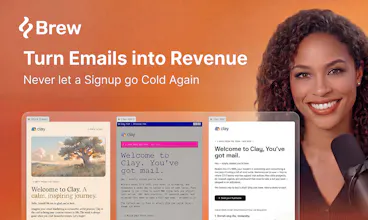
Brew is the fastest way to design and send beautiful, on-brand emails and automations that render perfectly in every inbox. Describe a campaign or a multi-step automation in plain English, and Brew builds the whole thing in seconds: copy, design, audience, and logic. Works with any AI agent: paste our docs into OpenClaw, Viktor, Claude, or Lovable. No lock-in: send from Brew or export to your ESP. Free to get started.





Free Options
Launch Team / Built With


Framer AI AgentsDesign and publish professional sites with AI
Promoted


How complex can the automations get? Wondering if it handles conditional branches based on whether someone opened or clicked.
@rajmishra10 Hey Raj! Automations can get pretty complex in Brew. We want to abstract away as much of the manual process by enabling you to simply ask for the type of automation you want and the agent will create the flow. Currently the automations are triggered via an API call to Brew or a webhook event from a third party service like Clerk or Supabase. We have click / open logic gates on the roadmap but will support it very soon!
congrats on the launch :) this feels like a very obvious pain point to go after. i like that it’s not just “generate an email”, but the whole messy part around brand, sequence logic, variants, and inbox-safe html.
curious how the workflow feels once brew has made the first version. do teams usually treat it as ready to send, or is there a review/tweak step before it goes live?
Thanks @kar_re, and you have summed up the hard part exactly...
The first version is meant as a strong starting point, not a press-send-and-walk-away moment. Most teams treat it like a great first draft: it gets you 90 percent of the way there, then you refine in chat (make this punchier, swap the hero, tighten the CTA) and give it a quick review before it goes live.
The point is not to remove the human, it is to delete the tedious production work so the human can focus on the judgment calls.
Honestly, for email going out to thousands of people, you want that review step, and we would never want to take it away. ❤️🔥
@philip_sorensen nice, that’s a good distinction. also love that the “human stays in the loop” part is explicit instead of pretending review can disappear entirely.
Exactly @kar_re. The tools that pretend review can vanish are the ones that scare me, especially in email where a mistake goes to thousands of people at once. Appreciate you thinking it through with me, and thanks again for the support. 🔥
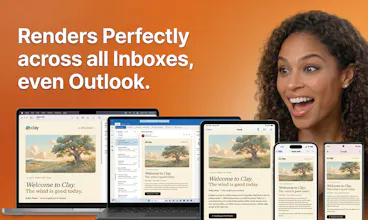
"Renders perfectly in every inbox" is the claim I'd stress-test first, because Outlook's rendering engine has buried prettier email tools than this. When Brew generates a layout, is it producing battle-tested table-based HTML under the hood, or modern CSS that looks great in Apple Mail and falls apart in Outlook 2016? That one answer decides whether I'd trust it for a real send.
Great question to stress-test first @sounak_bhattacharya, and the honest answer is that the safety lives in how generation is constrained, not in a cleanup pass afterward. We do not let the model emit free-form modern CSS and hope it survives Outlook. Output is locked to a vetted set of email-safe building blocks, the battle-tested kind that hold up in the Word rendering engine, so it cannot produce something that looks great in Apple Mail and collapses in Outlook 2016. On top of that we have done a lot of testing and evals across real clients to find what actually holds everywhere. Outlook specifically is the one we obsess over. Happy to go deeper if useful.
The "renders perfectly in every inbox" claim is what caught my eye —
Outlook's rendering quirks alone have killed so many email tools.
How are you handling that under the hood?
Outlook is exactly the one that has killed prettier tools than ours @hirogure, so we treated it as the hard problem from day one. Without giving away the recipe, it comes down to a combination of things: generation constrained to email-safe markup rather than free-form CSS, plus a lot of testing and evals across real clients to make sure it holds up. The result is rendering you do not have to babysit, Outlook included.
Gents, this is an amazing tool but am I going crazy or isn't there any undo button? I've been trying to perfect an e-mail for almost an hour but always seem to mess things up by dragging or fiddling after which my only option is to start over with a previous version but losing all the steps in between that said version and the point where I messed up. What am I missing? *sweating profusely : )
@kristof_bogaerts1 Hey Kristof! Great question. We have control + z or command + z for manual edit undos and versioning for any agent chat changes. Let me know if you have any issues with it, happy to walk you through it in a personal loom or call as well :)
Which ESPs do you support today, and does the export include the automation logic or just the HTML templates?
@karimbenkeroum we have a whole list of ESPs here on our integration doc (https://docs.brew.new/integrations/integrations). Right now, our ESP integrations are to export the HTML templates directly over. What do you have in mind?
Cool concept. Just one question from a guy that does a bit of lifecycle mailing himself. You say that it renders perfectly in every inbox, but does it change anything about the actual placement? I honestly struggle more with my welcome email landing in the Promotions tab in Gmail, than how it looks. Is that something Brew helps with, or does that rely completely on the domain I send from and my setup?
Genuinely great question @firecalculatorhq. Honest answer: placement is mostly determined by factors outside the email tool. Sender reputation, authentication (SPF, DKIM, DMARC), list quality, and engagement history matter more than the HTML.
What Brew does: generates clean, conservative HTML that does not trip spam filters, and handles SPF/DKIM/DMARC on your sending domain when you send through Brew. For batch sends we recommend warming the domain gradually. What we cannot do is guarantee Primary tab placement, since Gmail and Outlook decide that based on recipient behavior and sender history. Any tool that promises 100 percent Primary is overselling.
Short version: Brew removes the technical reasons your email might trip filters, but the welcome-to-Promotions problem is mostly a sender-reputation game, and that one is yours to win or lose.
@philip_sorensen Thanku for an honest answer! You could've easily said "yeah, Brew fixes that" and sold it to me, but you actually owned the fact that placement is your own responsablilty. That was actually what I needed to hear.
I've stared myself blind regarding how the email looks, when the problem probably sits in my domain and engagement history.
One last question while I've got you here: for a little list that I've barely begun building, does it matter wether i set DMARC to p=none or quarantine from start, or is that just overthinking at this stage?
@firecalculatorhq, happy to give you a straight answer here.
Short version: start with p=none, move to p=quarantine after two weeks of clean reports. p=none lets receiving servers report on your behalf without acting, which gives you a window to see if anything legitimate is failing SPF or DKIM alignment before it starts getting blocked.
With a small list you cannot afford to lose deliverability while you are still figuring out setup. Once reports come back clean for a couple of weeks, move to quarantine. p=reject is the destination but only worth it once you are sure nothing legitimate is getting caught.
One thing to add: SPF and DKIM need to be set up correctly first. DMARC only enforces what those two say.
Rooting for you with the list build.
That was exactly what i needed! Thanku for taking the time to explain the order. p=none first, then quarantine when the reports are clean, and get SPF/DKIM right before i even touch DMARC. I'll set it up like that now. And thanku for your cheering, that's well needed now :)