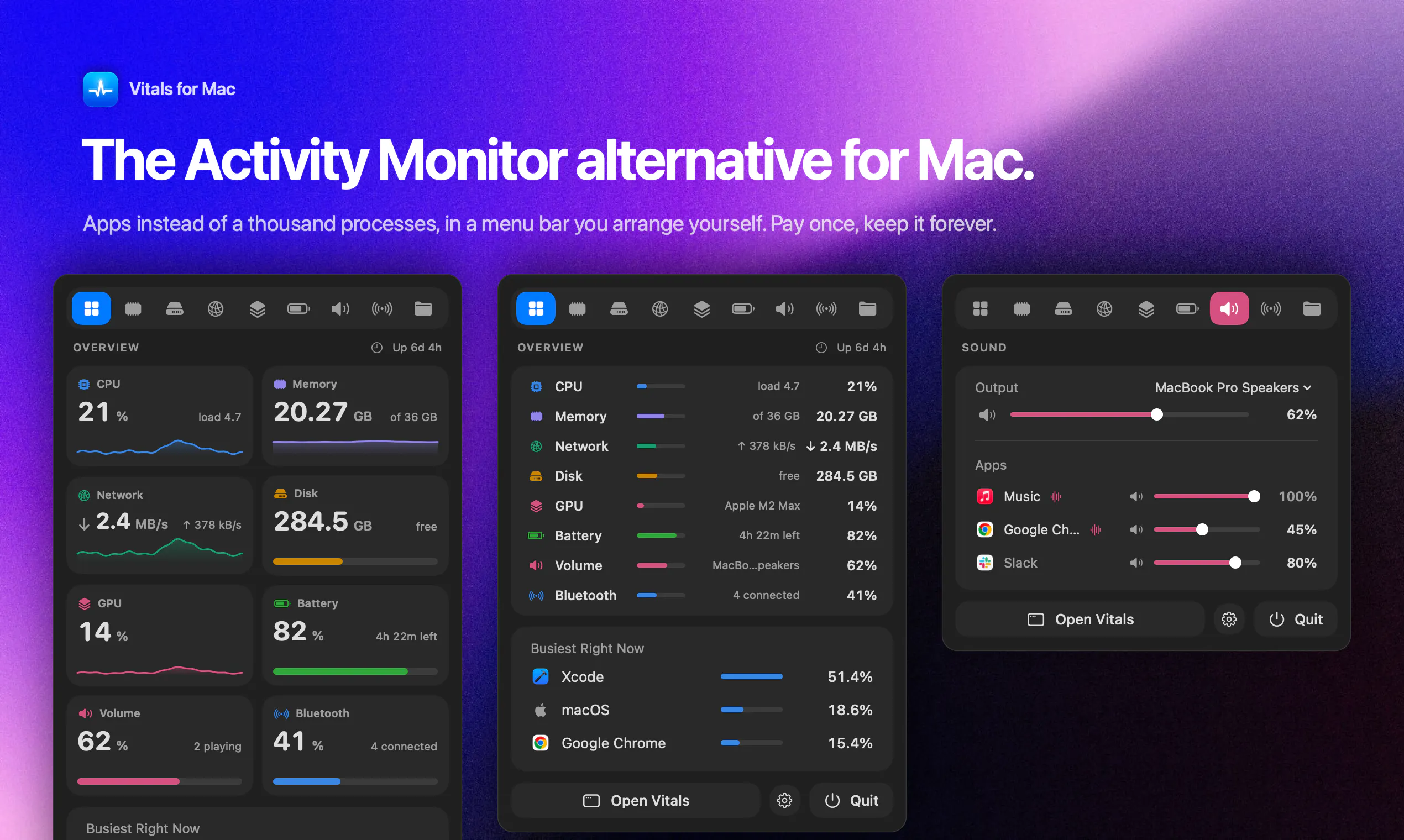
Vitals is live on Product Hunt today. It's an Activity Monitor alternative for Mac that shows you 60 apps instead of 1,000 processes, and in its first week, close to 830 licenses have sold. This is the story of why I built it, how it works, and why I think it's the best way to see what your Mac is actually doing.


Vitals
Hey Product Hunt 👋
I'm Atta. I make Mac apps on my own, and Vitals is the one I made for myself first.
My Mac would get hot and slow, so I'd open Activity Monitor and find 1,041 processes, 96 of them called "Google Chrome Helper". It never told me the one thing I wanted to know: which app is doing this?
So I built the tool that answers that. Vitals adds every helper to the app that launched it. One row per app, one figure each for memory, CPU, energy, disk, and network. Click the row, and everything about that app is in one place. It keeps 30 days of history, tells you when an app starts misbehaving, and finds the dev servers you forgot were running, grouped by project.
That is also what makes it different. Activity Monitor and the terminal tools show you processes and leave the adding up to you. The menu bar monitors show you how busy your Mac is, with gauges and graphs, but not which app is behind it. Vitals starts from the app, and I built it to feel like one native Mac app, not a dashboard.
Version 1.1 ships today. Every readout can be its own menu bar item; volume and Bluetooth sit beside them, and you arrange the panel and the window the way you like.
Two days ago I put it on X. 800+ people bought it in 72 hours, which I still don't quite believe. It's $5 for the first 1,000 licenses, then $29. One payment, no subscription, no account, and nothing leaves your Mac.
👉 https://vitalsmac.com
I'll be here all day. Tell me what you'd want Vitals to answer next, and what you'd want it to stop doing.
@attacomsian Pre Sale Query: Looks like a nice app with amazing UI. Will it help me optimise storage and RAM too, or is it just a monitor?
Vitals
@palash_bagchi Thank you so much!
Today Vitals shows exactly what's eating your RAM and disk, and lets you quit heavy apps or stop forgotten dev servers in one click. Storage cleanup is on our list, and we're building it next: what's taking up your space and what's safe to remove. It'll arrive as a free update.
Product Hunt
Vitals
@curiouskitty iStat Menus and Stats are great at telling you your Mac is busy. The switching moment is when you want to know who's doing it.
Instead of a graph at 90% and a hunt through hundreds of "Helper" processes in Activity Monitor, Vitals shows you the app by name: Chrome as one row, your forgotten dev server under its project, and one click to quit it.
The graphs tell you something's wrong. Vitals gives you the name.
Paste
Atta, congrats on launching Vitals. Can I tune the alert thresholds per app, or mute them for an app like Chrome that always runs hot?
Vitals
@protsenkoalexandra Thank you!
Not per app yet. Today you can tune the thresholds in Settings → Insights, but they apply to every app. Muting one app (Chrome is the usual suspect) and giving an app its own thresholds are both on the list, and mute is coming first.
Vitals
@marylou_mega Thank you so much! 🙏
All of Chrome's helper processes roll up into a single "Google Chrome" row, so you see one number for memory and CPU instead of 15 lines to add up yourself. Click the row to see every process underneath.
In the next update it gets better: Chrome's row splits by what the processes are doing, so you can see at a glance whether it's your tabs, your extensions, or the GPU using the memory. Same for Edge, Brave, Arc, and apps like Slack and VS Code.
Does it identify what launched the server or only show its resource usage?
Vitals
@garyshenk Yes! Vitals shows where each server came from, not just what it's using.
Every dev server is grouped under its project folder, along with the app that started it (Terminal, VS Code, Cursor…) and the ports it's holding.
You can stop it or free up a port in one click.
Docker containers join their project too. Thanks for asking! 🙌
as one of the first users i highly reccomend it!!
very helpful as someone multi-tasking PRs over multiple repos, worktrees, and agents. alot of the time my mac gets stuck due to left over servers and simulators, and i always had to hunt down what causes the lags
not anymore!
Vitals
@ofir_smolinsky Thank you for being the very first user 🙌
means a lot to have you here from day one.
I bought Vitals and have been using it, and I’m really impressed. It delivers on its promise: I can see which apps are using my Mac’s resources without digging through a long list of processes. The interface is clear, beautifully designed, and a pleasure to use. Congrats on the launch! 🙌
Vitals
@neylwalecki Thanks so much for buying it and sharing this 🙏
it made my launch day.