

Vitals 1.9: a process inspector for Mac

There's a `postgres` process on my Mac that has been running for 15 days. I never started it, and quitting it in Activity Monitor didn't help: it came straight back.
Activity Monitor shows a name and a number, and that's where it stops. Vitals 1.9 shows the rest.
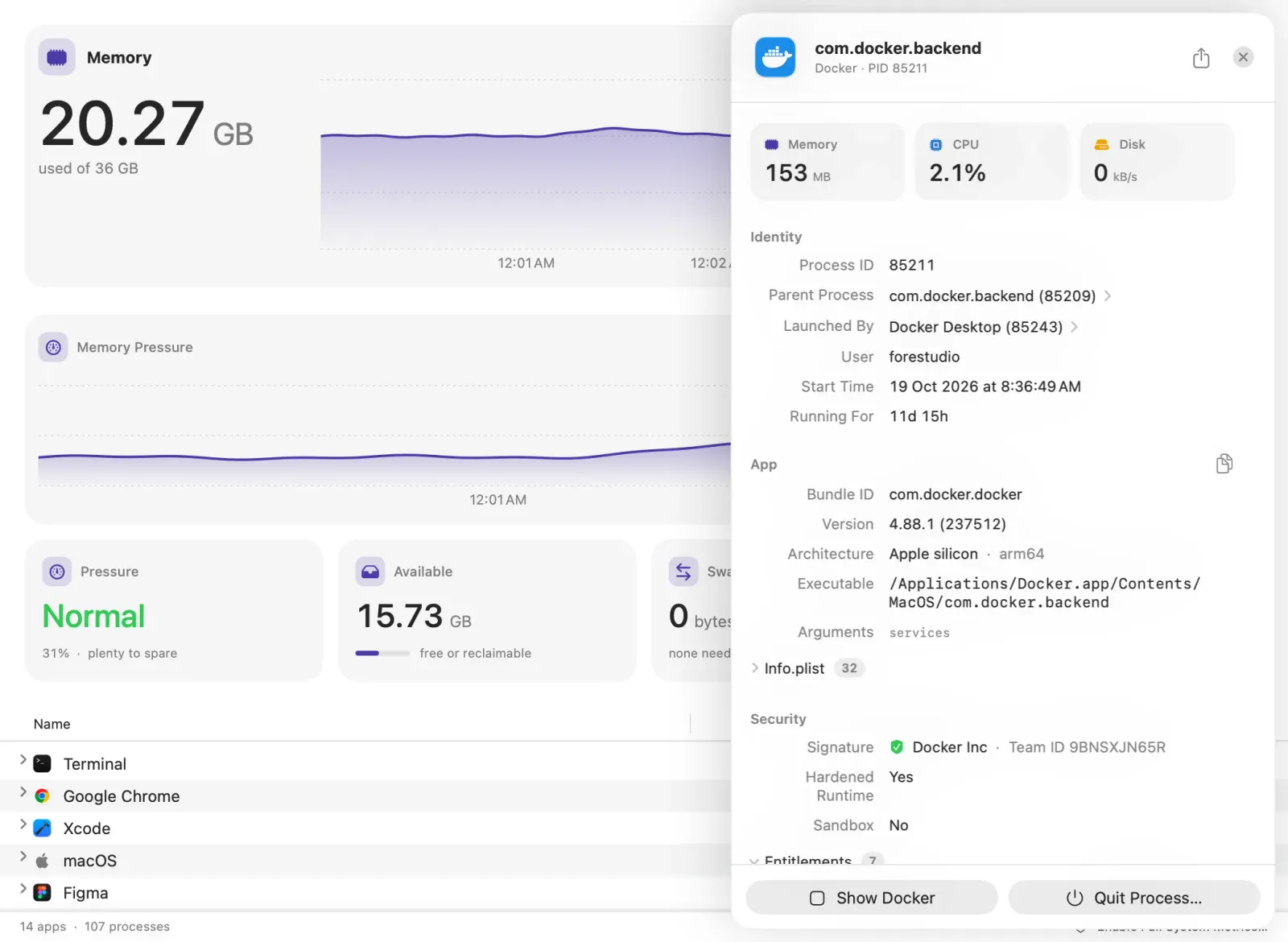
Click any process and its drawer shows:
- What started it. The parent process and the launch agent behind it. My `postgres` was Homebrew's `sh.brew.postgresql@17`, so `brew services stop` was the fix, not Quit.
- Who made it. The code signature, the Team ID, and the entitlements: what macOS lets it do.
- Its whole life, not just this second. Docker's backend sits at 153 MB right now. Since it started, it peaked at 2.86 GB and wrote 28.7 GB to disk.
- Where it leads. Its ports, its command line, its child processes. Click a parent or a child to follow it, until a helper you don't recognise leads you to the app that owns it.
The same details are in Terminal with `vitals process`. Claude, Codex, and Cursor can ask for them through Vitals' MCP server.
The update is free for everyone who owns Vitals. It runs on macOS 15 or later, on Apple Silicon and Intel.
Full write-up, with the Terminal commands each answer replaces: https://attacomsian.com/blog/vitals-process-inspector
What's the strangest process you've found running on your Mac?
Replies
Be the first to reply
Have a question or a thought to share? Add a comment above to start the conversation.