
Termi Protocol
Watch your AI coding agents build, live in 3D
291 followers
Watch your AI coding agents build, live in 3D
291 followers
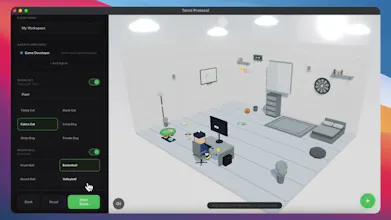
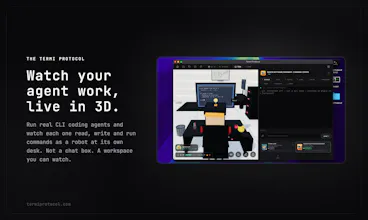
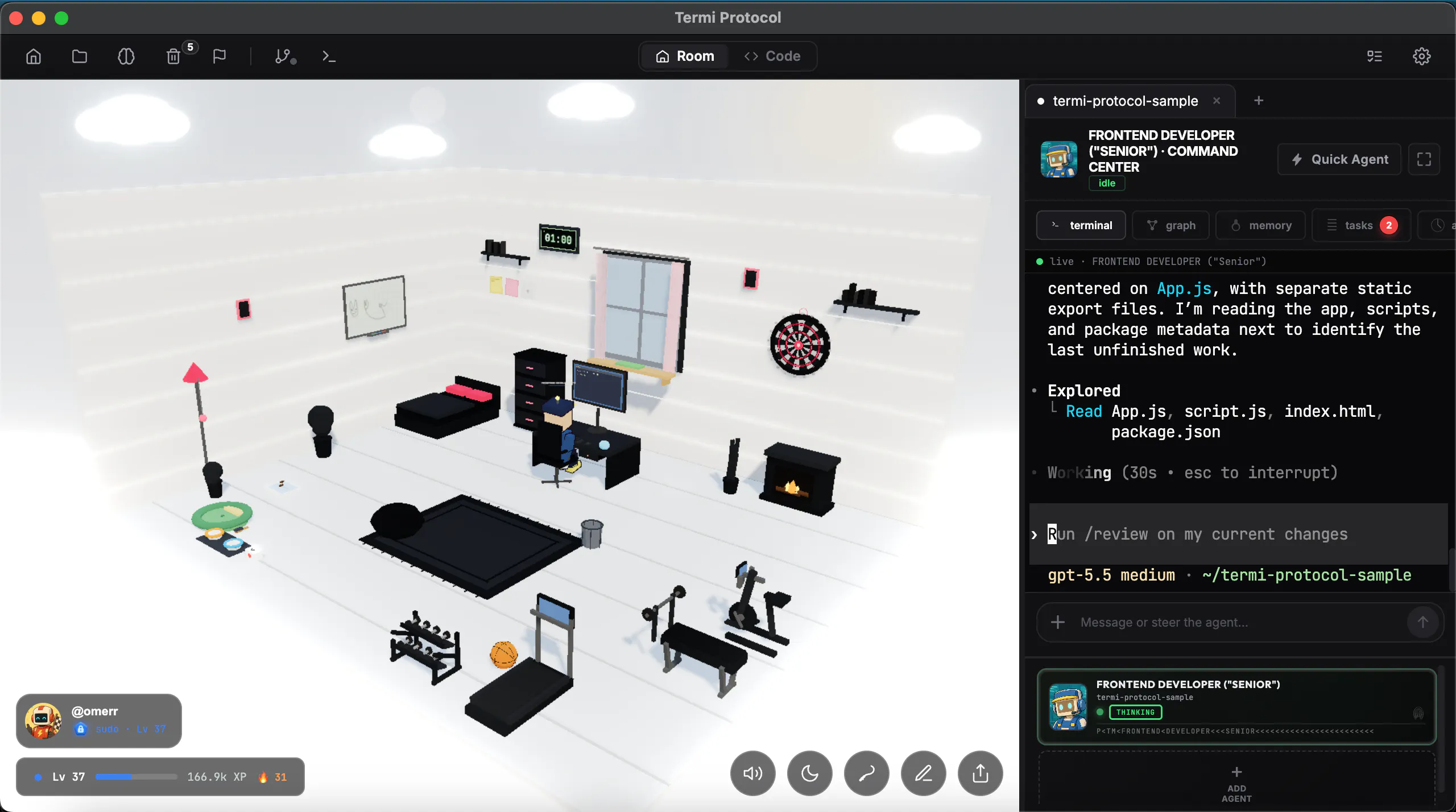
The Termi Protocol is a 3D simulation of AI agent workflows. Give your coding agents a face, a desk and a living room. Watch them read, write and run commands live in 3D, like a game. You run the agents; we visualize the process.


Payment Required
Launch Team / Built With


TinyFishSearch, fetch and browse for AI agents. Claim 30% bonus!
Promoted


Eric, I'm the exact target here, a solo dev running Claude Code all day, so "logs never showed me what they were actually doing" hits home :)
Honest question: does the 3D actually change how you steer the agents, or is it delight on top? For one agent, watching a robot walk to its desk risks becoming visual noise after 8 hours. Where it'd be indispensable is the multi-agent case, does the room really encode state (this one holds a lock, this one's blocked) so you see a collision before it lands? That's the line between the product and a beautiful skin.
Congrats on the launch! ;)
@keirodev
Thank you for the valuable feedback, Kévin.
Yes, we can say the room actually encodes state. It is not just a decorative 3D layer. Agents move based on your interactions in the Command Center. When you give a prompt, the agent starts working and the room visually simulates what is happening in the background.
For example, if an agent runs something like npm install, digital rain starts above the drawer and you can see the download process while it is happening. Once it finishes, the related book or script goes into the drawer. If the agent reads files before coding, papers come out of the computer. These papers represent the actual files being read, like app.tsx. The agent scans them, reads them, and stores that context in memory.
On the multi-agent side, Sync Mode allows agents to see and read each other’s tasks, so they can work together. Their status also becomes easier to understand in the room, such as working, idle, or sleeping.
Also, if the gamified room ever feels like too much, you can make the Command Center full screen and manage the whole process from there. You can also hide the room and focus only on the script or workflow side.
So the goal is not just to make agents look cute. The room is designed to make their state, activity, and collaboration process easier to understand.
@eric_omer_ercan That's the answer I was hoping for ;)
The rain-over-the-drawer and papers-as-files detail is exactly the state encoding that makes the room a tool, not decor :)
One follow-up then: when someone hides the room to focus on the Command Center, does the coordination signal (locks, who's blocked, a forming collision) follow them into that view, or does the multi-agent awareness live only in the room? That's the one piece I'd hate to lose by going full screen. Either way, you've clearly thought this through, congrats again!
@keirodev
Yes, exactly.
When you switch to full screen mode, only the 3D visualization is moved into the background. The rest of the system continues to work as expected.
The hive mind, task manager, coordination signals, locks, blocked agents, and potential collisions are still active and visible where they need to be. We definitely don’t want users to lose multi-agent awareness just because they prefer focusing on the Command Center.
For us, the room is a powerful visual layer, but the coordination system is not dependent on the room being open.
And thank you again, I really appreciate how deeply you noticed those details.
Congrats on the launch. The local-first angle is the part I’d trust most here. For AI coding agents, visibility is useful only if it helps me make a decision: pause, approve, rewind, or compare what two agents changed.
One small suggestion: make the “why this step happened” trail as important as the 3D view. Commands run, files touched, checkpoint reason, and approval history would turn this from a fun visualization into a review tool I could actually rely on.
@grace_lee26
Thank you for the valuable feedback, I really appreciate it.
I completely agree with your point. The 3D view is only the first layer, but the real value comes when visibility helps the user make better decisions.
Commands run, files touched, checkpoint reasons, approval history, pause, rewind, and comparing agents are exactly the kind of things we want to make stronger as Termi evolves.
Really appreciate you taking the time to share this. It helps us shape the product in the right direction.
The watch-it-work idea is strongest when the room has a hard mapping to operational state, not just animation. For coding agents I would want every visible action to answer one of four questions: what file/process is currently owned, what decision is waiting for approval, what checkpoint can I roll back to, and what changed since the last human review.
A useful test case would be two agents touching adjacent files during a refactor. If the 3D room can show lock ownership, blocked/waiting state, command output risk, and the exact diff/checkpoint boundary without opening a terminal first, then it becomes a control surface. If I still need to read the raw logs to know whether to pause or approve, the room is mostly a pleasant monitor.
@tang_weigang
Thank you, this feedback is very valuable for us.
We’ve already started working toward this direction: showing file ownership, blocked or waiting states, approval points, rollback checkpoints, command risk, and exact diff boundaries directly inside the 3D room.
Our goal is to make Termi Protocol not just a visual monitor, but a real control surface for coding agents.
the question that decides whether this is a toy or a tool: how tightly is the 3d scene wired to real telemetry? like the agent walks to the desk on a file write and stands at the whiteboard while planning? and can i act from inside the scene, click the agent that has been pacing in circles for ten minutes and see its last three tool calls? if watching becomes steering, this goes from cute to genuinely useful for multi agent runs.
@thenameisarian
Absolutely. You can already do this inside the Command Center through the History section.
From there, you can review what the agent did, see recent activity, inspect tool calls, and understand the process without relying only on raw terminal logs. Our goal is to keep improving this so the 3D room becomes a real control surface, not just a visual monitor.
Giving CLI agents a literal body in a 3D room is a clever way to make what Claude Code / Codex are actually doing legible instead of scrolling terminal logs. The practical thing I'd want to know: does Termi attach to my existing agent sessions (reading the terminal/process I already have running), or does it need to launch and wrap the agents itself? And does the visualization run fully local, or does it stream my file/command activity to a hosted backend to render the room?
@noctis06 you actually think it's a practical way of checking if your agent is doing legible work or not, or you just kidding?
@noctis06 Thank you for the valuable feedback and thoughtful question.
Termi connects to your existing agent sessions. You do not need to restart them or go through an extra wrapping process. It basically attaches to the sessions you already have running and gives them a body inside the 3D room.
The visualization also runs fully local. Your file activity, command activity, and agent workflow are not sent to a hosted backend for rendering.
@thys_beesman
Thank you, I really appreciate that.
Yes, that is one of the main reasons I built it. Agents often work with a kind of hive-mind psychology, especially when multiple sessions are active at the same time. In a normal terminal, it is easy to miss when one of them gets stuck, repeats the same action, or runs into an error.
In Termi, the visual layer helps make those moments obvious. For example, if an agent hits a possible error, a red warning appears above its head and the robot starts shaking, so you can immediately notice that something needs attention.
On the technical side, it also notifies you when an error happens. You can then check the history section to see where it happened, what caused it, and decide how to intervene.
So the goal is not to replace terminal logs, but to make problems easier to catch and supervise before they disappear inside a long wall of text.