
Skippr AI
Live AI employees for product onboarding and demo
779 followers
Live AI employees for product onboarding and demo
779 followers
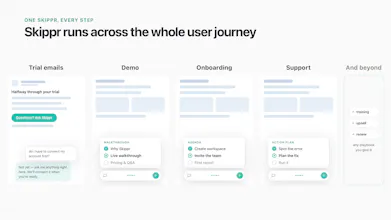
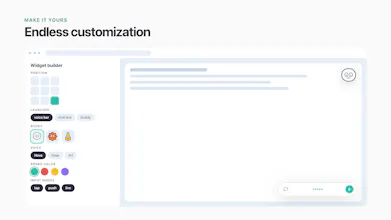
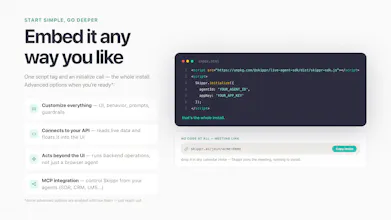
Real-time agents that see, talk, and operate software. They onboard, activate, and unblock your users. On their own. Skippr agents keep agenda and memory across full sessions, speak 10 languages, and act on screen with built-in browser automation. Fully self-serve: spin up an agent in minutes, embed with 2 lines of code, or share a meeting link. Trained on your knowledge, styled to your brand. 200 free credits to start, no card required. Talk to me for the deeper enterprise version.


Free Options
Launch Team / Built With


Render: Get up to $100K in startup creditsThe fastest way to launch and scale your startup in the cloud
Promoted
Hey PH 👋 Sagi here, founder & CEO of Skippr AI (backed by Bessemer Venture Partners and some other cool investors).
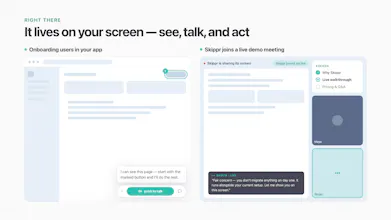
In the last year or so we've been obsessed with what happens when an AI agent can actually see your product, talk to your users, and act, live. Not a chatbot in the corner. A real (human-level) presence inside your product.
Here's what we learned: live agents fail when their human operators can't take a step back and treat them like employees. Ones you'd trust alone with your users, customers and internal users too. If the agent is too late to respond, out of context in long sessions, missing subtlety or tone, or needs the "boss" to work for it (updating the knowledge base, babysitting its learning loop), it brings more pain than gain.
So that's what we spent our time fixing.
We've been working with our design partners on our key use cases, such as onboarding and product adoption, and we're busy implementing more of them and building more agent skills. But today is about bringing what we learned to the wider community. We want anyone to be able to spin up, customize, and embed a live agent instantly. From Shopify stores and Lovable/Replit builders to any AI-first startup, just spin up an agent. Two lines of code to embed, or a simple meeting link.
You'll find live AI employees ("Buddies") inside for onboarding, training, demos, and support. But whatever you can imagine doing with a live agent, you can build it for your users or your team's needs.
Start free with 200 credits, startup package from $149. For serious volume or enterprise, come talk to me.
We're around all day. Try it at skippr.ai and tell us what you think.
Sagi & the Skippr team
I see you support 10 languages with real-time switching. Does the user have to ask to change the language, or can they just start talking in the new language? Also, what if we need specific Asian languages that aren't part of the current 10?
@chloe42 Just start talking, no need to ask. Within the 10 switchable languages the agent follows the user's lead immediately, mid-session, and switches back if they do.
Beyond those: we support 50 languages in mono mode (the agent runs the whole session in that language), so odds are what you need is already covered. The 10 are our self-serve default for real-time switching, and we're adding more switchable ones prioritized by customer need.
Which languages do you need specifically? I'd add them to our planning discussion. Not promising a date, but this is exactly the signal that shapes the order.
Serving every user autonomously is the scary part to watch as a founder, not the cool part. When it hits something it doesn't know, what happens, does it say so and pass it up, or guess? I run a hard no-improvising rule in my own product and even with that rule written down I still catch edge cases weekly.
@vladimir_iudin Great question. Skippr is trained on your knowledge base, call transcripts, and its own vision and experience inside your app. Self-serve users can get quite far alone, and my team helps with deeper training for complex cases. The agent also gets rules to keep.
It's not a script like the old generation (WalkMe, Pendo) and not a video. In our trials we benchmarked it against human product specialists, and the agent already performs better than the majority of them.
On the "doesn't know" moment: every session feeds the learning loop, so the agent keeps getting better on its own. Edge cases always come, you're right, but once one shows up it's covered from then on. No re-scripting, no flow rebuilds, no babysitting. And for enterprise clients we enable human in the loop: when the agent isn't 100% sure, it asks a question instead of proceeding.
Plus guardrails, all configurable per use case: disable actions, require user approval of the plan before anything runs, and the SDK lets you choose which areas Skippr helps with and which it stays out of.
Users get superpowers, and you save on support and success while the business grows. That trade is why our customers moved past this question.
@sagi_shorrer1 The learning loop covering edge cases after they show up once answers most of my worry. Configurable guardrails I'd want to see in practice, "disable actions" is easy to say and hard to actually scope for a messy real workflow. Similar split on my end, self-serve for the easy stuff, a human for anything ambiguous, and where exactly to draw that line is still the thing I get wrong most often.
How does the agent handle it when a user asks something totally outside what it was trained on? Does it hand off to a human or just say it doesn't know?
@talhakhalidmtk First, the agent has a lot of skills to investigate before it ever gets to "I don't know": what it sees on the screen, what the user tells it, your knowledge base, and its own memory and context from the session. It's not a rigid script, it's an agent with a brain, making decisions within guardrails and limits.
Within those limits it doesn't invent. If something is truly outside its knowledge, it says so honestly, points the user to the right channel, and steers the session back on track. For enterprise we also support human in the loop, where the agent asks instead of proceeding when it isn't sure.
And every session feeds the learning loop, so an out-of-scope question usually becomes in-scope for the next user who asks.
the "it clicks, it doesn't just point" part is the interesting bit and also the scary bit. once an agent is actually driving the UI instead of just narrating, what happens on a destructive action, like a delete or a cancel-subscription button, does it always pause for a real confirmation, or is that left up to how the workspace owner configures it?
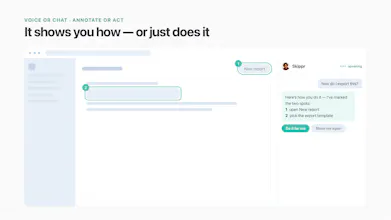
@galdayan Great question Gal. Both, layered. Default is consent first: the agent offers before acting, lays out a plan for multi-step tasks, and waits for a clear yes. The user watches it all on their own screen with a Stop button, so there's no "wait, what did it just do" moment.
Beyond that, the workspace owner can set boundaries, and in the enterprise version go further: where the agent can act, where it only guides, and when plan approval is required. For destructive flows, keep it guide-only: it points, the user clicks. They can even set it to zero actions for the entire app.
Fair to call it the scary bit but our rule to solve it is simple: deterministic mechanisms where you need 100%, looser where the action isn't destructive. Most of an app's zones aren't destructive.
@sagi_shorrer1 that's a clean split - deterministic guardrails on the parts that actually matter, judgment everywhere else, rather than trying to make the whole thing 100% safe and ending up mushy everywhere. the "zero actions for the entire app" fallback is a good escape hatch for cautious workspace owners too. thanks for walking through it in detail.
You mentioned it takes two lines of code to embed—how much setup or context feeding is typically needed before the agent can navigate complex custom workflows independently?
@rhythm_arora69 Great question. It works out of the box — no setup, no training needed. But in self-service you can upload your KB and transcripts, and build agendas or instructions to make it as accurate as you want for your use case. In enterprise we have way more levers — our team can help (or you can do it yourself with our guidance) to pre-scan and map your complex workflows so the agent handles them reliably from day one.
@new_user___1802026258df93399c32311 Our view: the user stays in the product, the agent works alongside them — not a chatbot replacing the UI. Users prefer doing it themselves with live guidance when the task is one they'll repeat (onboarding, learning a workflow — they keep the muscle memory). They prefer the agent acting when it's one-off, tedious, or config-heavy — things they'll never do twice, where learning has no value. The approval step keeps them in control either way. So the boundary isn't capability, it's whether the task is worth learning.