Launching today

IvyForms
A WordPress form builder for real workflows
358 followers
A WordPress form builder for real workflows
358 followers
IvyForms is a WordPress form builder for turning submissions into structured workflows. Create contact forms, applications, registrations, surveys, feedback forms, and multi-step flows with a clean drag-and-drop builder. Then manage entries, analyze responses, apply conditional logic, and connect data to tools like wpDataTables, Amelia, Mailchimp, and webhooks so every response can move work forward.




IvyForms
Hi everyone 👋
I'm Sara, Product Owner at IvyForms. It's a pleasure to finally introduce IvyForms to the Product Hunt community!
We didn't set out to build a form builder. But our users wouldn't stop asking us for one.
Here's the thing: we had tools for collecting data (forms) and analyzing it (wpDataTables), but the gap between them was huge. Users were manually moving data around, losing information, wasting time.
So we listened. We studied what's out there. We learned that most form builders are either too simple OR too complicated. They don't talk to your other tools. They don't help you make better decisions with the data.
IvyForms is different. It's built for people who care about data.
Drag-and-drop builder anyone can use
Conditional logic that actually powers workflows
Integrates with wpDataTables (analyze), Amelia (book), Mailchimp (nurture), webhooks (automate)
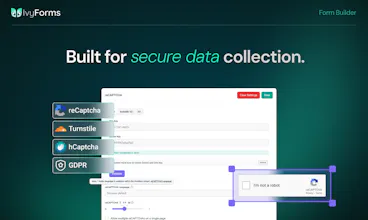
Security, compliance, and enterprise features included from day one
Free version that doesn't feel limited
The best part? People are already using it for order management, booking intake, event registration, feedback collection, and more.
We're here to answer questions and hear what you'd build with it.
As a thank you to the Product Hunt community for all the support, we're offering an 85% discount, available for 7 days only.
To make it even easier, you can use the link below to access the pricing page with the discount already applied, no need to enter anything manually.
https://ivyforms.com/pricing/?coupon=PH85OFF
Hope you like it. 🚀
PicWish
@sara_idvorac awesome launch. does conditional logic handle nested rules or just simple if then setup?
IvyForms
@mohsinproduct Great question! Conditional logic in IvyForms handles complex rule combinations - not just simple if/then.
You can set up multiple conditions with Any (OR) or All (AND) logic. For example: if a user selects "Enterprise" AND their budget is over $50K, the form will show additional questions and simultaneously send a notification to your sales team. Or if someone is from the US OR Canada, you can automatically show specific compliance fields.
We support rich operators too: equals, contains, starts with, ends with, and more. And the best part is that conditional logic works across fields, notifications, AND integrations, so one form action can trigger multiple outcomes at the same time.
What's your use case? We'd love to help you build it! 🚀
@sara_idvorac
Hi Sara,
I already bought IvyForm because I am a WPamelia user too. Greats tools !
I still have question about advanced calculations and subtotal logic for a clinical assessment form please
I am evaluating Ivyforms to digitize a specific clinical assessment from my eBook and I need to know if your platform supports advanced logic and field calculations.
Here is the exact step-by-step workflow I need to build:
Structure: The form is divided into 5 distinct sections.
Scoring: Each section contains 5 statements. The user rates each statement on a scale from 1 to 5.
Subtotals: I need the form to calculate a subtotal for each specific section (each section is scored out of 25).
Final Calculation: I then need to retrieve these 5 separate subtotals and add them together to generate a Grand Total score (out of 125).
Conditional Results: Finally, I need to display a specific text message to the user based on the score bracket their Grand Total falls into (e.g., 100-125 displays Result A, 75-99 displays Result B, etc.).
Can Ivyforms handle these specific mathematical rules, cross-field additions, and conditional outcome displays?
Thank you,
Kevin
IvyForms
@kevin_m14 Thank you so much for choosing IvyForms, and we really appreciate the kind words! It’s great to have you as part of the wpAmelia community as well. 🙌
Your use case is a great example of the type of advanced workflows we want IvyForms to support.
To answer your question honestly: the full workflow you described (section subtotals, combining multiple calculated values into a final score, and showing different results based on score ranges) is not fully supported yet.
We are currently working on Calculated Fields, which will enable advanced calculations like:
calculating scores from multiple fields,
creating section subtotals,
combining values from different sections into a final score.
We are also working on improving conditional logic with range-based conditions (for example: score is between X and Y), which is the part needed to automatically display different outcome messages based on the final score.
Once these features are available, your clinical assessment workflow will be a perfect fit for IvyForms.
Thank you for sharing this use case with us — it’s exactly the kind of real-world workflow that helps us prioritize the right features.
Thanks again for your support! 🙌
@sara_idvorac Thanks a lot ! Hope I'll be able to test these new functionalities soon haha :-)
Trafft
@kevin_m14 Thank you for your support! :)
@sara_idvorac Product has potential, but the current version has bugs in simple things that make it unusable for my application. Yes, they have been reported. No, they have not given an expected date to fix.
Trafft
@chris_brooks5 thank you for bringing this up. We will find your report and look into it for sure - thanks for reporting. Hope you'll be using it ASAP! :)
The WordPress form builder space is genuinely crowded, Gravity Forms alone has been entrenched for over a decade with a massive add-on ecosystem. What's the honest case for switching to IvyForms for someone already on Gravity Forms, is it pricing, a specific workflow capability GF doesn't handle well, or something in the UX that's meaningfully different rather than just newer?
IvyForms
@ansari_adin Thanks for asking, that’s a great question.
IvyForms was actually born from a direct need we heard from our existing Amelia and wpDataTables users. They kept asking for a form solution that would complete their data management workflow, not just collect information, but help them connect, organize, and use that data effectively.
We believe forms are just the starting point of a bigger workflow. Many form builders do a great job collecting submissions, but the real value comes from what happens after the data is collected: organizing it, analyzing it, and turning it into action.
That’s where IvyForms focuses:
Data-driven workflows - forms connect naturally with tools like wpDataTables, helping teams turn submissions into structured, actionable data.
Connected workflows - with integrations like Amelia, you can use intake (pre-booking) forms to collect important client information before an appointment is scheduled, so everything is ready when the booking happens.
Powerful features without complexity - conditional logic, webhooks, multi-page forms, conversational forms, and integrations are designed to be flexible while staying easy to use.
Another thing we wanted to do differently is keep things simple and transparent. We don’t rely on a large add-on ecosystem. All features and integrations are included within the available licenses, so users get the complete experience without having to purchase multiple extensions.
And we’ve also focused on making IvyForms accessible with a very competitive pricing model, especially for teams looking for a complete form and data workflow solution without a high total cost of ownership.
The goal with IvyForms was never just to build another form builder, but to create a solution where forms are the first step in a complete data workflow.
We’d love to hear what kind of workflows you’re building and where forms fit into your process.
How does the conditional logic actually behave across multi-step flows, does each step have its own rules or is it all evaluated globally when someone hits submit?
IvyForms
@yaar89286282857 Great question!
In multi-step forms, validation is performed on each step, not only when the user reaches the final submit.
Conditional logic that controls whether a field is displayed or hidden also works within the specific step where the field exists. For example, if you want a conditional field to appear immediately on the first page based on the user's answer, that is fully supported.
If that conditional field is required, the user will see a validation error before moving to the next step if they haven't completed it. The error message will guide them to complete the required fields on the current step before continuing.
So the logic and validation are handled dynamically throughout the form flow, not only at submission.
Congrats on the launch! WordPress definitely has plenty of form builders, but focusing heavily on real workflows and complex backend actions rather than just basic data collection sounds like a massive timesaver. How deep do the native integrations go for handling multi-step logic right after a form submission?
IvyForms
@adamkamaneh Thanks, glad that resonates! Honestly, right now the native integrations are still single-action (Mailchimp, webhooks), with Zapier support coming very soon. So true multi-step chaining right now happens either through webhooks, Zapier, or directly in code via our after_submission hook. A native visual builder for chaining/branching multiple actions post-submission is exactly the kind of thing on our radar as the "workflow" side matures. Curious to know, are you picturing something like "update CRM, then conditionally alert a channel, then create a task," or a different chain? Would help us think through what to prioritize first.
I really love how this brings actual workflow automation directly into WordPress forms instead of just collecting flat data. Congrats on the launch today! Do you support conditional routing to different third-party webhooks natively within those workflows?
IvyForms
@doganakbulut Thank you so much! We really appreciate it. 🙌
Yes! You can combine conditional logic with our integrations and webhooks to build different workflows based on user input.
For example, you can trigger different actions depending on the submitted values, allowing you to route data where it needs to go and automate different business processes - all without writing custom code.
We're continuing to expand our automation capabilities, but making workflows flexible and easy to build has been one of our main goals from day one.
the deep integration with wpDataTables and Amelia is clearly the selling point, but it makes me wonder about the flip side: if a site outgrows WordPress entirely down the line, how portable is the structured data and workflow logic? like can you export the conditional logic rules and calculated fields in some reusable format, or is that value basically locked into staying on WP once you've built it out
Trafft
@galdayan thank you for your support! And it's a great question - so far we didn't build the out-of-wp version - but the way we strore the data would allow it to be "portable" if necessary.
the "submissions into workflows" framing is what separates this from a basic form builder. most wordpress form plugins stop at collecting data and then you're manually moving entries into whatever system actually needs them. curious how deep the workflow side goes, can it trigger external actions like sending to a CRM or slack on submission, or is the workflow management mostly within the plugin itself?
IvyForms
@shubham4real Great question! Our goal is to go beyond simply collecting submissions. IvyForms already supports webhooks, so you can send data to thousands of apps and CRMs that support them.
We also have a direct Mailchimp integration, with Zapier and Google Sheets integrations rolling out by the end of this week.
It will be available and REST API for developers who want to build custom workflows. And yes, Slack is already in progress and will be available very soon as a native integration.
If you have a specific workflow in mind, we'd genuinely love to hear it. Real customer use cases help shape what we build next.