Getting promoted isn't just about doing great work - it's about remembering and proving it. Can you remember what you accomplished 23 weeks ago? Dayflow is a local-first macOS app that uses your screen data and AI to automatically journal your workday. No timers, no manual logging. Every bug fixed, doc written, and problem solved is captured - ready for standups, 1:1s, and performance reviews. Run any model (local or cloud), keep everything on your Mac. Open source, MIT licensed.
Here's a bitter lesson that everyone learns first-hand: the person who gets promoted isn't the one who did the best work. It's the one who can remember it and come with receipts.
You know the feeling. Your manager asks "what did you ship this quarter," and your mind goes blank. You spent three months heads-down, debugging the gnarly thing, unblocking teammates, rewriting the pipeline that was about to fall over, and now you're squinting at a git log trying to reverse-engineer your own life. The work was real. The memory of it just evaporated.
So the people who are great at narrating their work get ahead, and the people heads-down doing it get overlooked. That always felt backwards.
So we built Dayflow.
Dayflow runs quietly on your Mac, and uses your screen data + AI to turn your day into a clean timeline of what you actually worked on. No timers, no tagging. You just work, and at the end of the day there's an honest record of it.
Come review season, your brag doc is already written. When you wonder where the week went, there's an answer instead of a shrug.
🔒 Local-first and open source. The recording stays on your machine, and the code's on GitHub. 🧠 A witness, not a manager. It's yours, built to help you see your own work, not score you. ⚡ Zero effort. No categorizing, no Pomodoro guilt. It just runs.
🎁 For Product Hunt: a month of Dayflow Pro free. Or use Dayflow for free forever by bringing your own AI, whether that's a local model or plugging in your ChatGPT/Claude subscription.
If you want to see what the product looks like in action, check out this demo:
I'll be around all day. I'd love to know: when someone asks what you got done this week, do you actually have an answer, or do you go blank too?
I’m working on our launch right now, and a lot of the work does not always look like a clean task list at the end of the day. Sometimes it’s fixing small product details, writing copy, replying to people, checking feedback, making decisions, or solving random problems that disappear from memory two days later.
The “brag doc is already written” angle is strong. even outside promotions, I think founders and small teams also need this just to understand where the week actually went :) Local-first and open source also matters a lot here. if an app is watching my workday, I’d want exactly this kind of trust model. Curious how Dayflow separates meaningful work from noise. does it learn from what I keep/edit in the daily summary over time?
I really like the design, the setup, and honestly the whole way it works. The product feels thoughtful in the right places, especially for something that deals with such personal work data.
This is a great product and you should be seriously proud of it. The YC background makes a lot of sense now :)
@andrasczeizel LLMs are pretty smart and can figure out what you're working on very well! Right now it doesn't learn from edits but that's coming very soon!
Report
Local-first plus run-any-model is the right call for screen data. One thing I'd push on from doing vision-over-screenshots myself: a frame tells you what's visible, not what you actually worked on. Our summaries would confidently claim 'worked on JIRA-1234 for two hours' when the ticket was just a tab left open while the person was heads-down in the editor. Does Dayflow weight by real keyboard or window-focus signal, or infer effort from frame content? That's the line between a believable brag doc and one your manager flags as inflated.
@dipankar_sarkar LLMs are able to understand what you’re actually working on pretty well without keyboard / window focus signals! Dayflow also shows when you’ve been idle, even if you have tabs open.
Report
The evaporated-memory problem is real, but the part I'd want pinned down is how Dayflow captures the work without me logging anything by hand. Does it passively ingest from sources like git, Slack, or calendar, and since it's open source, do those integrations run locally/self-hosted or does the raw activity get sent to a server? And where does the accumulated work history actually live — a local DB I own, or your cloud?
@noctis06 Dayflow captures periodic screenshots and analyzes them with AI to produce that record. All your screen data are stored locally on your machine.
Report
Local storage for the screenshots is the part that makes passive capture actually acceptable — good call. The piece I would still pin down: does the AI analysis run on-device too, or do the frames get sent to a cloud model to be summarized? Screen captures are about the most sensitive thing to ship off-machine, so a fully local analysis path is the difference between running this all day versus only on a throwaway project.
@noctis06 Yeah, you can set up Dayflow with only local AI models so all analysis happens only on your machine.
We do offer cloud models as an option for users with ChatGPT/Claude/Gemini accounts, but it’s totally up to you on whether you want to set this up as an option.
Report
The brag-doc pain is painfully real, "what did you ship this quarter" and the mind goes blank is a universal developer experience :)
My question is about the boundary, because Dayflow doesn't see your work, it sees your screen. And my screen on a workday also has the 2am guitar tab I hunted down, a medical search, personal DMs, the apartment listings I shouldn't have been browsing at 3pm. For a brag doc, none of that should ever surface. So how does the separation actually work, an app/domain allowlist I define up front, AI classification of "work vs personal", a manual scrubbing pass? The honest record is only an asset if I trust it won't quietly file my private life into my performance review.
But here's the twist I can't stop thinking about: that same personal stream is a latent memory index. "When did I find that guitar tab again?" is exactly the kind of question I'd kill to answer, and Dayflow technically saw the moment. I build in the private-memories space myself, so I'm genuinely curious, is the timeline queryable by activity type, or grouped beyond the workday view? Because the thing that's a privacy liability for the brag doc (it captures everything) is the exact thing that could make it a personal recall tool. Two products hiding in one capture stream.
Local-first + MIT is the right foundation for either. Congrats on the launch! :)
@keirodev it does surface everything, including the youtube videos you watch - none of the personal stuff will show up on the brag doc though! I think it's important to have an accurate assessment of your time.
Report
@jerry_liu10 Thanks Jerry! That mostly answers it, but I want to gently pull on the "how" because it's the whole trust question. If it captures everything (YouTube included) yet the personal stuff never lands in the brag doc, then something is deciding "work vs personal" at some point. Is that an AI classification pass at export time, a category the model tags each block with, something I can review before anything leaves the timeline? I'm not doubting it works, I just want to know where the line gets drawn and whether I get to see/correct it, because a misclassification going the wrong way (a private block filed as work, or vice versa) is exactly the thing that erodes trust in an "honest record."
And you actually half-answered the part I'm most excited about :) "an accurate assessment of your time" means the full timeline is kept, personal included. So is that timeline searchable, "when did I find that guitar tab", "what was I reading last Tuesday afternoon", or is it strictly a day-view summary? The brag doc is the pitch, but a queryable personal memory of everything you did on screen is quietly the bigger product. Would genuinely love to know if that's on your mind.
The tagline says Dayflow helps you get promoted, which is a very specific promise for an open source tool. Is the main workflow more about capturing accomplishments over time, turning work into status updates, or guiding people on what to focus on next? The AI Agents / AI Dictation Apps hints make me wonder how much is automated versus manually curated.
@mia_qiao Right now it's about capturing accomplishments + status updates. We want to build in features that gently guide you on what to focus on next!
Report
Remembering what you shipped months later is a real pain. The screen capture side is the only thing I’d be careful with: can Dayflow auto-exclude certain apps or websites before they’re analyzed, or is privacy mostly handled by pausing and deleting entries after?






Dayflow
Hey Product Hunt 👋 I'm Jerry, founder of Dayflow.
Here's a bitter lesson that everyone learns first-hand: the person who gets promoted isn't the one who did the best work. It's the one who can remember it and come with receipts.
You know the feeling. Your manager asks "what did you ship this quarter," and your mind goes blank. You spent three months heads-down, debugging the gnarly thing, unblocking teammates, rewriting the pipeline that was about to fall over, and now you're squinting at a git log trying to reverse-engineer your own life. The work was real. The memory of it just evaporated.
So the people who are great at narrating their work get ahead, and the people heads-down doing it get overlooked. That always felt backwards.
So we built Dayflow.
Dayflow runs quietly on your Mac, and uses your screen data + AI to turn your day into a clean timeline of what you actually worked on. No timers, no tagging. You just work, and at the end of the day there's an honest record of it.
Come review season, your brag doc is already written. When you wonder where the week went, there's an answer instead of a shrug.
🔒 Local-first and open source. The recording stays on your machine, and the code's on GitHub.
🧠 A witness, not a manager. It's yours, built to help you see your own work, not score you.
⚡ Zero effort. No categorizing, no Pomodoro guilt. It just runs.
🎁 For Product Hunt: a month of Dayflow Pro free. Or use Dayflow for free forever by bringing your own AI, whether that's a local model or plugging in your ChatGPT/Claude subscription.
If you want to see what the product looks like in action, check out this demo:
I'll be around all day. I'd love to know: when someone asks what you got done this week, do you actually have an answer, or do you go blank too?
@jerry_liu10 are you making a windows version
Dayflow
@desi_saran Planning on it! We're working on some new features in addition to the migration, so please stay tuned.
YourSitee
This one I’m definitely going to try. :))
I’m working on our launch right now, and a lot of the work does not always look like a clean task list at the end of the day. Sometimes it’s fixing small product details, writing copy, replying to people, checking feedback, making decisions, or solving random problems that disappear from memory two days later.
The “brag doc is already written” angle is strong. even outside promotions, I think founders and small teams also need this just to understand where the week actually went :) Local-first and open source also matters a lot here. if an app is watching my workday, I’d want exactly this kind of trust model. Curious how Dayflow separates meaningful work from noise. does it learn from what I keep/edit in the daily summary over time?
YourSitee
Okay, I tried it. SICK.
I really like the design, the setup, and honestly the whole way it works. The product feels thoughtful in the right places, especially for something that deals with such personal work data.
This is a great product and you should be seriously proud of it. The YC background makes a lot of sense now :)
Wishing you a lot of success with this!
Dayflow
@andrasczeizel Really happy to hear that! Thanks - do let me know if you have any feature requests!
Dayflow
@andrasczeizel LLMs are pretty smart and can figure out what you're working on very well! Right now it doesn't learn from edits but that's coming very soon!
Local-first plus run-any-model is the right call for screen data. One thing I'd push on from doing vision-over-screenshots myself: a frame tells you what's visible, not what you actually worked on. Our summaries would confidently claim 'worked on JIRA-1234 for two hours' when the ticket was just a tab left open while the person was heads-down in the editor. Does Dayflow weight by real keyboard or window-focus signal, or infer effort from frame content? That's the line between a believable brag doc and one your manager flags as inflated.
Dayflow
@dipankar_sarkar LLMs are able to understand what you’re actually working on pretty well without keyboard / window focus signals! Dayflow also shows when you’ve been idle, even if you have tabs open.
The evaporated-memory problem is real, but the part I'd want pinned down is how Dayflow captures the work without me logging anything by hand. Does it passively ingest from sources like git, Slack, or calendar, and since it's open source, do those integrations run locally/self-hosted or does the raw activity get sent to a server? And where does the accumulated work history actually live — a local DB I own, or your cloud?
Dayflow
@noctis06 Dayflow captures periodic screenshots and analyzes them with AI to produce that record. All your screen data are stored locally on your machine.
Local storage for the screenshots is the part that makes passive capture actually acceptable — good call. The piece I would still pin down: does the AI analysis run on-device too, or do the frames get sent to a cloud model to be summarized? Screen captures are about the most sensitive thing to ship off-machine, so a fully local analysis path is the difference between running this all day versus only on a throwaway project.
Dayflow
@noctis06 Yeah, you can set up Dayflow with only local AI models so all analysis happens only on your machine.
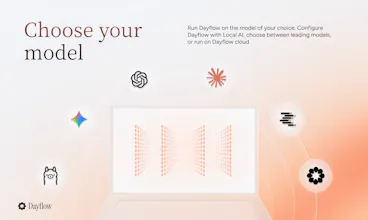
We do offer cloud models as an option for users with ChatGPT/Claude/Gemini accounts, but it’s totally up to you on whether you want to set this up as an option.
The brag-doc pain is painfully real, "what did you ship this quarter" and the mind goes blank is a universal developer experience :)
My question is about the boundary, because Dayflow doesn't see your work, it sees your screen. And my screen on a workday also has the 2am guitar tab I hunted down, a medical search, personal DMs, the apartment listings I shouldn't have been browsing at 3pm. For a brag doc, none of that should ever surface. So how does the separation actually work, an app/domain allowlist I define up front, AI classification of "work vs personal", a manual scrubbing pass? The honest record is only an asset if I trust it won't quietly file my private life into my performance review.
But here's the twist I can't stop thinking about: that same personal stream is a latent memory index. "When did I find that guitar tab again?" is exactly the kind of question I'd kill to answer, and Dayflow technically saw the moment. I build in the private-memories space myself, so I'm genuinely curious, is the timeline queryable by activity type, or grouped beyond the workday view? Because the thing that's a privacy liability for the brag doc (it captures everything) is the exact thing that could make it a personal recall tool. Two products hiding in one capture stream.
Local-first + MIT is the right foundation for either. Congrats on the launch! :)
Dayflow
@keirodev it does surface everything, including the youtube videos you watch - none of the personal stuff will show up on the brag doc though! I think it's important to have an accurate assessment of your time.
@jerry_liu10 Thanks Jerry! That mostly answers it, but I want to gently pull on the "how" because it's the whole trust question. If it captures everything (YouTube included) yet the personal stuff never lands in the brag doc, then something is deciding "work vs personal" at some point. Is that an AI classification pass at export time, a category the model tags each block with, something I can review before anything leaves the timeline? I'm not doubting it works, I just want to know where the line gets drawn and whether I get to see/correct it, because a misclassification going the wrong way (a private block filed as work, or vice versa) is exactly the thing that erodes trust in an "honest record."
And you actually half-answered the part I'm most excited about :) "an accurate assessment of your time" means the full timeline is kept, personal included. So is that timeline searchable, "when did I find that guitar tab", "what was I reading last Tuesday afternoon", or is it strictly a day-view summary? The brag doc is the pitch, but a queryable personal memory of everything you did on screen is quietly the bigger product. Would genuinely love to know if that's on your mind.
Tencent RTC
The tagline says Dayflow helps you get promoted, which is a very specific promise for an open source tool. Is the main workflow more about capturing accomplishments over time, turning work into status updates, or guiding people on what to focus on next? The AI Agents / AI Dictation Apps hints make me wonder how much is automated versus manually curated.
Dayflow
@mia_qiao Right now it's about capturing accomplishments + status updates. We want to build in features that gently guide you on what to focus on next!
Remembering what you shipped months later is a real pain. The screen capture side is the only thing I’d be careful with: can Dayflow auto-exclude certain apps or websites before they’re analyzed, or is privacy mostly handled by pausing and deleting entries after?
Dayflow
@novamaker01 Yep, you can exclude whatever apps you'd like, like password apps for example. You can also pause or delete entries whenever you like.