
Pluto Door
Secure MacOS SSH with AI editor, file browser, drag-drop
70 followers
Secure MacOS SSH with AI editor, file browser, drag-drop
70 followers
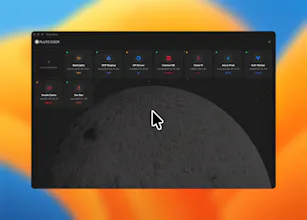
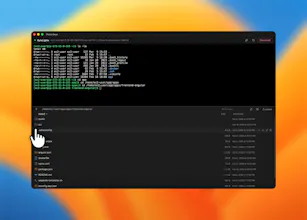
Meet Pluto Door — the macOS SSH client that makes plain terminals feel ancient. Connect to any server with terminal, file browser, code editor, and AI in one beautiful app. Debug configs, edit files, drag-and-drop uploads, and stay in flow. 100% local and secure — keys and passwords stay on your Mac in Keychain. Just $12. No subscriptions, no BS.





@kkxingh Congrats on the launch, Krishna! 🎉 The “AI that knows what’s on your server” detail is what sets this apart — context-aware assistance is the difference between actually useful and just another chatbot wrapper. Been looking for exactly this: AI help with server issues without having to install anything on the server itself. The Keychain-only credential storage is the right call too, that’s a deal-breaker for a lot of devs with cloud-syncing SSH clients. As an iOS dev building OceanMind, an AI-powered breathwork app, I mostly live in Xcode but still find myself SSH-ing into servers for backend work and juggling exactly the five-tab setup you described. $12 one-time is a no-brainer. Will the AI context include terminal history as well, or just the file system?
@alexeyglukharev Thanks so much for the kind words, really appreciate you taking the time 🙌
To answer your question: the AI has access to your connection context (like the current working directory and files in it), along with your chat history within the session so follow-ups feel natural and contextual.
It doesn’t read terminal output automatically to keep it secure, but you can paste errors or describe issues and it’ll help instantly with full awareness of your setup.
And yep, you’re absolutely right about credentials everything is stored securely in the macOS Keychain. No cloud sync, no external databases. Period hahaha.
@curiouskitty Haha great question 😄
Going local-first + no accounts definitely means no cloud sync or team sharing (for now) — everything lives on your Mac, which is very much the core philosophy of Pluto Door.
We did explore open-sourcing early on… but then Apple dev fees, signing, distribution, etc. quickly reminded us that “free” still has real costs 😂
That said, if strong demand comes up for team features like shared connections or vaults, we’re open to introducing minimal, privacy-first cloud usage where it actually adds value — without compromising the security model.
For this version though, we intentionally kept things fully local and secure.
Also, this is our first product and we’re way too excited — we’ve got so many features planned that we literally made a “cool releases” page on the site lol 🚀
Can you manage multiple SSH connections at the same time with tabs or split view? Congrats on the launch!
@mcarmonas Not yet 😄 Right now PlutoDoor supports one SSH connection at a time, but tabs/split view is already on our list for the next version — and your comment definitely pushes it higher.