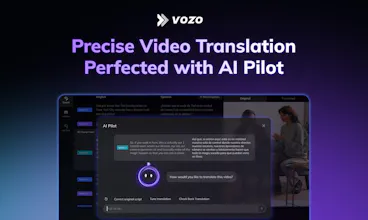
Reviewers praise Vozo AI for easy multilingual dubbing, smooth editing, fast processing, and surprisingly accurate lip sync that can preserve a speaker’s voice and tone. Agencies and creators highlight time savings and simpler global publishing. Compared with alternatives, several users note more precise lip-sync controls and flexible sentence-level rewrites. Critiques focus on occasional export stalls, minor speaker detection errors in multi-voice clips, monotone delivery in some outputs, and watermark intrusiveness. Overall sentiment is strongly positive, with requests for finer pause controls and continued polish on sync and stability.
Vozo AI — Video localization
👋 Hi Product Hunt! CY here, founder of Vozo.
I’m an ex-Googler researcher who helped build core video technology for Android, Glass, and Photos.
Visual Translate is Vozo’s 3rd launch on Product Hunt — bringing the last missing layer of video translation: the text inside videos. It builds on our previous successful PH launches around AI dubbing, lip-sync, subtitles, and translation quality.
👉 Fully translated videos — finally possible.
With Visual Translate, Vozo can now translate the text inside videos — slides, diagrams, UI labels, and callouts — while keeping the translated text fully editable.
This turns out to be surprisingly tricky: the system has to decide what to translate, what to keep, and how to recreate visuals without breaking layout, style, or animation — but we’ve finally made it work.
We’re starting with slide videos and explainer videos, where much of the information lives directly in the visuals. With this final layer solved, important videos can finally travel across languages instead of being locked inside one.
🚀 We’re opening FREE beta access today — sign up with Gmail and try Visual Translate. Let us know what videos you’d translate first.
Vozo AI — Video localization
@lightfield Hi everyone — I’m Josie, the PM & designer behind Visual Translate at Vozo.
Really excited that Visual Translate is finally live after several weeks of development and early user trials.
Here are a few sample demos:
• DJI promo video
• A slide-based video
• A training video
• A Gemini intro video
You can also check out a short How-to video showing how it works.
Over the past few weeks, users from different industries have already used Visual Translate to localize videos such as medical explainers, internal training, and safety instruction videos. It’s exciting to see it being used in real workflows.
Happy to answer any questions! Feel free to ask about how Visual Translate works under the hood, or tell us what kind of videos you’d like to translate.
Congrats on the launch! Just tried it and loved it.
Quick question — is there an edit history for visual translation changes? When working with our review team, we usually go through several rounds of revisions before settling on the final wording, so being able to track changes would be really helpful.
Vozo AI — Video localization
@stevie_y Thanks for trying it out, really glad you liked it!
At the moment, we don’t have an edit history feature yet for visual translation changes. But you’re absolutely right that this becomes important when multiple people review and refine the wording over several rounds.
We’re already thinking about better collaboration features for teams, and version history is definitely something we plan to support in the future as more teams start using the product.
Vozo AI — Video localization
@stevie_y Glad to hear you loved it!
Yes, every edit is tracked and reversible, so you can always go back if needed. It provides a full editing experience, similar to working on a canvas.
Enia Code
What happens when the translated text is longer than the original space allows?
Vozo AI — Video localization
@jessica_miller_7 Great question — especially since different languages can vary a lot in length. For example, Chinese text can become much longer when translated into English.
Our system analyzes the video frame, text length, and layout to compute a new layout that fits best. It can automatically adjust font size, reflow the text, and handle line breaks.
This way, the translated text stays within the visual boundaries and keeps the video looking clean and natural.
Vozo AI — Video localization
@jessica_miller_7 Nice catch! This is where the magic happens. Give it a try and you’ll see how deeply our AI model understands the correct layout based on the surrounding context and text.
Vozo AI — Video localization
@jessica_miller_7 Great question, Jessica! I can tell you’re a localization expert 😄 Hope Josie's reply helps. And feel free to give it a try, would love to hear what you think!
Great! The product presenters and YouTubers (like me) have been longing for is here! I'm so excited to try this out because this empowers presenters to go global. I have a few questions.
If there's "Moving" text on the screen, huge enough to cover the whole screen like a book page, can it be fully translated without cutting out the text on the boundaries?
Which video formats does it support?
Congrats on the launch!
Vozo AI — Video localization
@atwijukire_ariho_seth Thanks for the thoughtful questions!
First, we currently support MP4, MOV, WEBM, AVI, and WMV formats.
Regarding the case you mentioned:
At the moment we mainly support entry and exit animations for on-screen text.
For text that keeps moving continuously across the frame, the results may not be perfect yet. Improving this is one of the next areas we’re actively working on.
About the situation you described where the text covers almost the entire screen like a book page — I’d love to understand that case a bit better:
Is it because the font size is very large?
Or because the text content itself is very long?
Our current layout logic tries to avoid letting long translated text overflow beyond the screen boundaries.
If possible, could you share a YouTube link and mention the timestamp where this happens? That would really help us take a closer look at the exact case.
Vozo AI — Video localization
@atwijukire_ariho_seth Thanks for the thoughtful questions! These are great points. Let me answer them one by one.
Moving text
This is indeed a challenging case. At the moment, we don’t support continuously moving text very well (for example, text that scrolls across the screen like a webpage). Entry and outro animations usually work fine, but screen recordings with page scrolling can still be difficult. It’s an area we’re actively working on improving.
Text near the boundaries
Our AI model analyzes the text it detects as a whole across multiple frames. Even if part of the text is only partially visible in a single frame, the system can reference the frames before and after to better understand it. When placing the translated text, the layout is carefully recalculated so the full text appears properly within the video frame.
I hope this helps clarify things! Feel free to give it a try, and we’d love to hear your feedback as a presenter/YouTuber.
Timelaps
Hey team, congrats on the launch! Super polished product with a validated real world use case. Professional demo. Excited to try it out. Wondering if you offer an open API?
Vozo AI — Video localization
@harryzhangs Thanks a lot for the kind words — really appreciate it!
We’re currently in beta, so we haven’t opened up a public API yet. If we see strong enterprise demand, we may consider offering API access in the future.
That said, we believe the SaaS workflow works best for this kind of product. Video localization usually requires review and edits during the process. Our editor lets you visually compare the original and translated video side by side, and directly adjust the text, layout, and styling in context, which makes the workflow much more intuitive.
Vozo AI — Video localization
@harryzhangs Thanks! We’re currently in beta, and we’ll definitely consider offering an open API in the future, including possible support for AI agents to interact with it.
This is perfect for educational videos where visuals carry as much meaning as the narration. Congrats on the launch!
One quick question, do you offer API?
Vozo AI — Video localization
@kiyaaa_ Thanks for the kind words!
We’re currently in beta, so we haven’t opened up a public API yet. If we see strong enterprise demand, it’s something we may consider in the future.
For now, we’ve focused on building a SaaS workflow, because video localization usually involves review and edits along the way. Our editor lets you compare the original and translated visuals side by side, and directly adjust the text, layout, and styling when needed.
@josie_oy Oh nice👍, it's great that it is able to edit the translated visuals directly. Curious if the system detects and translates some on-screen text but the user actually wants to keep the original text, is it also possible to skip or revert that translation?
Vozo AI — Video localization
@kiyaaa_ Yes, we support that.
In the very first version we launched, there wasn’t an easy way to handle this case. But we quickly realized it can create problems in real production scenarios. For example, a brand name or product term might appear on screen and shouldn’t be translated, but the system may translate it automatically.
So in an update we shipped last week, we added a “Revert to Original” option. You can simply select the translated text and revert it back to the original text and styling from the source video, without affecting any other translated elements in the frame.
Vozo AI — Video localization
@kiyaaa_ Thank you so much, Kiya! Really appreciate it. And yes! exactly!
A lot of important videos contain key on-screen text, and we want to make sure that information can still be clearly understood across languages.
Congratulations with a launch! Really interesting product. Translating voice, subtitles, lip-sync, and on-screen text together solves a huge pain point in video localization.
What kind of videos does Vozo work best with today: talking head content, tutorials, or more complex edits?
Vozo AI — Video localization
@victoria_samoilenko1 Thanks for the thoughtful question!
Right now Vozo works especially well with slide-based videos, tutorials, and explainer videos, where a lot of key information appears directly on the screen as text.
These videos often include slides, diagrams, labels, or callouts that help explain the content. Visual Translate is designed to detect and translate that on-screen text while keeping the original layout and visuals intact.
Talking-head videos also work well, especially when combined with our dubbing, subtitles, and lip-sync features.