
Launched this week

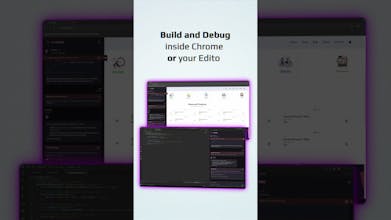
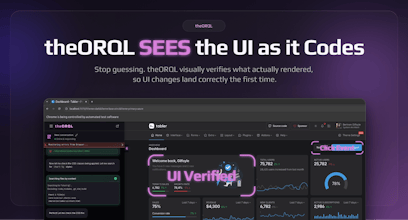
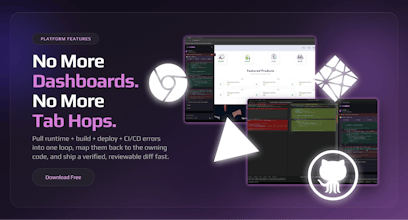
theORQL is vision-enabled frontend AI. It takes UI screenshots, maps UI → code, triggers real browser interactions, and visually verifies the fix in Chrome before shipping a reviewable diff — so UI fixes land right the first time. 1200+ downloads to date. Download free on VSCode and Cursor.
theORQL
Hey Product Hunt!!!
We built theORQL because most AI coding tools are blind: they generate code that looks right in text, but renders wrong in the browser.
theORQL closes the loop between your UI and your codebase:
takes screenshots of the UI (full page + elements)
reads DOM + computed styles + network + console
maps a UI element to the owning component (via source maps)
applies a change, visually verifies it in the browser, then gives you a reviewable diff (no auto-commit)
If you try it, what should we focus on next: layout/CSS issues, state bugs, or flaky/hard-to-repro bugs?
And what’s one workflow you’d pay to never do manually again?
I'm very keen to try this, do you think this would have a problem with more complex UI flows using gestures (click and hold etc)? I've been working with React flow for a node interface, and debugging problems with that library is such a pain, especially when it comes to adding features like drag and drop. Would love to hear anyone's experience with this.
theORQL
@haxybaxy Thanks for your comment Zaid, and yes gesture-heavy flows (drag/drop, click-and-hold, resize handles, canvas-style UIs like React Flow) are exactly where text-only AI tends to fall apart, because the “bug” is usually in the interaction + state timing, not just the code.
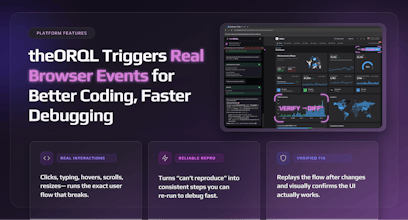
theORQL can reliably reproduce the gesture and capture the right evidence (UI screenshots + DOM/state signals + console/network) while it’s happening. Simple interactions (clicks, typing, resizes) are straightforward today; more complex gestures can be trickier depending on how the library implements pointer events and what needs to be simulated.
If you’re up for it, I’d love to learn a bit:
Is it HTML/SVG/canvas in your case?
What’s the specific pain point: drag not starting, drop target logic, node position/state desync, edge routing, or performance/jank?
We can try it against your React Flow and you can see what theORQL can reproduce/verify right now (you can install it free right now and I'm happy to give you a live demo too)
The vision-based verification loop is what makes this stand out. I spend way too much time on the "tweak CSS, refresh, check, repeat" cycle — having something that can actually see the rendered output and confirm the fix landed correctly before I commit sounds like it'd save me hours every week. Curious how it handles responsive layout bugs across breakpoints.
theORQL
@letian_wang3 Thank you Letian, That’s exactly the loop we built theORQL for.
For responsive bugs, the flow is basically: we reproduce the issue at the breakpoint by resizing (or setting a specific viewport), capture what actually rendered (screenshots + computed styles), map the affected element back to the owning component, apply the change, then re-check the same viewport to confirm the screenshot matches the intended layout before handing you the diff.
AI Made Coding Faster But Debugging Is Still Stuck in the past. After 10+ years as a software engineer, one thing hasn’t changed: Debugging is where most of the real time is lost.
The ability to captures runtime errors directly from Chrome:
• stack traces with real values
• DOM & component state
• network failures
• user interactions
is impressive, highly recommend this tool !!!
theORQL
@_jaydeepkarale thank you Jaydeep! We are so grateful for the outpouring of support from our users. What would you like to see next from theORQL?
Adjust Page Brightness - Smart Control
this is one of the greatest products i have ever seen on product hunt, very helpful for developers like me
theORQL
@kshitij_mishra4 Thank you so much!! What is the biggest pain you're having in your workflow? We want to help :saluting_face:
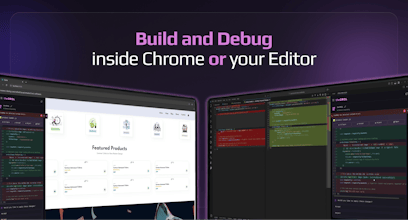
I can't think of a better debugging tool than this.. you simply stay on your browser and the tool does the debugging
Been using it for awhile now and really appreciate the good work from the team
theORQL
@nobert_ayesiga Thank you so much Wise!!!! Happy that you've been using theORQL already. I'm curious what's the most useful workflow so far?
theORQL
Wow we're so humbled by all the outreach and support! Thank you to all our users, commenters, and special thanks to @fmerian for hunting theORQL!