

iPad Version - What would you like to see?
by•

Hey
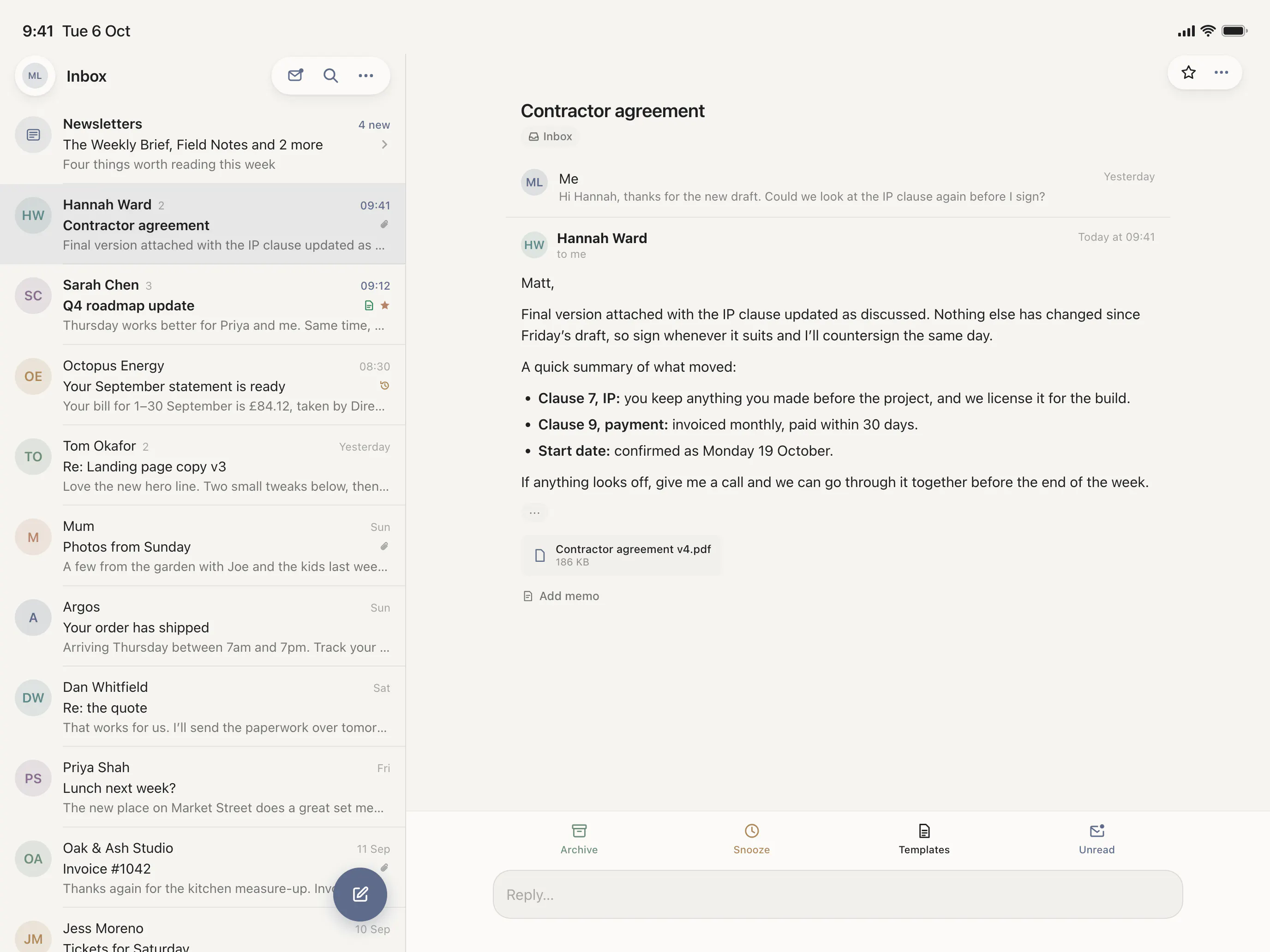
Currently working on the iPad version of WMail. What would you like to see in the iPad app that you use all the time in other mail apps or that you wish an iPad mail app had?
You can see below a mockup of how this currently is going to look on iPad. Working on keyboard shortcuts so that you can navigate the app easily if you are a keyboard user and also a focus mode so you can focus on a specific thread if you'd prefer.
40 views
Replies
split view with the list on one side and the open email on the other would be huge, full screen single pane feels like a phone app stretched out on ipad
@jaewon_seo could not agree more! We want to make use of the screen space and it not just feel like a stretched iPhone app on iPad (and also on iPhone Duo).
With a keyboard shortcut you will be able to toggle focus mode so you can hide the email list when you don't want it cluttering up your reading/writing experience.
Keep a reply draft intact when switching threads or resizing the app beside another window
For keyboard navigation I would want Escape to return to the message list without discarding the draft. That small detail matters when checking another email mid reply
@al_kub great suggestions Aleksandr! You are totally right, being able to quickly move out of a draft to check something in another thread and go back to it is super useful.
We are keeping Quick Reply in the iPad app so you can start a reply from the box at the bottom and it saves as soon as you move to another thread or click somewhere else and stays present so you can see it as well when not focused on the reply box.
Looks good it would be a total power tool, with multi window split View support and rich iPadOS trackpad gesture support. Cannot wait to try Focus Mode