

Why I’m Building Independent Software (And Why My Latest App — Silo — Has Zero Cloud)
I’ve spent years working as a software architect, designing systems and watching the tech industry move entirely into the cloud. By all conventional measures, we are living in the golden age of software. We have AI completing our sentences, instant global sync, and a web app for literally every niche.
But lately, I’ve been feeling a deep sense of fatigue.
Software doesn’t feel like a tool we own anymore; it feels like an endless series of digital rental agreements. Every utility wants a piece of your monthly budget. More importantly, we’ve accepted a default reality where our most sensitive professional data must live on someone else’s server—constantly scanned, processed, and waiting for the next inevitable third-party data breach.
I wanted to see if there was another way. So, I’ve decided to start building software independently. No venture capital, no massive scaling at all costs, and no bloated teams. Just a focus on building quiet, high-performance tools that do one thing exceptionally well and then get out of your way.
The Philosophy
My approach runs on a few boring, old-school principles that feel almost rebellious today:
Local-First: Your device has an incredibly powerful processor. The app should run on your hardware, using your local storage. This eliminates loading spinners, network lag, and internet dependencies.
Zero Data Access: If I don’t have a database server, I can’t look at your data, and I certainly can’t leak it. Privacy shouldn’t be a policy page; it should be a technical impossibility.
Fair Alignment: I believe the business model should match the actual infrastructure of the product. If an app runs entirely on your device with zero ongoing server overhead, it shouldn’t trap you in a perpetual subscription. For tools like this, a one-time purchase just makes sense.
The Current Focus: Silo
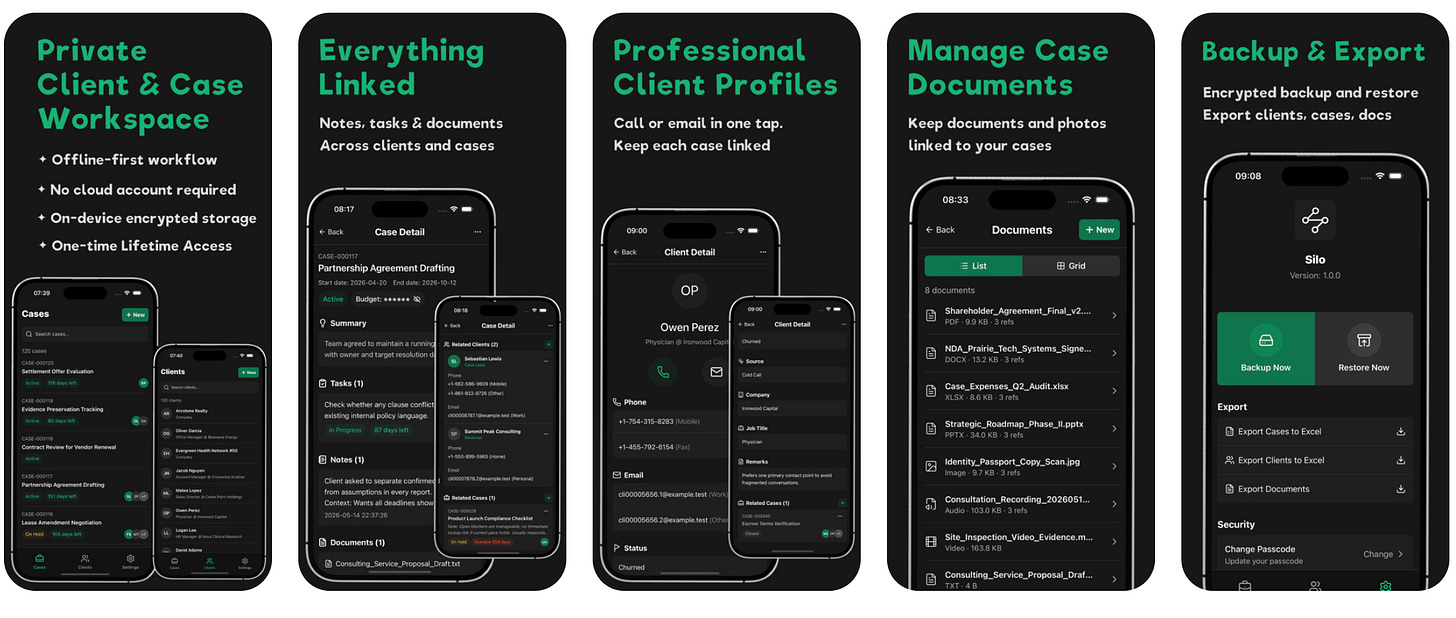
To put this philosophy into practice, I’ve been working on my latest product, Silo.
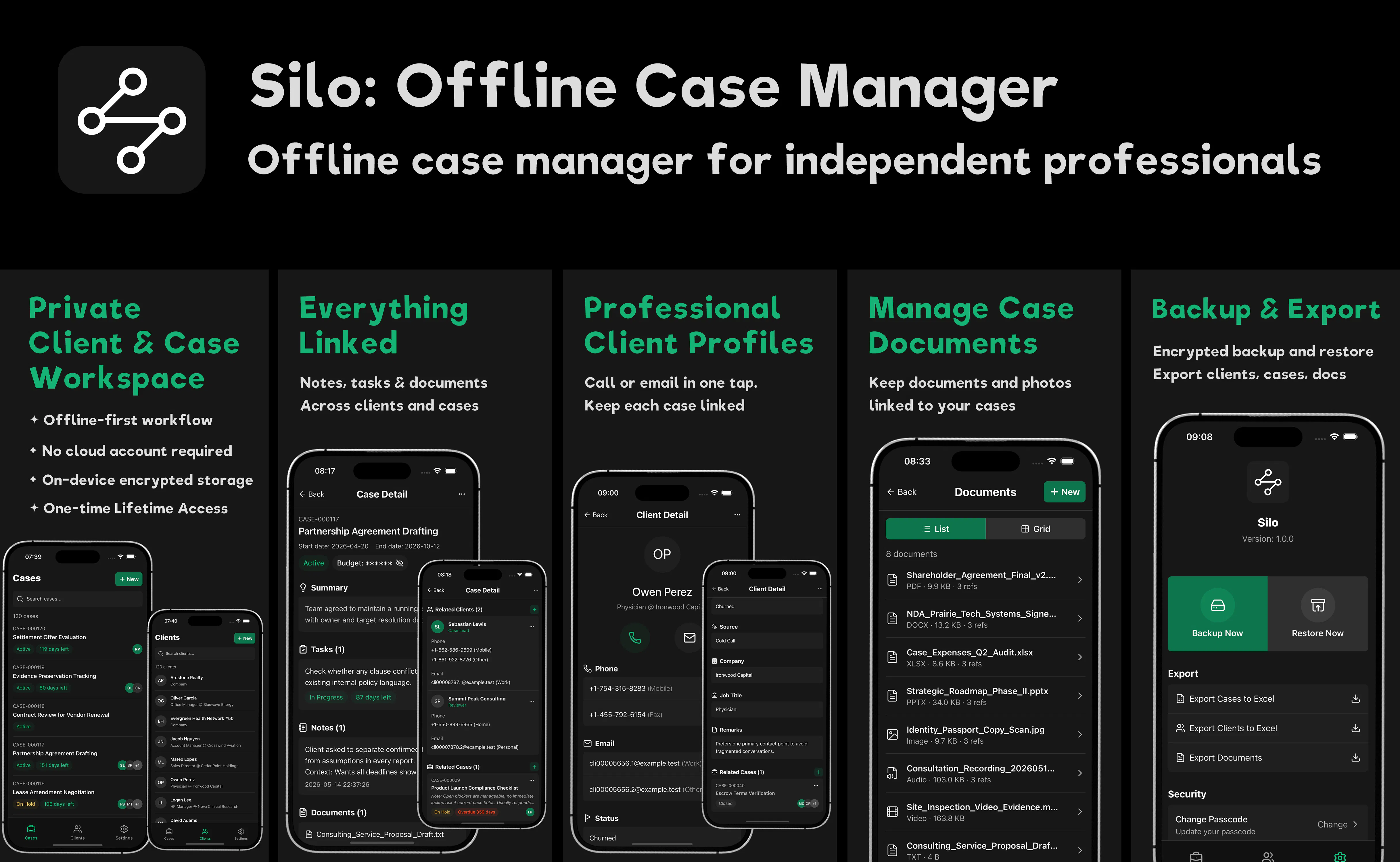
Silo is an offline-first client and case workspace. It’s built for independent professionals—attorneys, consultants, private investigators—who handle sensitive information and need absolute data control.
When I told some fellow developers I was building a case manager with zero cloud functionality, they looked at me like I was crazy. They asked how anyone would sync their data. But when I talked to solo practitioners, they told me they were genuinely tired of paying thousands of dollars a year to cloud CRMs just to host basic text logs and case notes, all while worrying about client confidentiality.
Instead of trying to be everything to everyone, Silo focuses on a few structural features:
Relational Mapping: Real-world work isn’t linear. Silo allows you to link multiple clients to a single case, or cross-reference related historical matters, keeping tasks, notes, and document attachments tightly organized within their specific context.
On-Device Security: Every record and document is locked behind AES encryption directly on your hardware. You gate the workspace using an application-specific 6-digit passcode alongside your device’s biometrics (Face ID/Touch ID).
Instant Speed: Because it doesn’t wait for a server to respond, the entire database loads in milliseconds. It works perfectly in basements, secure facilities, or off-grid travel without Wi-Fi.
Building in the Open
Here is the honest truth: I don’t know if Silo will be a massive commercial hit. In independent software development, nobody can perfectly predict the market.
That is why I am committing to building in public.
I’m going to use this space to log the entire journey. I’ll share product updates, engineering trade-offs, and the actual business metrics of running an independent global operation—including the design mistakes, the marketing failures, and the revenue numbers.
Silo is my current bet, but it’s part of an ongoing journey. As someone who builds software iteratively, each product allows me to refine my stack and better understand what users actually value. If it works, it funds the next project. If it fails, the code architecture and lessons learned here will shape whatever I build next. Either way, the assets and the knowledge stay with me.
If you’re tired of renting your tools, or if you’re a fellow builder navigating the solo-founder path, I’d love to have you follow along.
Frequently Asked Questions
Q1: Is Silo a subscription software? How does the pricing work?
A: No. Silo does not use a subscription model. You can start for free with the Starter tier (up to 3 cases, with up to 10 documents per case). If you need higher limits, you can unlock Lifetime Access with a single one-time in-app purchase, which removes Starter limits.
Q2: Where is my client and case data actually stored?
A: Everything lives entirely on your device’s internal hardware. Silo has no central servers and no cloud synchronization. Your notes, client profiles, and document attachments never leave your hands, making them completely immune to cloud breaches or external tracking.
Q3: What happens if I lose my device? Do you have backups?
A: Because I have zero access to your data, I cannot recover it for you if you lose your device. This is the honest trade-off of true privacy. However, Silo includes a built-in Settings menu where you can manually generate secure, encrypted backup files. You can save these backups to your personal physical drives or secure archives to restore your workflow whenever needed.
Q4: How is the app secured locally?
A: Your database file and document attachments are protected using standard AES encryption directly on your hardware. When you launch Silo for the first time, you will be prompted to set up a dedicated 6-digit App Passcode and optionally enable Face ID. This ensures your workspace remains a private vault even if someone else holds your unlocked phone.
Q5: Can a small team use Silo, or is it strictly for individuals?
A: Silo is designed primarily for solo practitioners and boutique teams who value absolute data isolation. Since there is no cloud database, you cannot do real-time multi-user editing. However, small teams utilize Silo securely by exporting individual encrypted case files or project backups and sharing them via secure peer-to-peer methods (like AirDrop or encrypted drives) to hand off cases smoothly without risking data exposure.
Silo is now officially live on the App Store. 100% serverless, zero tracking, built for your local hardware.
Replies
Be the first to reply
Have a question or a thought to share? Add a comment above to start the conversation.