

Simulators, Dev Ports, Build Watchers. Room Service is evolving

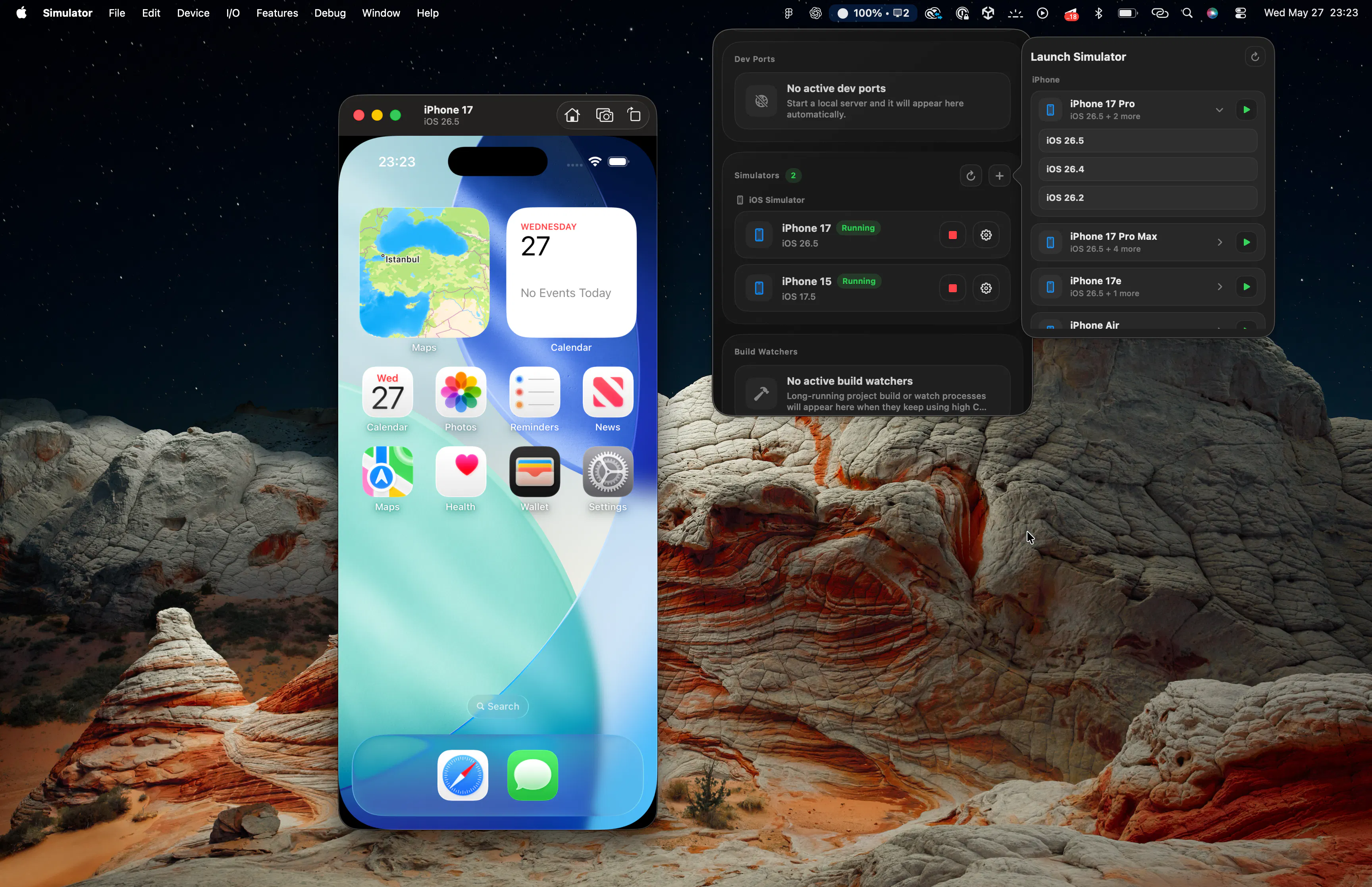
When I first added Dev Ports to Room Service, it felt like a small utility feature.
See local servers.
See active ports.
Open them faster.
Kill them faster.
Then Build Watchers happened.
Suddenly Room Service was not just showing files and cleanup opportunities anymore.
It started understanding active developer workflows happening across the machine.
Now we added Simulators. 🔥
And honestly, this feature changed the feeling of the app again.
You can now:
See running simulators
Launch installed simulators directly
Restart them
Stop them
Copy names / IDs
Get notifications when new simulators boot
Manage simulator state without digging through Xcode
Preview: https://www.youtube.com/watch?v=5ohmZd6Lvvk

At first glance this sounds small.
But when combined with Dev Ports and Build Watchers, something interesting starts happening:
A simulator boots.
A local dev server starts.
A watcher begins rebuilding.
CPU usage spikes.
Ports become active.
These are not isolated tools anymore.
They are connected parts of one developer workflow.
That is the direction Room Service is slowly moving toward.
Not:
“a Mac cleaner for developers”
More like:
“a visibility and operations layer for your dev machine”
The interesting part is that none of these started as “headline features”.
Most of them came from small daily developer frustrations.
Over time, those small operational pain points started connecting together into something much bigger.
Room Service is slowly becoming less about cleanup,
and more about understanding and controlling the developer machine itself.
Replies