

Recall release notes, August 19, 2026: Safari Extension, Image to text, 10 URLs & chat suggestions

This is a packed one!
Safari users, your wait is over. The Recall extension is now live on Safari and Edge, with a smoother experience for everyone, including adding connections right from the browser. If you have not tried it yet, install it on your browser of choice today: https://www.recall.it/download
Another long-awaited one, OCR on images. Photos, screenshots, and scribbles can finally become real cards. Plus faster ways to add content, with 10 URLs at a time or drag and drop into your library.
And a bigger step towards a smarter knowledge base. Chat suggestions now prompt you with questions drawn from what you have saved, and they sharpen as you add more.
Extension updates
The Recall extension is now live on Safari (Mac) and Microsoft Edge, in addition to Chrome and Firefox. Save a page, get an instant summary, and chat with it without leaving the tab.
You can now add connections while editing a notebook directly in the browser extension, so you do not need to jump back to the app.
To ensure that you are getting the most out of Recall, we spent some time putting together a detailed tutorial so that you are familiar with just how powerful the browser extension is: https://youtu.be/2JgS9AOVzZg
Images as cards
Those handwritten notes, those screenshots, all of it can come to life. Below is a handwritten recipe from my grandmother on how to make her special spice blend. Now in Recall alongside all my recipes.
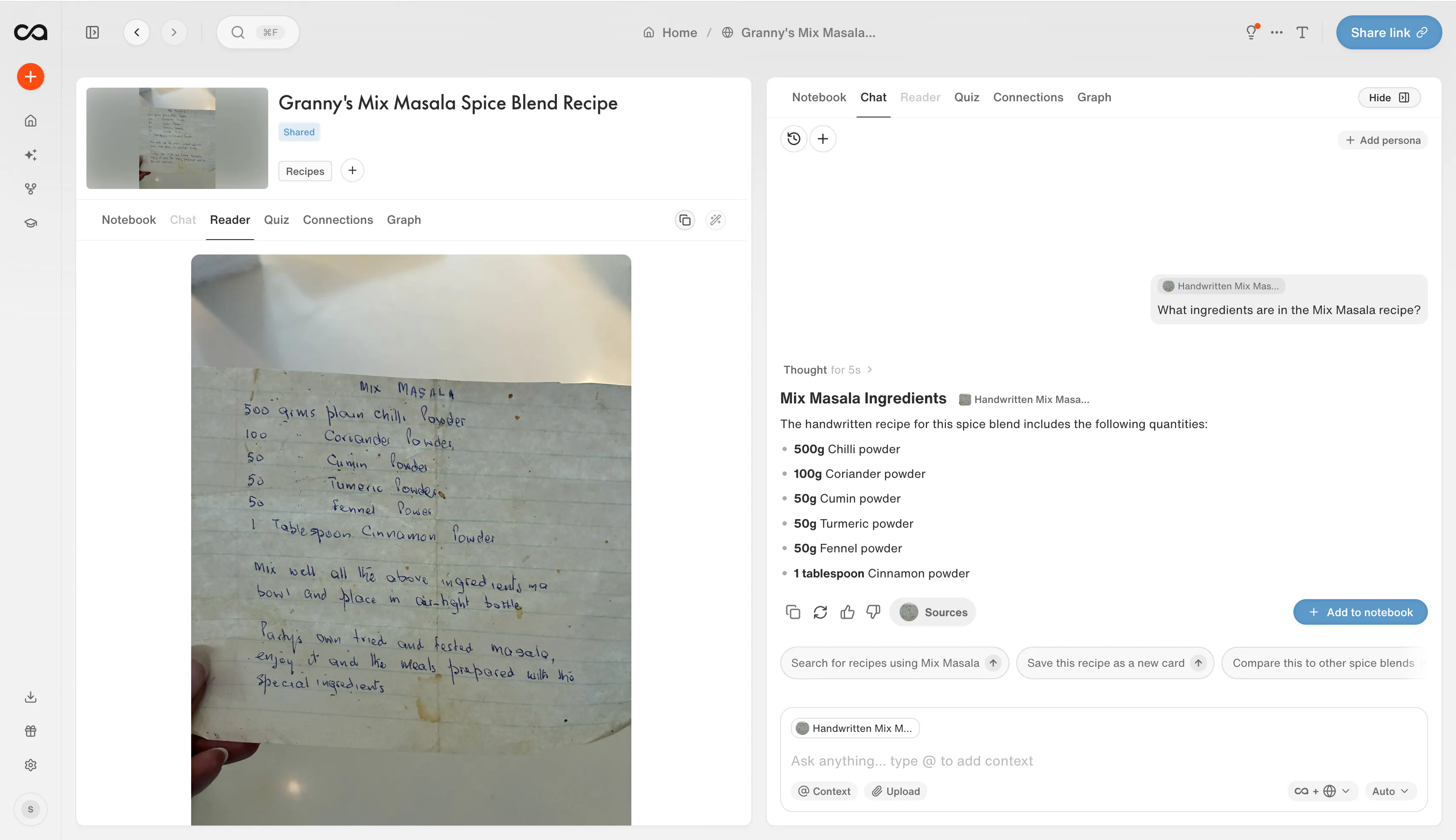
Upload a JPEG, PNG, WebP, or HEIC photo and Recall turns it into a searchable card.
AI reads any text in the image, describes what is in the picture, and generates a title, summary, and tags.
The image becomes the card cover and appears in the reader with the extracted text underneath, so you can search it and chat with it like any other save.
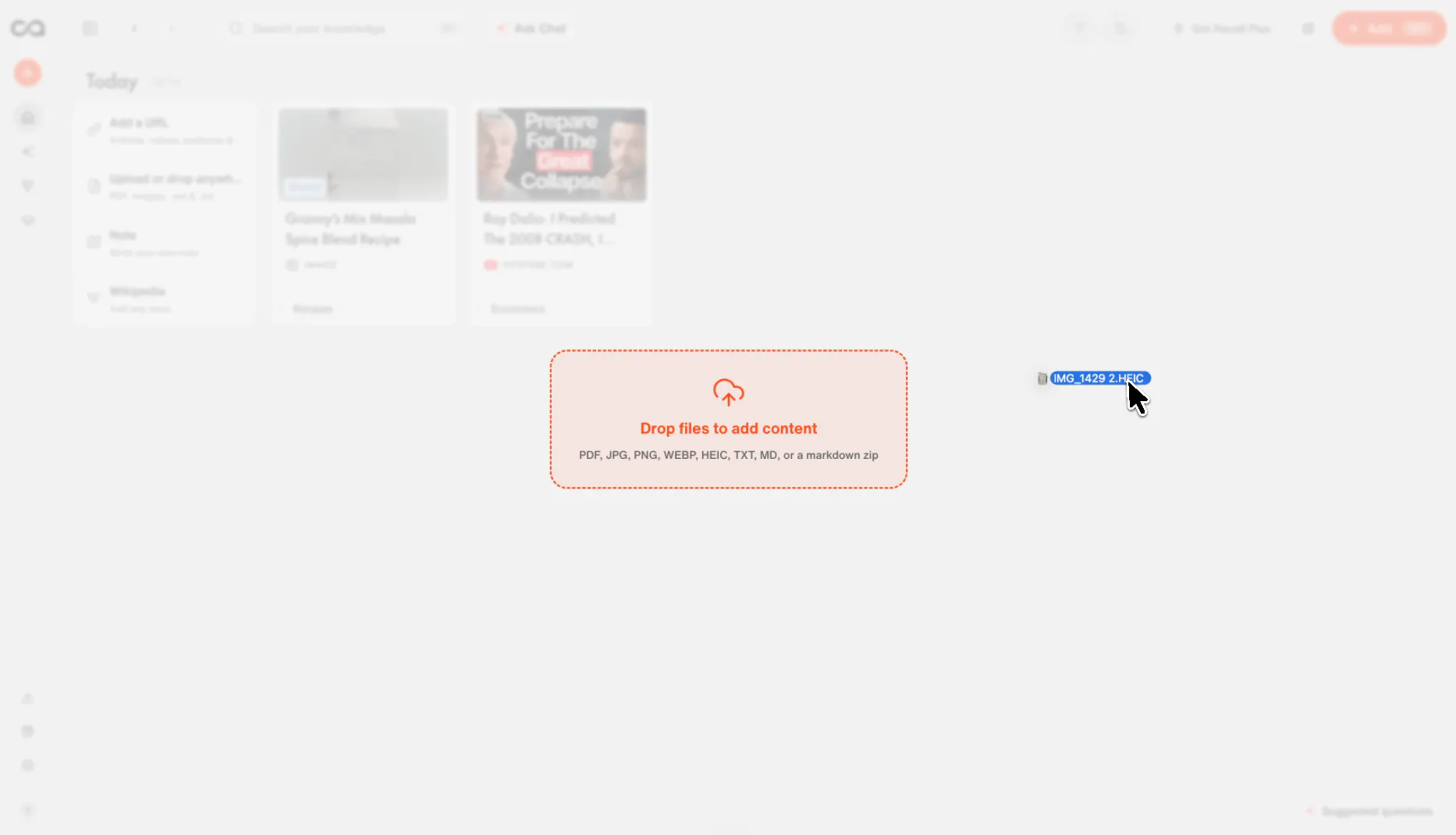
Add one image at a time from Add Content or by dropping it onto your library.
Next up, we'll enable you to add bulk images and also process OCR on social posts.
Chat suggestions
Recall now suggests questions, so you do not have to start from a blank chat.
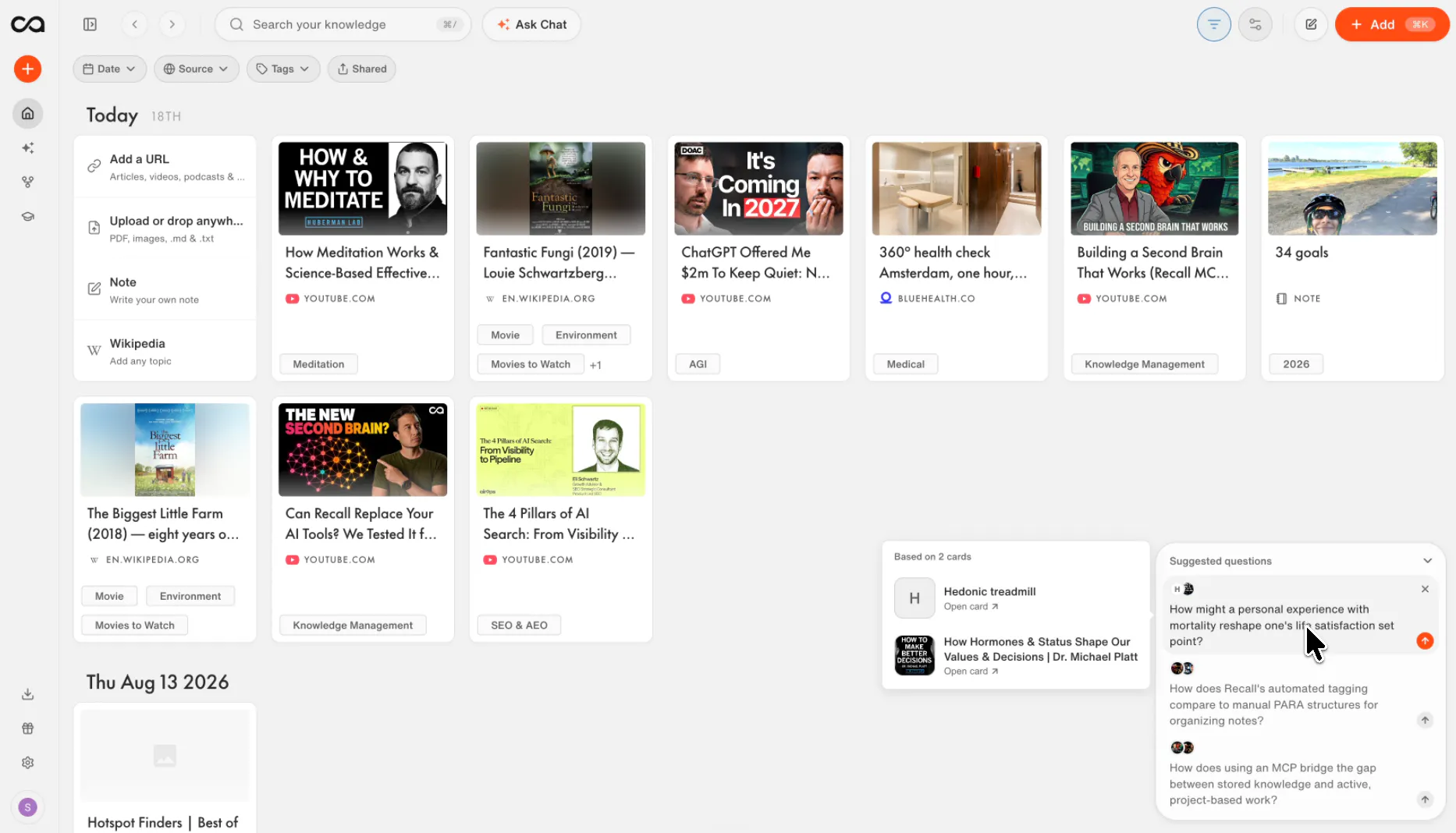
On a card, you get questions tailored to that specific save. Click one to start chatting.
In your library on desktop, a Suggested questions panel pulls questions from what you have saved and shows which cards they relate to. You can hide the panel anytime, and dismissed questions stay gone.
In Chat, new users get starter questions to learn Recall. Once you have a few cards, you will see prompts about themes, connections, contradictions, and gaps across your knowledge. Used questions rotate out for new ones.
Suggestions also appear when you chat with a card from the extension.
Bulk URL import
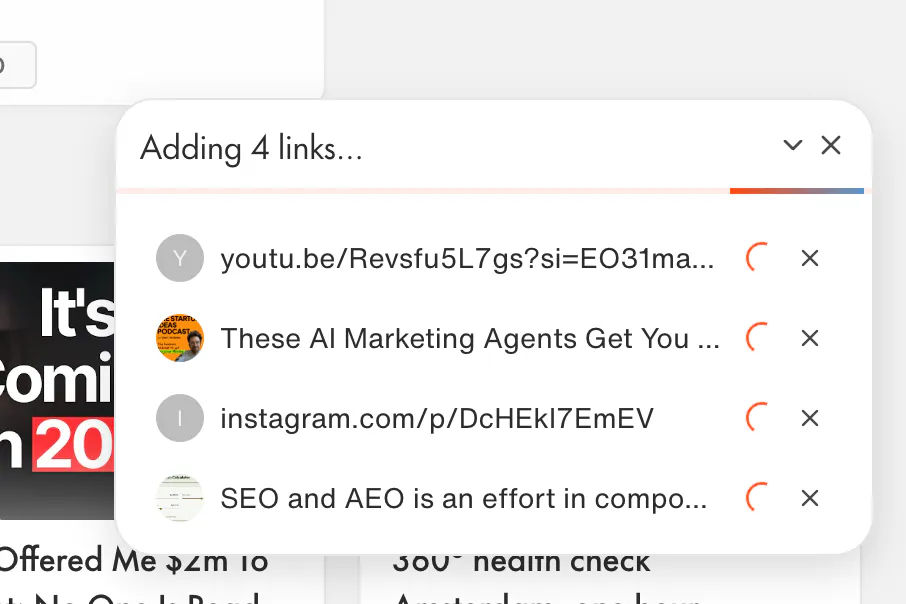
Paste up to 10 links into Add Content (space, comma, or semicolon separated) and create them as cards in one go, with the same progress tracking as bulk PDF uploads.
Drag and drop to add content
On your main library page, you can drop PDFs, images, text files, Markdown files, or a Markdown zip to create a card or start an import.
Unlinked mentions
On a card's Connections tab, Recall now suggests other cards that mention it in their text but are not linked yet. Link them in one click, with a preview of where each mention appears, and undo if you change your mind.
Share from your phone
On iOS and Android, sharing a card, quiz, challenge, or referral now opens the system share sheet, so you can send it to Messages, WhatsApp, or Mail instead of only copying the link.
Improvements and Bugs
Exporting a PDF card to Markdown now includes the original PDF in the zip, and PDF cards show a downloadable source chip under the title.
Shared Google AI Mode conversations now save correctly as cards.
Facebook story links using facebook.com/story.php are now recognized as posts.
Bug fixes
Regenerating connections no longer creates multiple copies of the card's main topic or duplicates mention snippets under a connection.
Shared Facebook links such as facebook.com/share/... can be saved as cards again.
PDFs that previously showed a blank white screen on some older iOS devices now open normally.
The PDF annotation layer no longer disappears after opening a file.
Numbered list markers are no longer cut off in long notebooks.
Pasting or opening certain tables no longer crashes the notebook editor.
Quickly clicking tags in the tag tree no longer accidentally enters multi-select. Hold Cmd or Ctrl, and Shift for ranges, when you do want bulk selection.
Nested images in saved articles are no longer dropped when Recall merges the reader content.
Chat code blocks fall back to plain text when syntax highlighting fails, instead of going blank.
Replies
Be the first to reply
Have a question or a thought to share? Add a comment above to start the conversation.