

Mantine Audio v1.0 — a Mantine-native audio player with waveform, spectrum and a headless hook

Hey everyone 👋 Just shipped Mantine Audio v1.0 — the audio counterpart to Mantine Video and the newest member of the Mantine Extensions Hub.
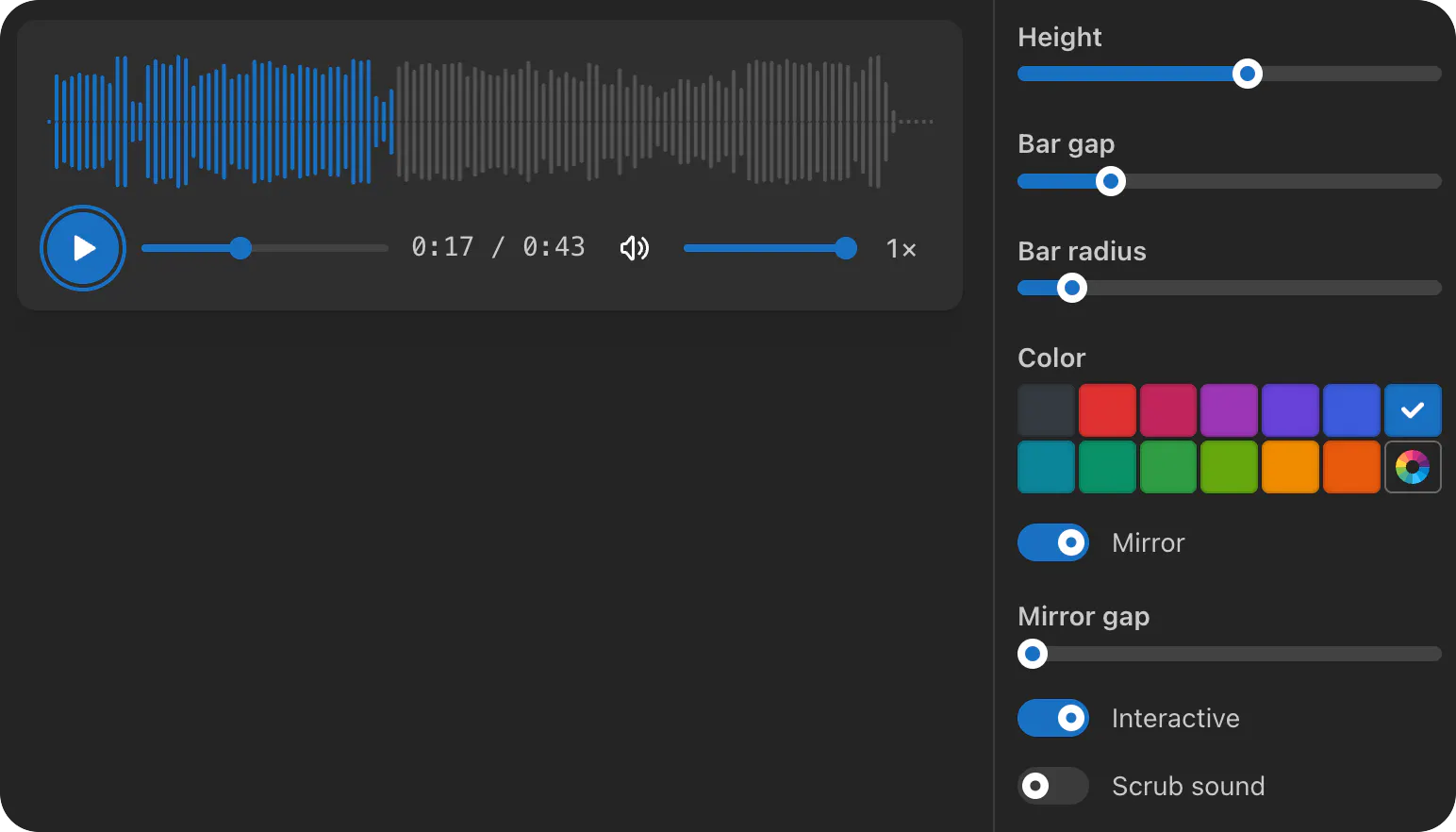
The idea was simple: video has a frame, audio doesn't. A 30-second video communicates its content the moment you hit play, while a 30-second audio file looks like a thin grey line. So instead of just wrapping the HTML audio element with theme-aware controls, the component makes the audio look at itself — decoded waveform on canvas, live FFT spectrum on an AnalyserNode, every part theme-aware and Mantine-Styles-API-friendly.

Like Mantine Video, it ships in three layers, layered from "drop-in" to "fully custom":
🎧 The default Audio component — a polished player with four built-in variants (overlay, minimal, floating, bordered) and five sizes (xs, sm, md, lg, xl), all CSS-driven via data attributes.
🧩 A composable Compound API — ten sub-components you can reorder, replace, or restyle: Audio.Controls, Audio.PlayButton, Audio.SkipButton, Audio.Timeline, Audio.TimeDisplay, Audio.MuteButton, Audio.VolumeSlider, Audio.SpeedControl, Audio.Waveform, Audio.Spectrum.
🪝 A fully headless useAudio hook — 16 state values plus 12 actions, plus the decoded peaks, the AnalyserNode, and currentSrc, so you can drive a 100% custom UI on top of a plain audio ref.
Highlights
Waveform visualisation — peaks decoded once via fetch + decodeAudioData, downsampled to waveformSamples (default 512), rendered on canvas with mirror + mirrorGap controls. Click or drag to seek. The played/unplayed boundary tracks the playhead at 60fps via requestAnimationFrame, not the slower timeupdate event (~4 Hz).
Live spectrum analyser — AnalyserNode-driven FFT, solid or gradient color modes, optional mirror, configurable bar count / gap / radius / smoothing. AudioContext is lazy-initialised on the first play to comply with autoplay policies. Bin distribution is proportional, so no high-frequency bins are dropped.
scrubSound — keep audio playing during a seek-drag and hear snippets while moving the cursor (Audacity / Adobe Audition / iTunes style). Works even from a paused state: the player starts on mousedown, plays through the drag, and pauses again on release.
Multiple source elements with runtime fallback — pass an array of source descriptors (src, type, media) for codec / format / media-query fallbacks. fallbackSrc kicks in if every entry fails to load at runtime, mirroring the Mantine Image pattern.
asBackground preset — turn the same player into an ambient hero / section background in one prop, complete with a discreet floating mute toggle.
Keyboard shortcuts — Space/K (play/pause), J/L (seek -10 / +10), arrow keys (5s seek and volume), M (mute), > / < (speed ±0.25×).
Full Mantine Styles API (classNames, styles, vars, unstyled) on every part — 18 selectors, 9 CSS variables, 5 data attribute modifiers. - TypeScript-first, MIT, zero hidden runtime dependencies.
Targets Mantine 9 and React 19.
🎧 Live demos & docs → https://gfazioli.github.io/mantine-audio
📦 npm → https://www.npmjs.com/package/@gfazioli/mantine-audio
🔗 GitHub → https://github.com/gfazioli/mantine-audio
🌐 All Mantine Extensions → https://mantine-extensions.vercel.app/
Happy to hear feedback — especially around the compound API surface, the scrubSound behaviour (does the snippet preview feel right from paused state too?), and the waveform/spectrum ergonomics.
What use cases would you love to see next?
Playlists?
Lyrics sync?
MediaSession API for OS-level controls?
Pre-computed peaks via WaveformData.js?
Replies
Be the first to reply
Have a question or a thought to share? Add a comment above to start the conversation.