

Do you use different component names for iOS and Android?
I've noticed that some UI terms are easy to mix up, especially when working across different platforms.
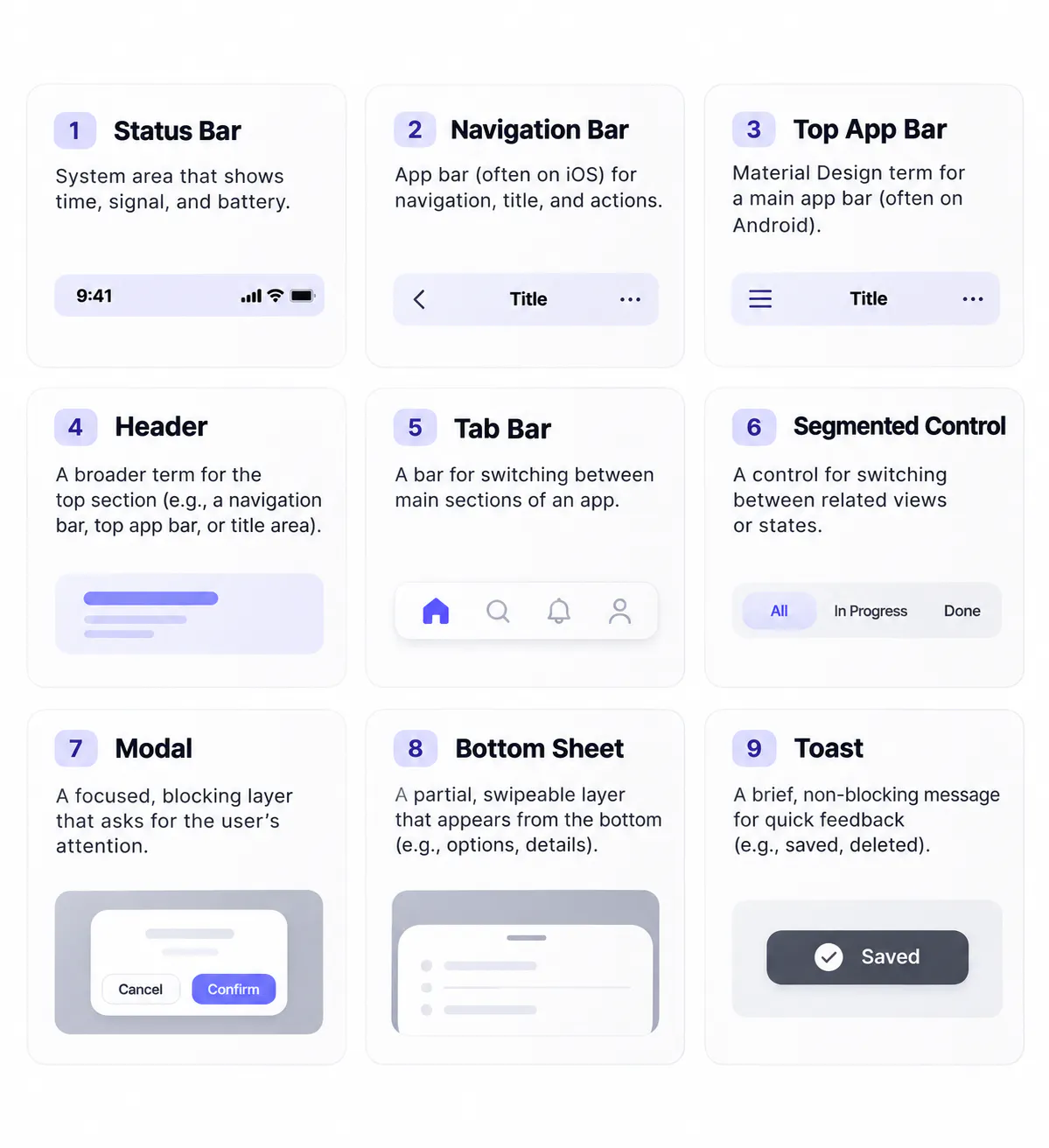
For example, iOS uses "Navigation Bar" for the top area with a title and actions, while Material Design calls a similar component a "Top App Bar."
And on Android, "Navigation Bar" can refer to the system navigation area at the bottom of the screen.
These aren't just different names for the exact same component. Each platform has its own terminology, guidelines, and interaction patterns.
I think understanding those definitions matters before deciding how to name components in a shared design system.
I'm curious how other designers and developers approach this.
Do you follow the terminology from Apple's HIG and Material Design, or use a shared naming convention while keeping the platform-specific differences documented?
Replies
In my Flutter app I went with our own names, because the components are our own: one widget drawn the same on both platforms, so neither vocabulary fits exactly. The header is a blur header bar that floats over the content, the bottom one is just the tab bar, the on/off control is one switch class used everywhere, and every tappable thing goes through one pressable wrapper. The rule that keeps it honest is in the project notes, not in the names: for example, every on/off control must be that switch, never the platform one, with the reason written next to it. I keep the HIG and Material terms for talking about the platforms themselves, like Android's system navigation bar, which is not ours to name.