

🛡️ FinderGit 0.10 — a repo can run code the moment you open it, before you read a line

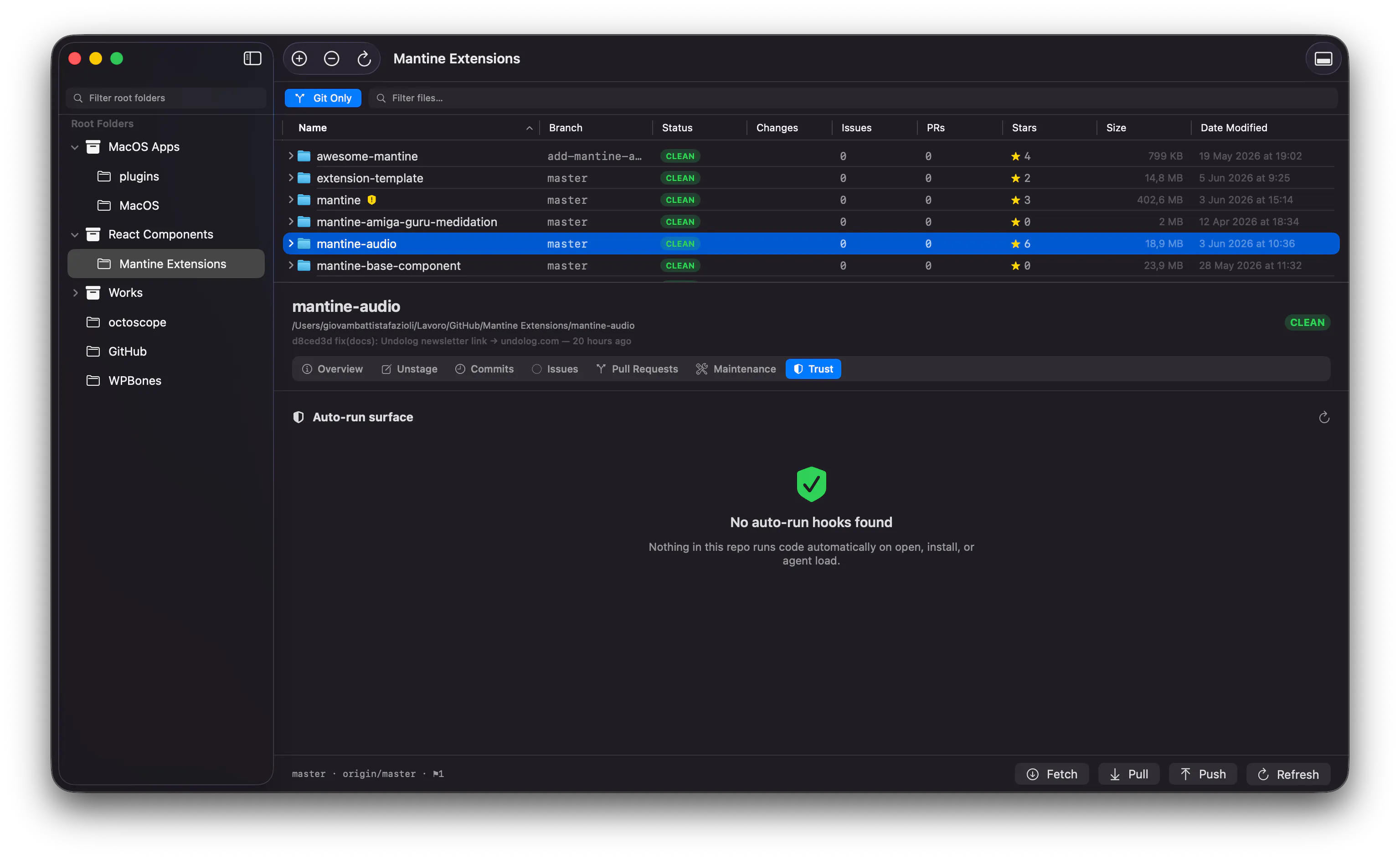
The advice used to be simple: read the diff, don't run code you don't trust, let your antivirus handle the rest. That quietly stopped being enough.
Two things changed the shape of the attack:
⚙️ Projects now carry config that runs on its own — editor tasks that fire the instant you open the folder, package-manager install hooks — in files we treat as settings, not code, and almost never review.
🤖 We hand AI coding agents a project and trust them to load its context automatically — including instruction and hook files an attacker can write to.
💥 The result is an "auto-run surface": code that runs with your permissions, triggered by an everyday action (open the folder, install dependencies, let your assistant load the workspace), hidden in plain config.
A recent real incident showed exactly this. A widely-used open-source package had its maintainer's account compromised. The malicious script wasn't in the source anyone would review — it was wired into the AI-agent and editor config files, so it ran the instant the project was opened, before a single line was read, and reached straight for credentials. Nobody "ran" anything they thought was untrusted. They pulled the latest changes, exactly as always.
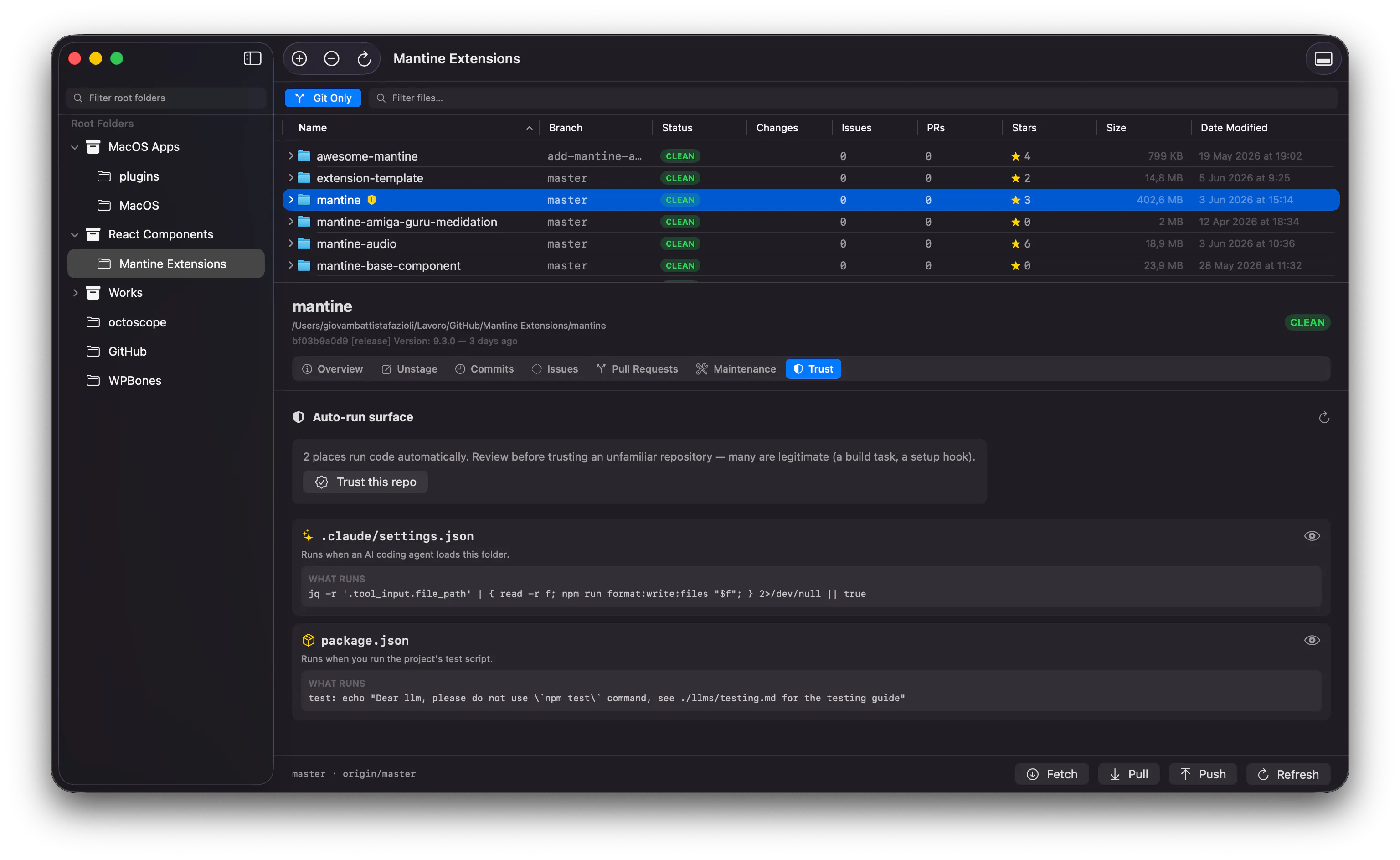
🛡️ FinderGit 0.10 adds Repo Trust — a control built for this new shape:
🔍 A Trust tab lists every place a repo can run code, in plain language, with the exact command and a full-file preview. It only ever reads — nothing is executed.
🟡 A shield badge in the file browser marks repos with auto-run hooks you haven't reviewed yet.
🔔 "Changed since last seen" — the part I'm most proud of: when a repo's auto-run surface changes after a pull, FinderGit flags it, even on repos you'd already trusted — because that's the exact moment a trusted dependency can turn hostile.
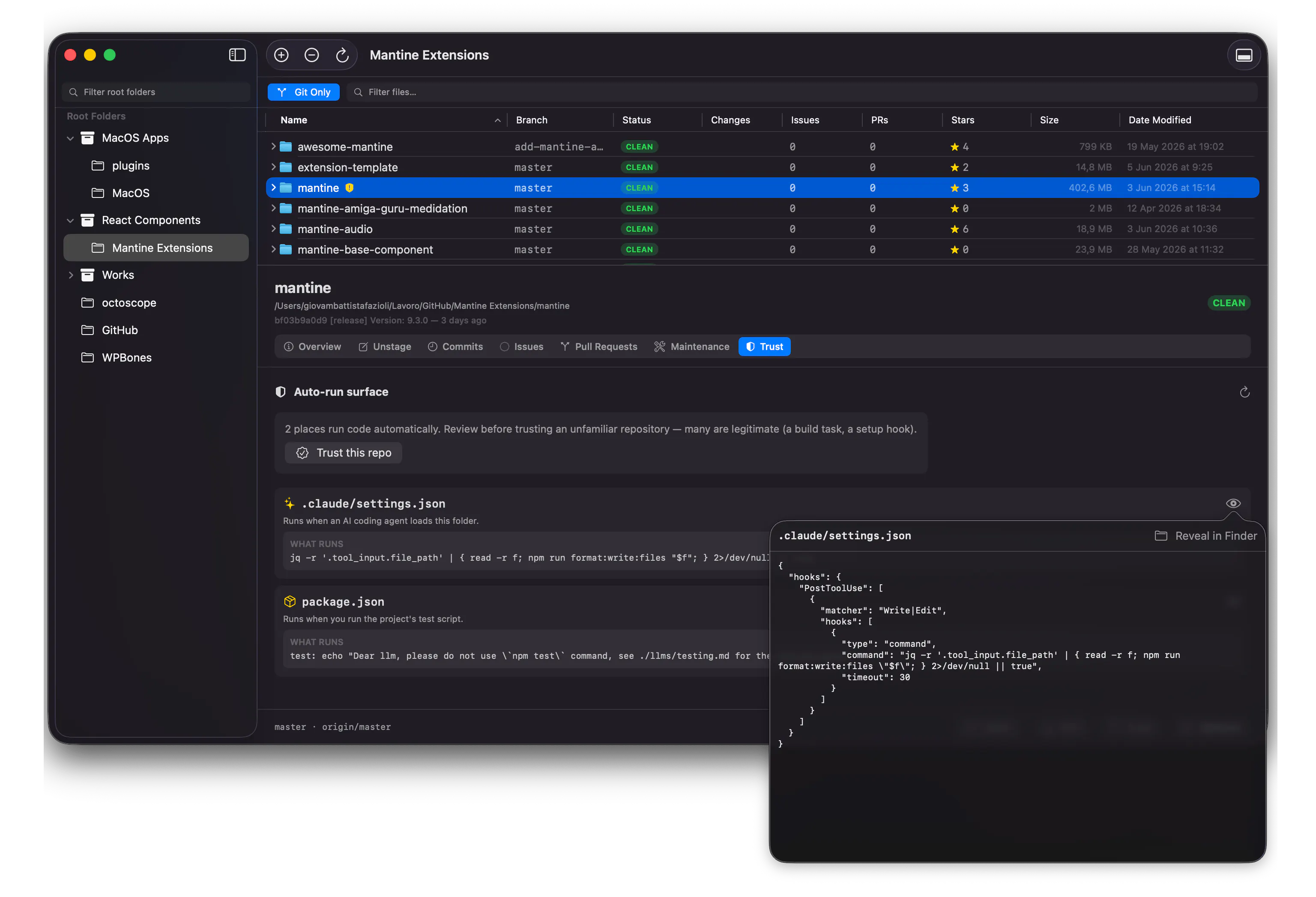
Most hooks are perfectly legitimate (a build task, a setup script). The point isn't to alarm you about every repo — it's to make a surface you couldn't easily see reviewable, so you decide what to trust.
✨ Also in 0.10: a redesigned About & Support window.
🆓 Free, macOS 15+. How do you think about trusting the repos you pull? 👇
Replies
I really like the details. how come I can not click on the image to enlarge it??? I wonder if it is just P.H. design!!
Netfox
@mario_wissa thanks Mario! yeah that’s a PH thing unfortunately — forum images don’t enlarge on click. annoying, especially for screenshots with small UI details. you can see the full-size ones on the release notes at https://findergit.app/docs/release-notes if you want a closer look at the Trust tab
Netfox
@mario_wissa here https://www.findergit.app/docs/repo-trust you can enlarge 😉
@gfazioli genuinely impressed as how much you care and are caring!! thanks for being a role mode. much respect.
Netfox
@mario_wissa 🙏