

New in Easy Scribe: Interactive Walkthroughs + Sharing

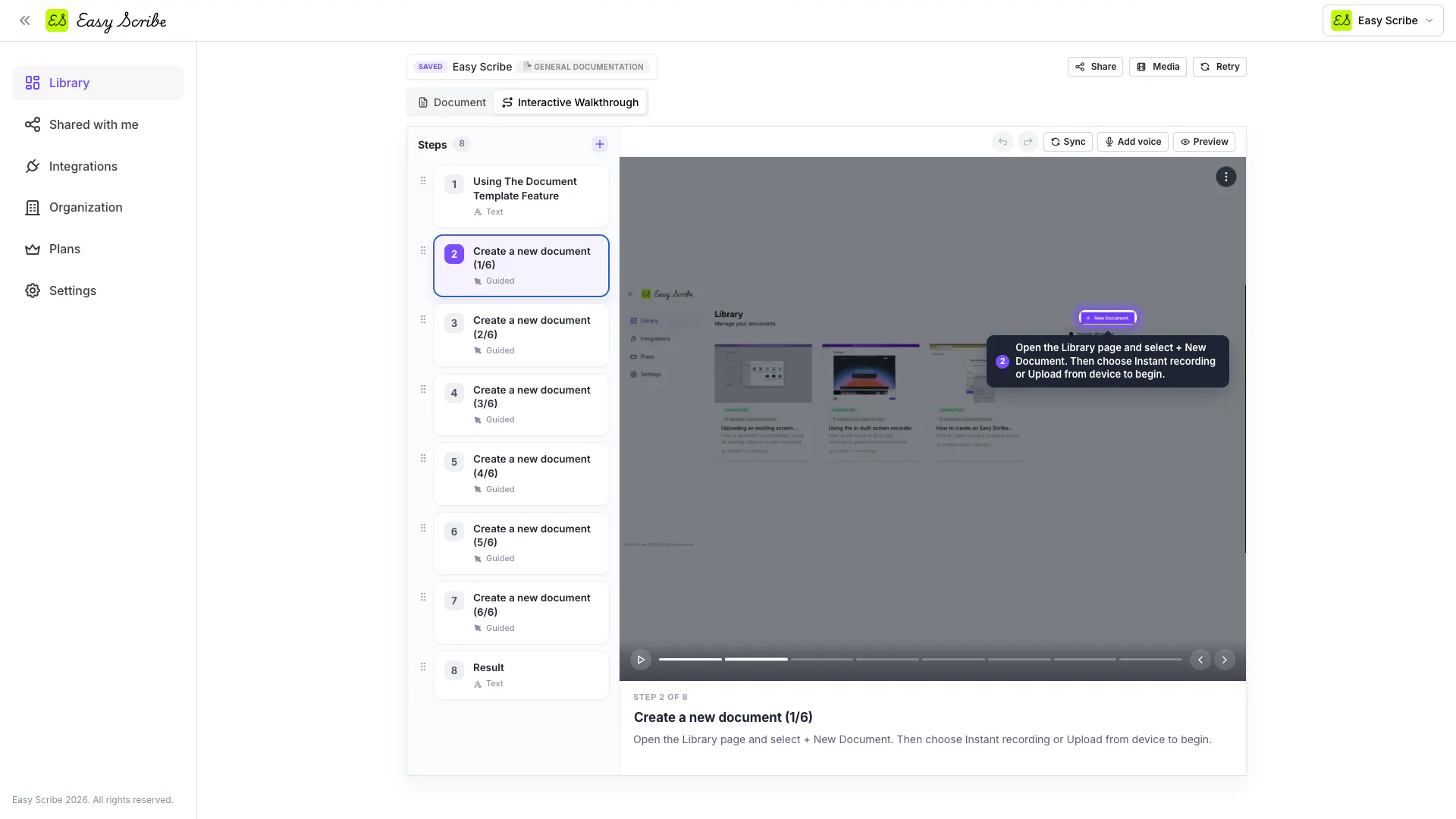
We just shipped a big update to Easy Scribe. You already get an AI-generated step-by-step doc from a single recording. Now you can convert that same doc into an interactive walkthrough: a clickable, player-based tour your audience follows at their own pace.
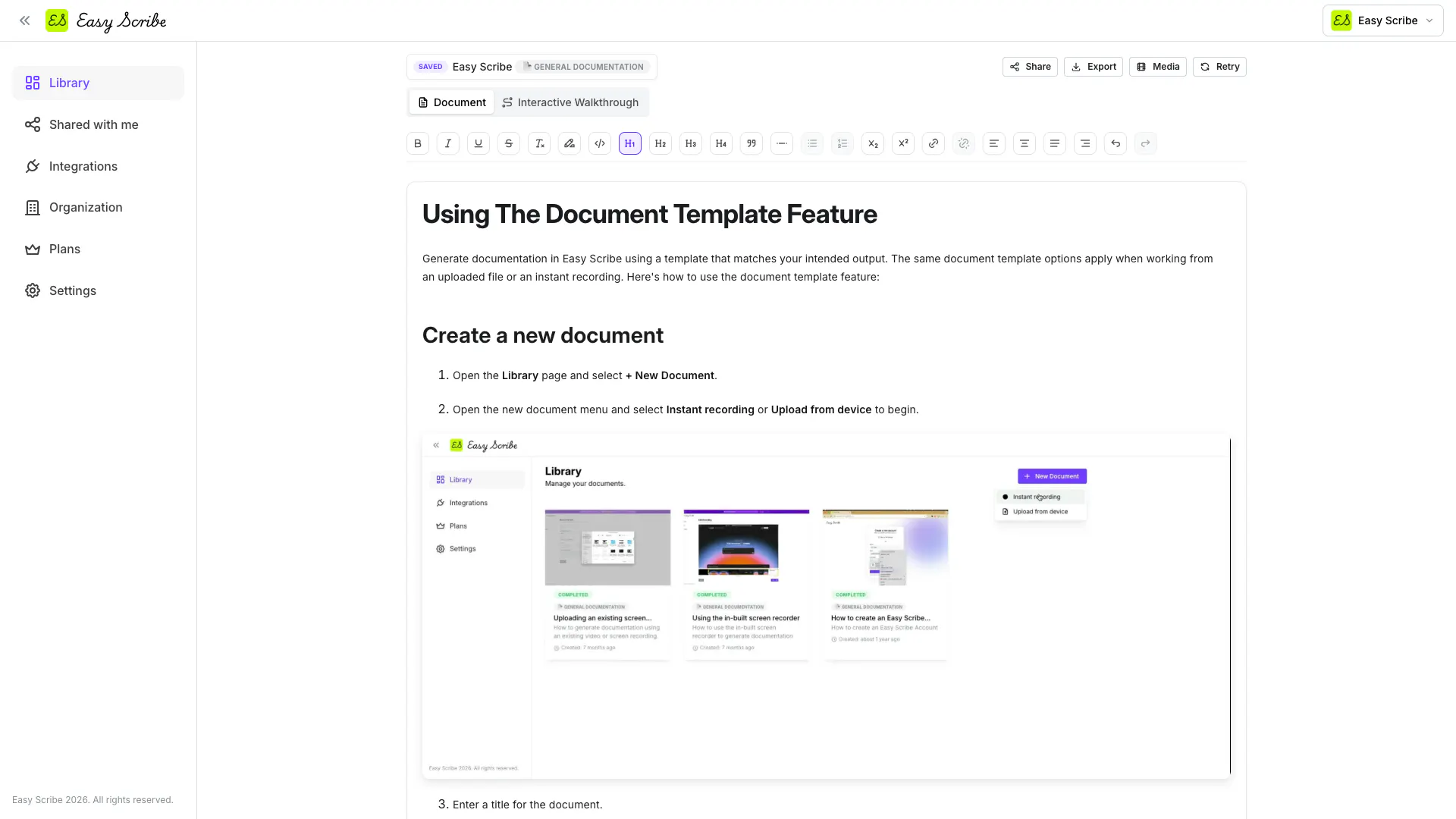
Steps can be spotlight hotspots over a screenshot, captioned screenshots, or text slides, and everything stays editable and synced to the source doc.
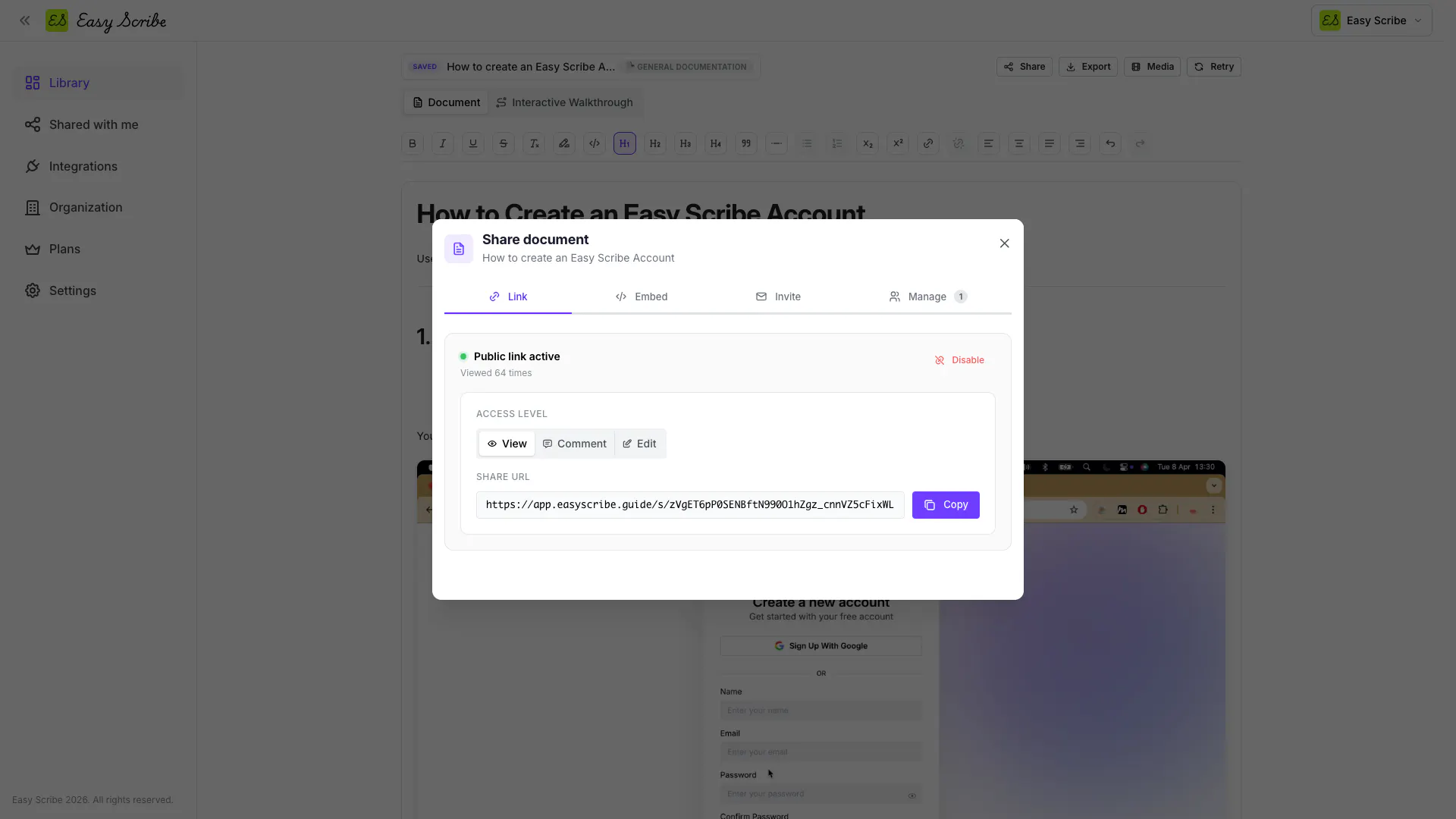
We also rebuilt how you get the work in front of people:
Document sharing with public links, embeds, and direct invites, each with View, Comment, or Edit access
Walkthrough sharing via view-only links or HTML embeds you can drop on any page
Shared with me page so docs others send you live in one place, separate from your library
Organisation settings for team names, member roles, and email invites (up to 2 members free, unlimited on Pro)
The goal is a full author-to-audience flow without leaving the app, whether you're onboarding users, training a team, or publishing customer-facing guides.
AI voice narration on walkthrough steps is the one Pro-gated piece; everything else works on Free.
You can view the full release log here.
Would love feedback from anyone doing onboarding or support docs. What's the most painful part of keeping yours up to date?
Replies
WebCurate.co
Nice update. I like that the walkthrough stays synced with the original doc instead of becoming a separate thing to maintain.
Keeping documentation updated is honestly one of the biggest headaches, so that alone sounds pretty useful.
have you ever had users get stuck because your documentation was out of date?
Interactive walkthroughs feel like the right next step here. For documentation and onboarding, the biggest win is usually reducing the gap between “I understand the feature” and “I can actually do it myself.” I’d highlight examples where a walkthrough replaces a support ticket or a repeated internal training call.