Cluing now talks to Claude directly 🤝 MCP Integration

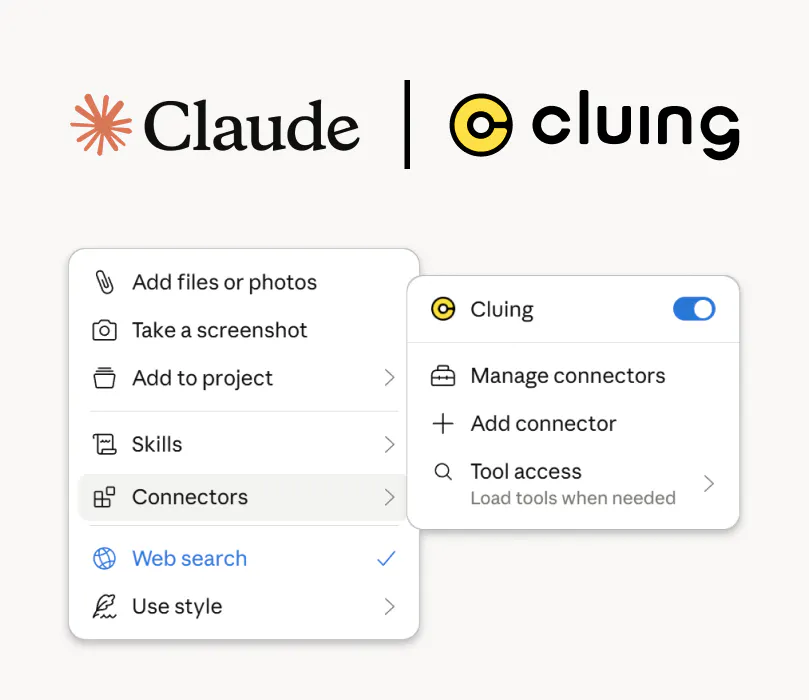
A few weeks ago, we launched MCP integration, which means Claude can now create and organize content in your Cluing workspace directly, without you switching between tabs or copy-pasting anything manually.

When you are in the middle of a conversation with Claude and something useful comes up, instead of manually going to Cluing to save it, you just ask Claude to do it for you. It creates the snippet, puts it in the right Topic, and your workspace updates on its own.

You can ask it to:

  • turn a conversation into a summary snippet

  • bookmark something for later

  • capture a stray idea worth revisiting

  • create a new Topic and organize related content into it

And the part I find most interesting is that it goes both ways. Claude can pull from your saved knowledge in Cluing, and it can write back to it. That's a pretty different relationship than most AI integrations, which are read-only.

Curious, what's in your MCP stack right now?
61 views

Add a comment

Replies

Best

Being able to tell Claude save this under X without leaving the conversation is such a small thing, but i can see myself using it constantly.

 it's one of those things that sounds small until you realize how often you were breaking flow to do it manually 😄 Glad it landed.

The two way part is what caught my attention. most MCP integrations i have tried feel like AI can read my stuff rather than AI can actually maintain it.

 read-only MCP always felt a bit passive 🤷🏼‍♀️

I would be curious how reliable the organization is. saving something is easy; correctly deciding where it belongs when the conversation is messy is the harder part.

totally, especially in a team setting it becomes pretty hectic pretty quickly. We're constantly working on solving this problem and here are a couple of things we've implemented thus far. PARA Method When you (or your team) onboards to the app the default structure is a famous PARA method (Projects, Areas, Resources, Archive) we also have an in-depth video explaining the methodology behind. After 15+ years of testing every method there is, this was the only one that actually stood the test of time, and that's why we go with it. For new users everything is already setup. AI Suggestions When you highlight information or save it from the phone (instagram, linkedin, youtube etc.) our AI suggests you the right topic, the right hastags and the right title. it's intentionally a suggestion so you can accept it in a single click. But we require that click, humans need to decide - that's our mantra. Bukckets This is a way anyone can structure their own knowledge based on hastags (for now but more incoming) so you can create your unique buckets of information from the whole team's knowledge base simply by adding your unique hastags to snippets. Workspace Organizer We also have a specialized Agent that knows all the theory behind proficient knowledge management as well as specialized tools so it can help you strucutre your knowledge base Again, AI suggests you the changes (create new Topic and move these Snippets there, the others we can split into these 3 existing Topics) but they are only suggestions that you can accept or decline in a single click. Summarizations & Graph Last but not least, we advise our customers to use Summaries as often as possible (instead of bookmarking a page summarize it) what happens next is our engine embedds that summary into our regular RAG, fetches the page and chunks it based on paragaphs, embedds all those paragraphs as well, and then adds them to a graph based on AI relations alongside human generated (tags, origin, topic) this then turns into a multi-layer knowledge engine that you, your teammates and your AI can access with first quick search over the summaries and then in-depth using graph relations. We have a bunch of in-house benchmarks and tests on our own data, and I can tell you this produces 10x better outcomes than typical RAGs in a team setting. Our engine is our own, and we're constantly improving it as well as benchmark it to all competitors. So far, our mantra of focusing on Humans to actually label stuff and AI to just suggest, is proving as a way to go. This turned out to be a very long message, told me I need to respond, and I'm passionate about the topic so it is what it is 😂 If you give cluing a try, I'd love to get your feedback.

This could be really useful for research. Ask Claude to compare a few things then have it save the useful findings directly into a Topic instead of manually collecting everything afterward.

 That's probably my favorite use case 😄 You go in to compare two things and come out with a Topic that's already half-built

I am not using many MCP servers yet but this is exactly the kind of integration that makes me want to start.

 If this is your first one, it's a pretty good entry point. The setup is quick and you can see it action in the first conversation. Happy to help if you run into anything.