

Chatmart- Turn Whatsapp into Entire Business Suite
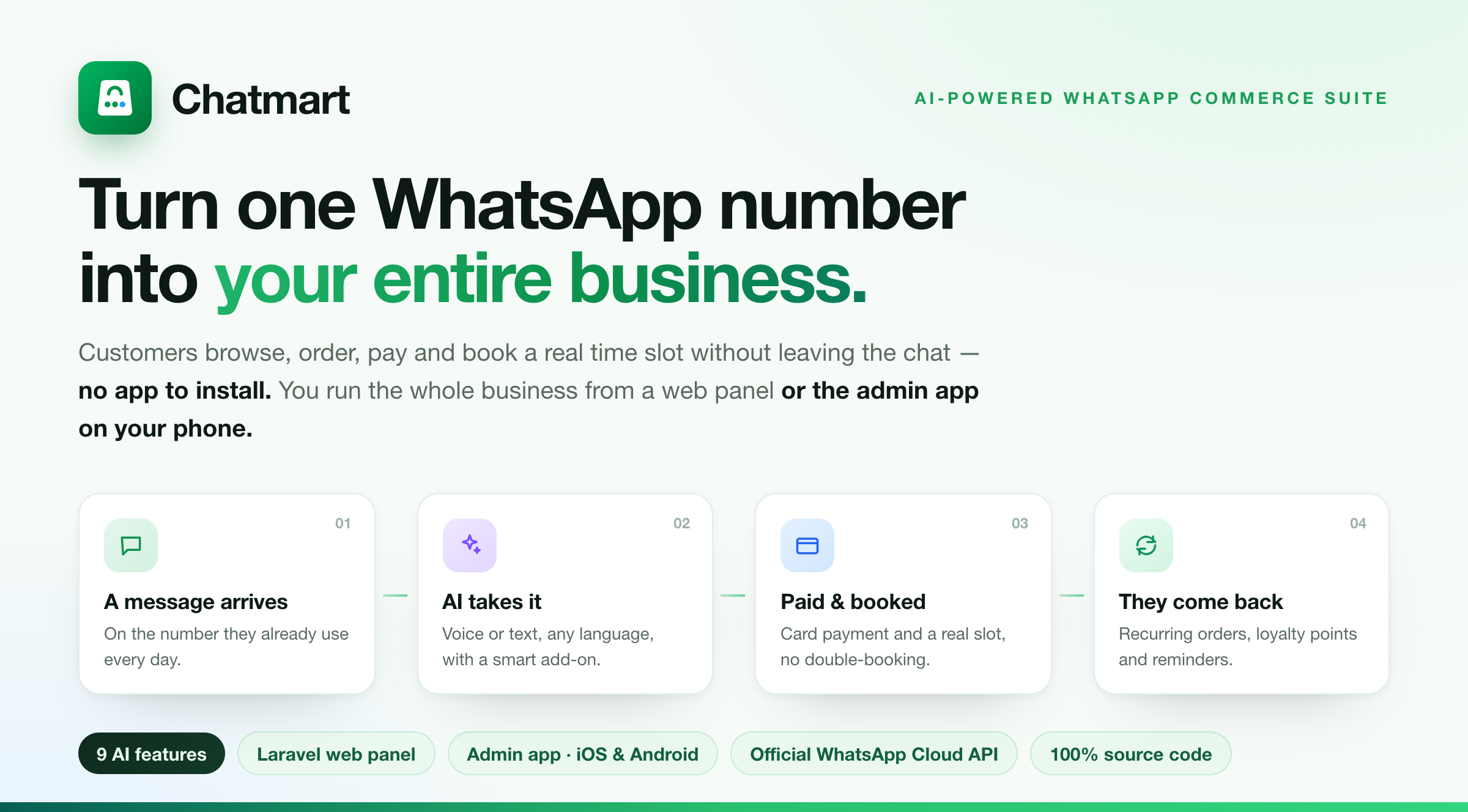
Your customers are already on WhatsApp. They message a business, wait, ask the price, wait again, and half of them drift away before anyone replies. Chatmart turns that inbox into a real storefront and a real booking desk — and, now, into an AI assistant that takes the order for you. A customer sends a message and, without leaving the chat, browses a catalog, orders, pays, and books a genuine appointment slot. No app. No link. No account. Just a conversation that ends in a sale.
Every message you miss is a sale someone else makes
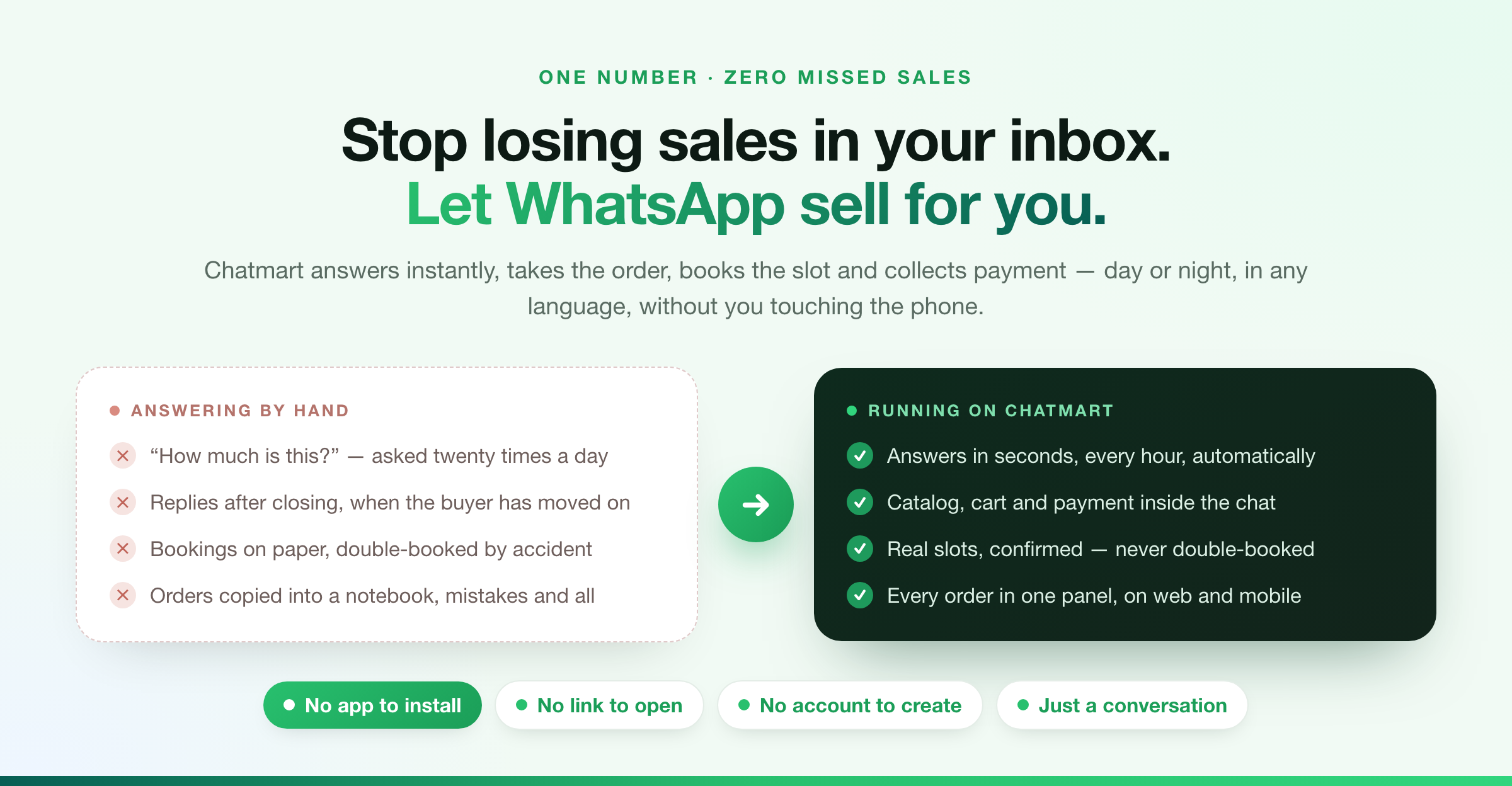
Answering by hand does not scale. Chatmart answers in seconds, every hour of the day, in whatever language the customer writes in — and everything it does lands in one admin panel on web and mobile. This is the WhatsApp Business Suite: one installation that sells products, takes bookings, and understands voice, language and intent on its own.
See it working: one chat, the whole purchase
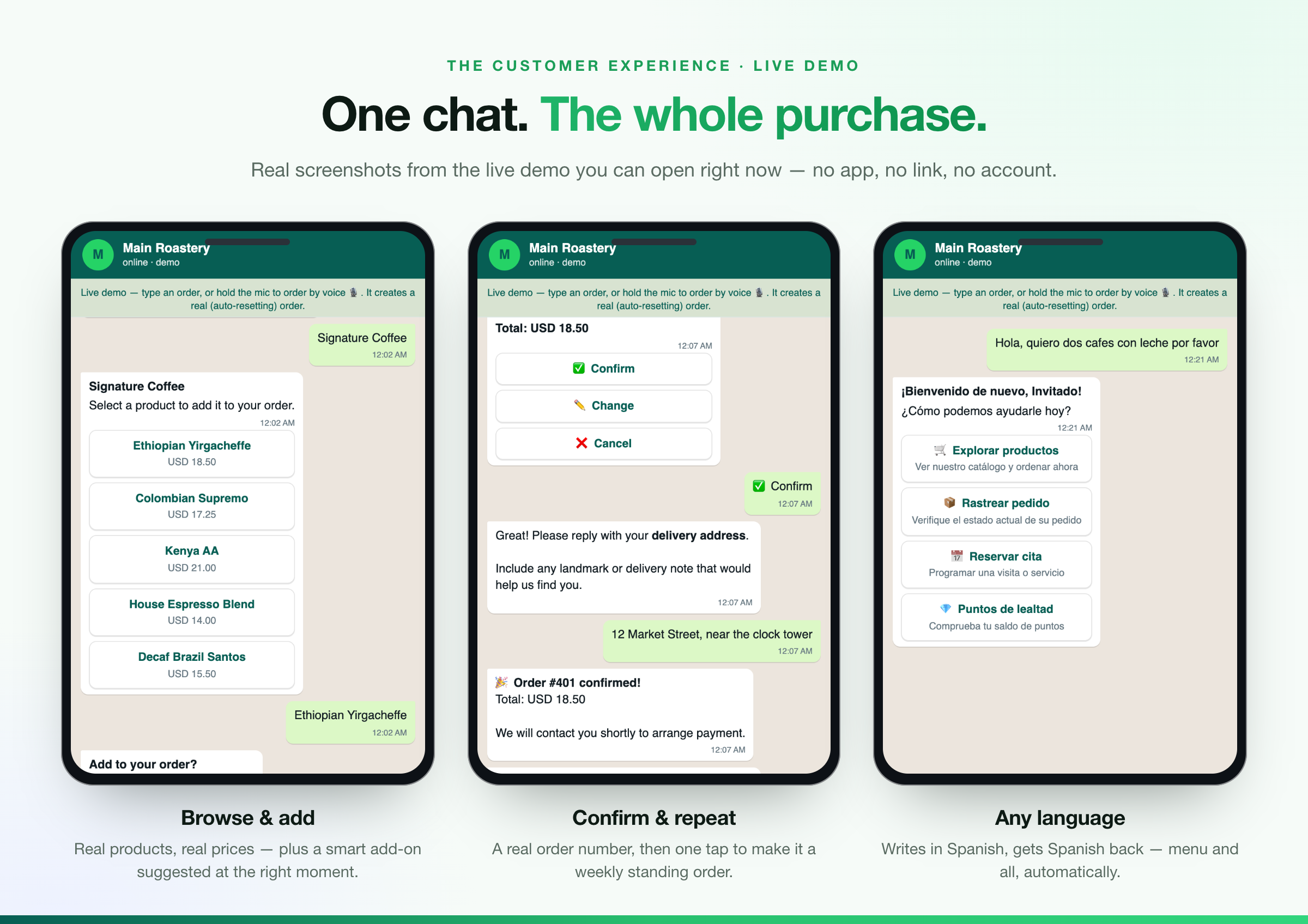
These are real screenshots from the live demo you can open right now. The customer taps a category and sees your real products and prices; the order is confirmed with a real order number and can become a weekly standing order in one tap; and a customer who writes in Spanish gets the entire conversation back in Spanish, menu and all. Every install also ships a private in-browser tester, so you can feel this yourself before connecting a phone.
The leap: an AI ordering assistant, built in
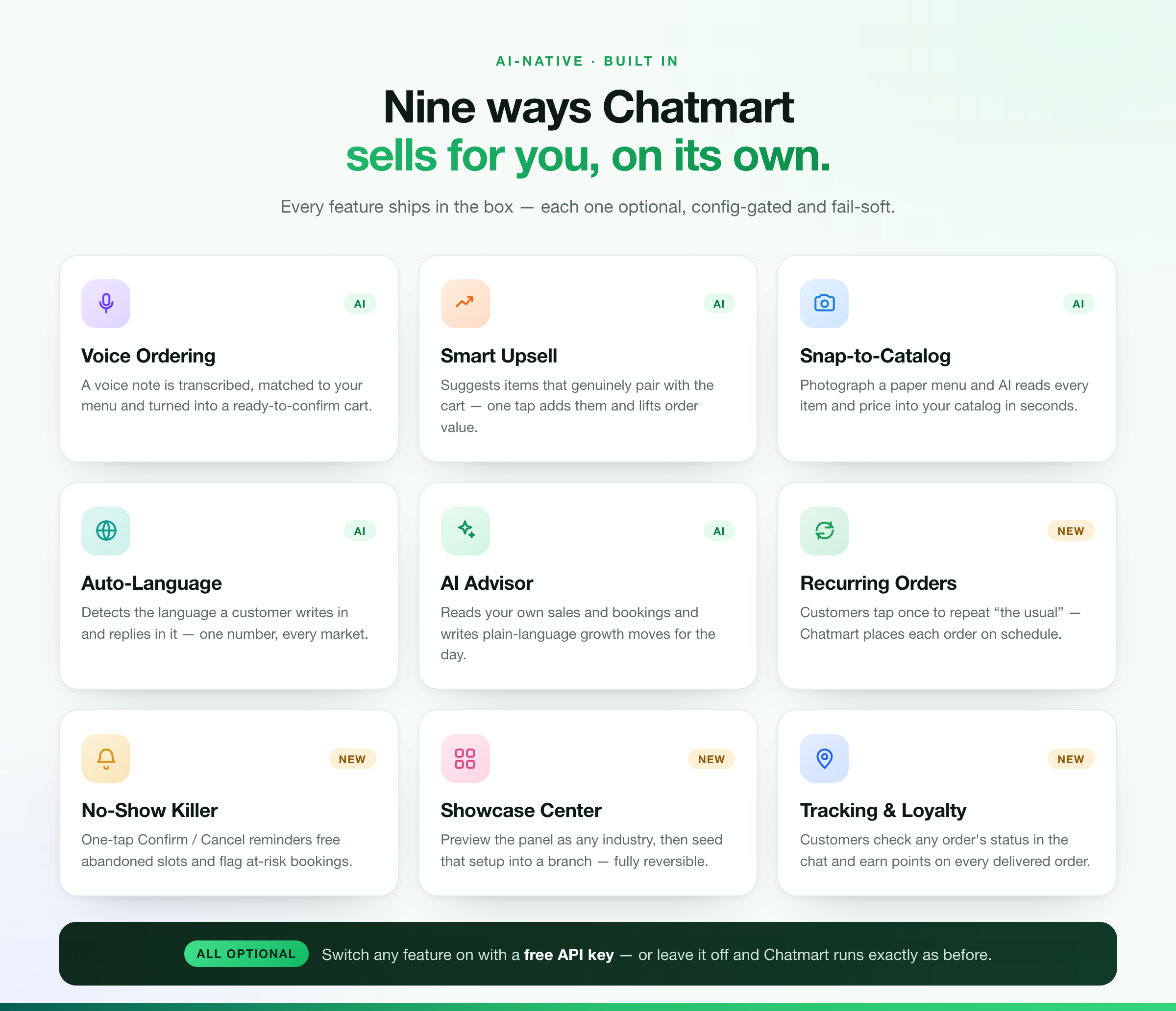
Most WhatsApp storefronts stop at a menu and a cart. Chatmart goes where the market is heading. Every capability above ships in the box and is optional and switchable from configuration — turn it on with a free API key, or leave it off and Chatmart runs exactly as it always has, with no AI code path and no cost.
Snap a menu — get a live catalog in seconds
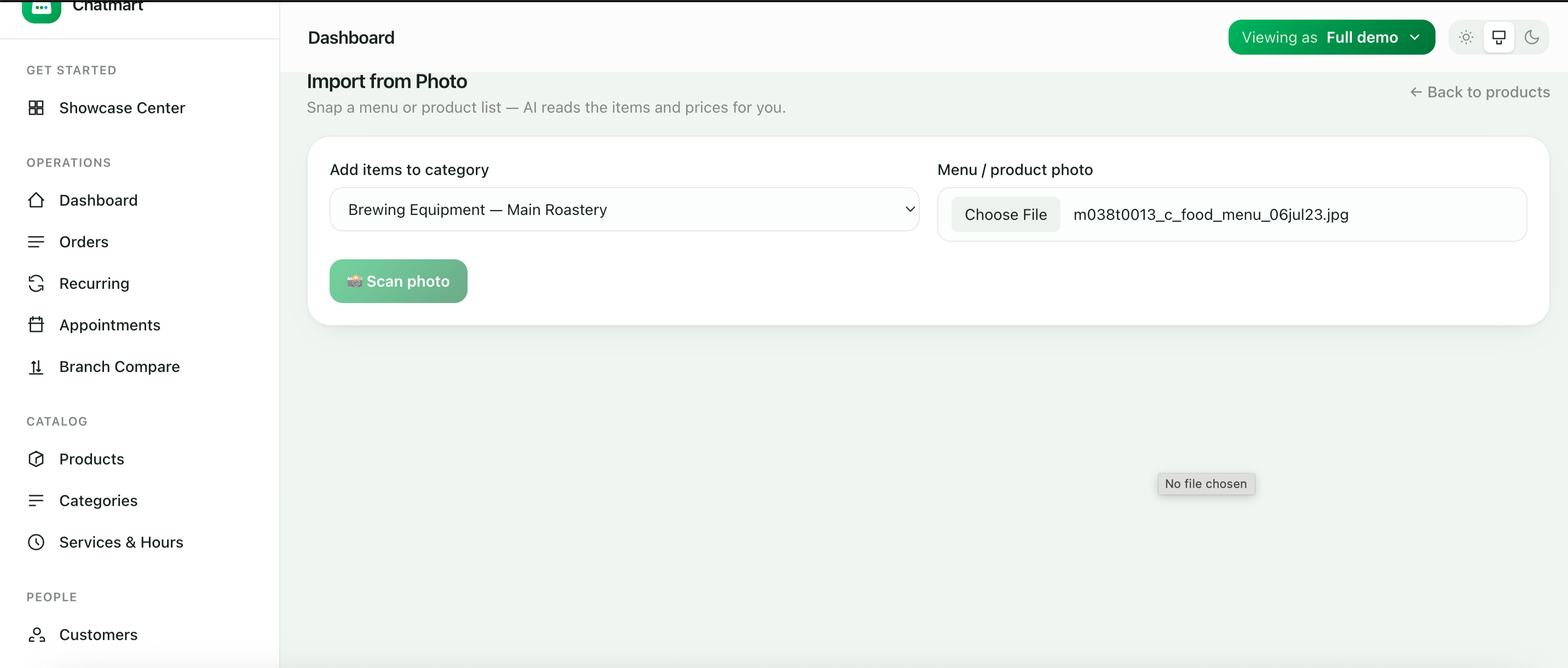
Setting up a catalog by hand is the reason most storefronts never launch. So Chatmart removes it. Pick a category, upload a photo of a paper menu or price list, and press Scan.
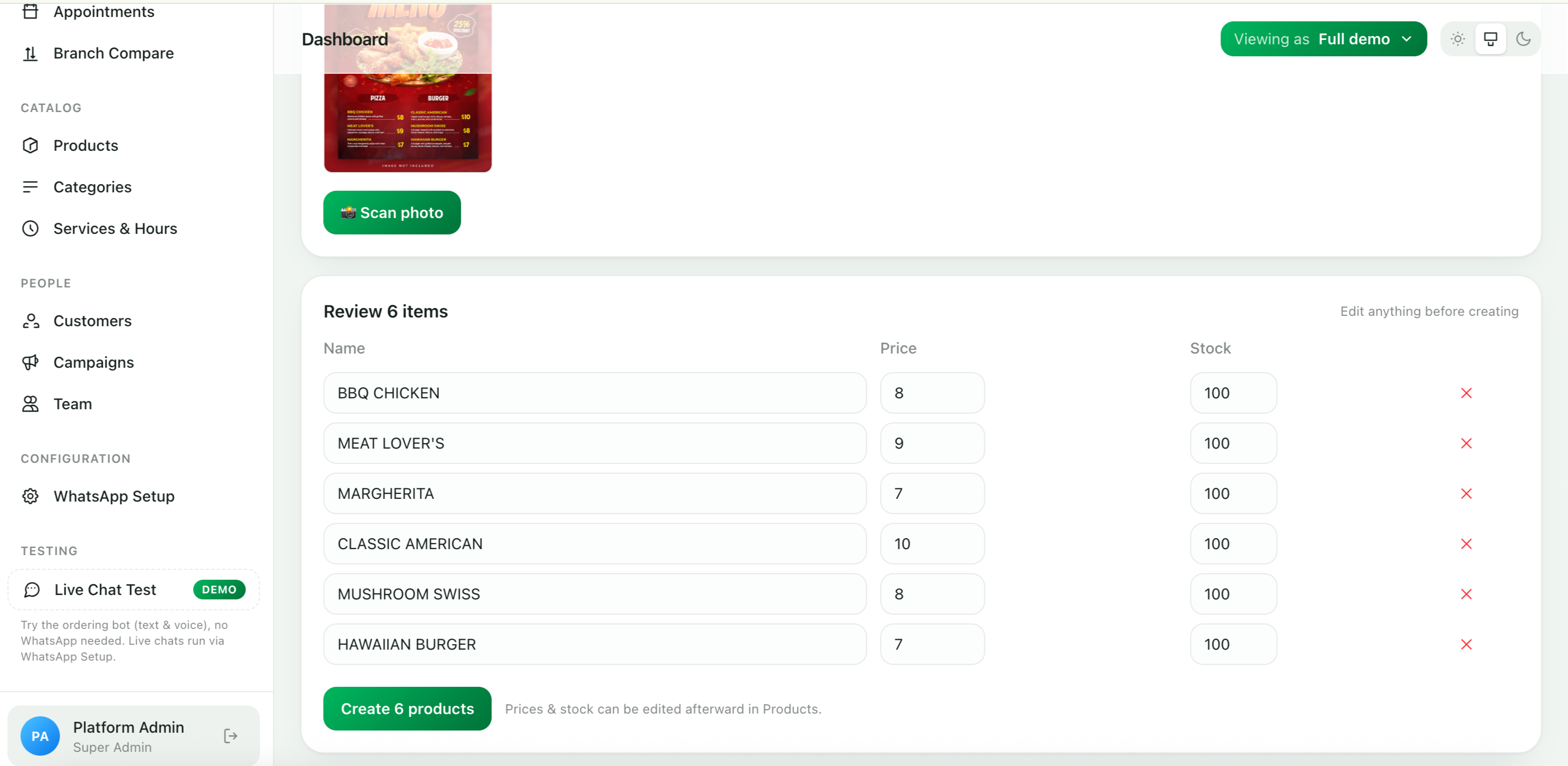
Seconds later the AI has read the photo and filled in every item, price and stock level, ready to edit and create with one click. What used to be an evening of data entry is now one photo. (Genuine result from the live demo — six products read straight from a real menu.)
Your dashboard just became an advisor
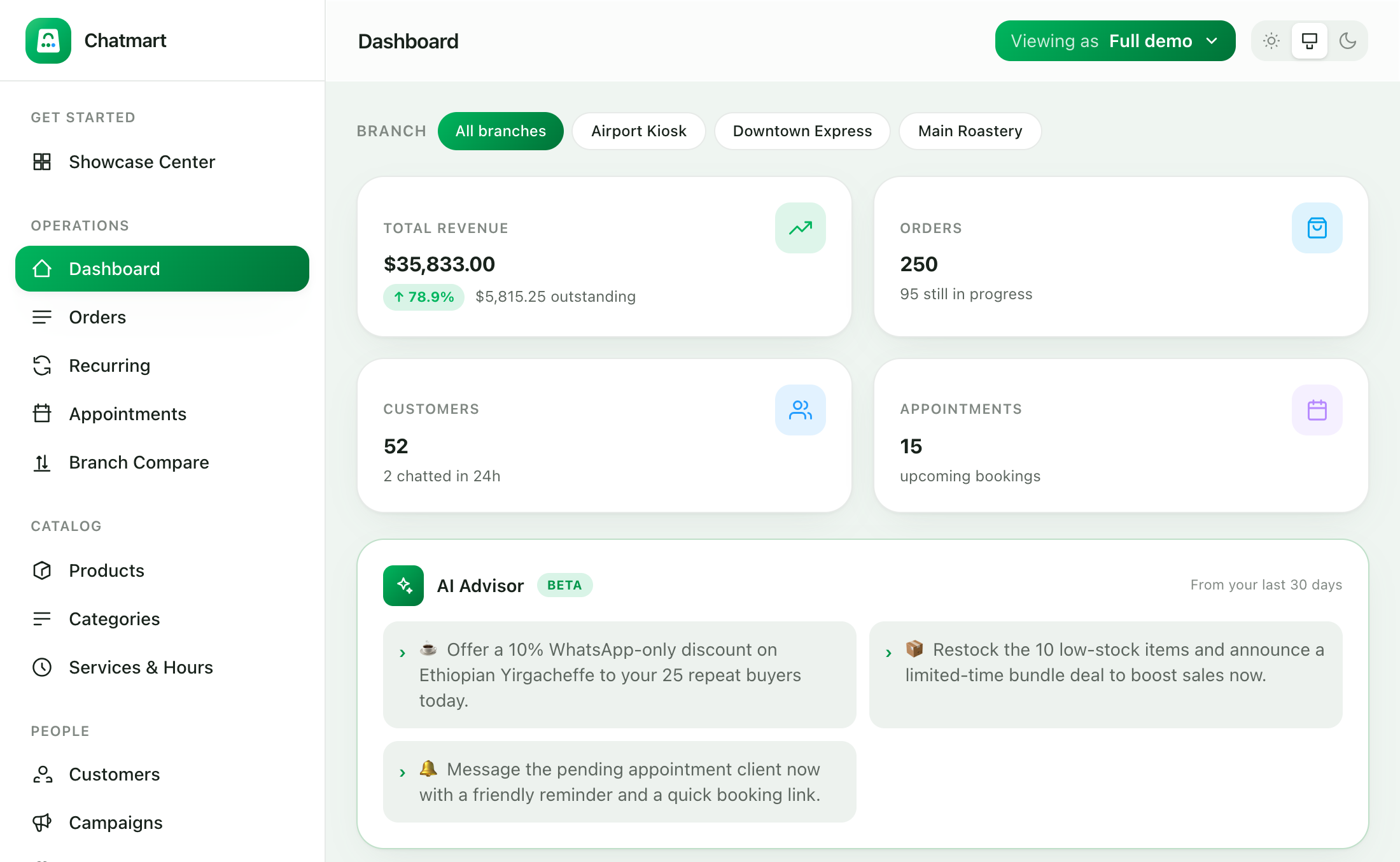
Open the panel and the AI Advisor has already read your own sales, stock and bookings and written a few plain-language moves for the day — restock a fast-seller, nudge a pending booking, promote a quiet line. It draws only on your live data and falls back to sensible rule-based tips if the model is ever offline. (Real dashboard from the demo.)
Whatever you sell, it already fits
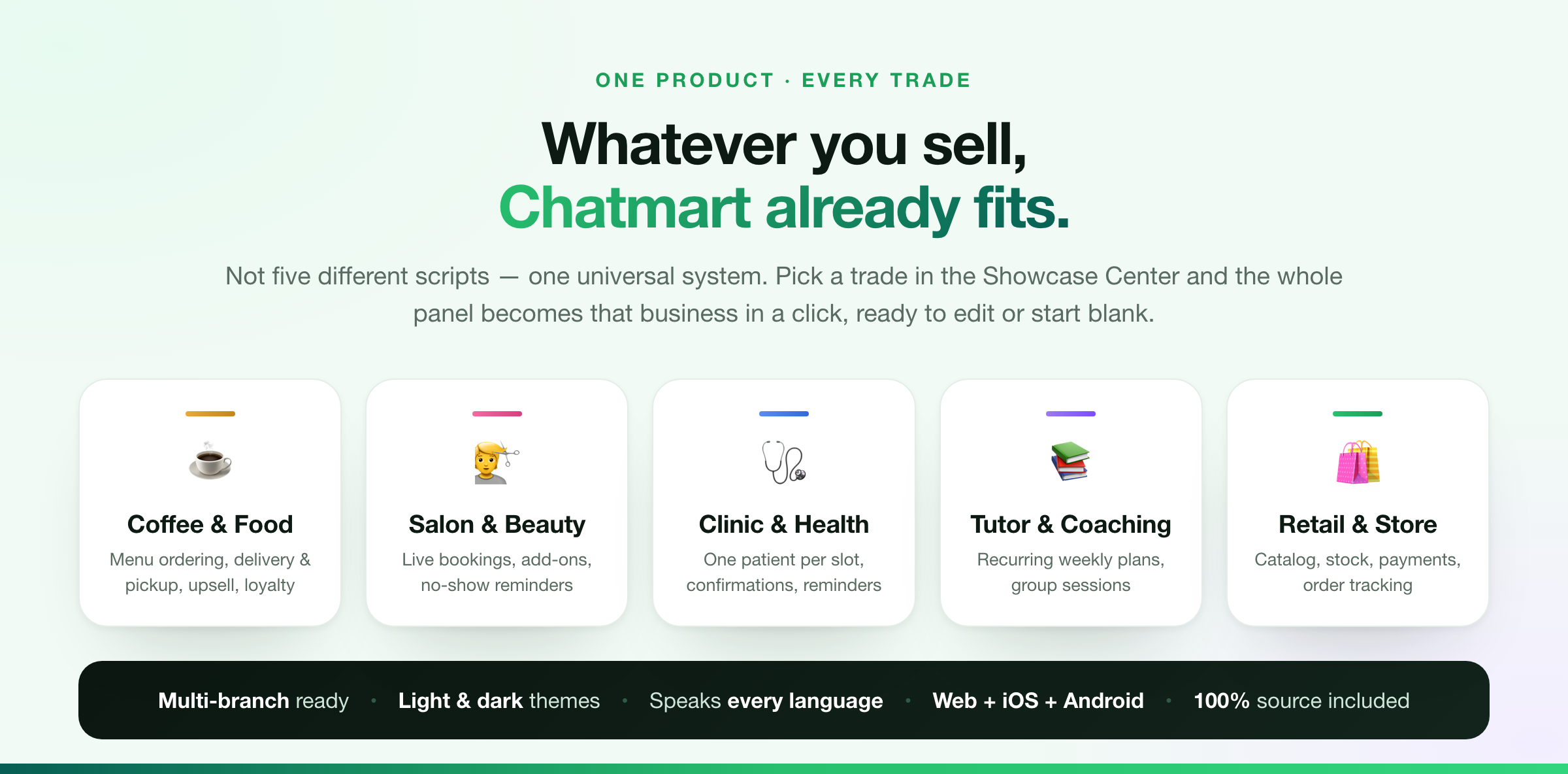
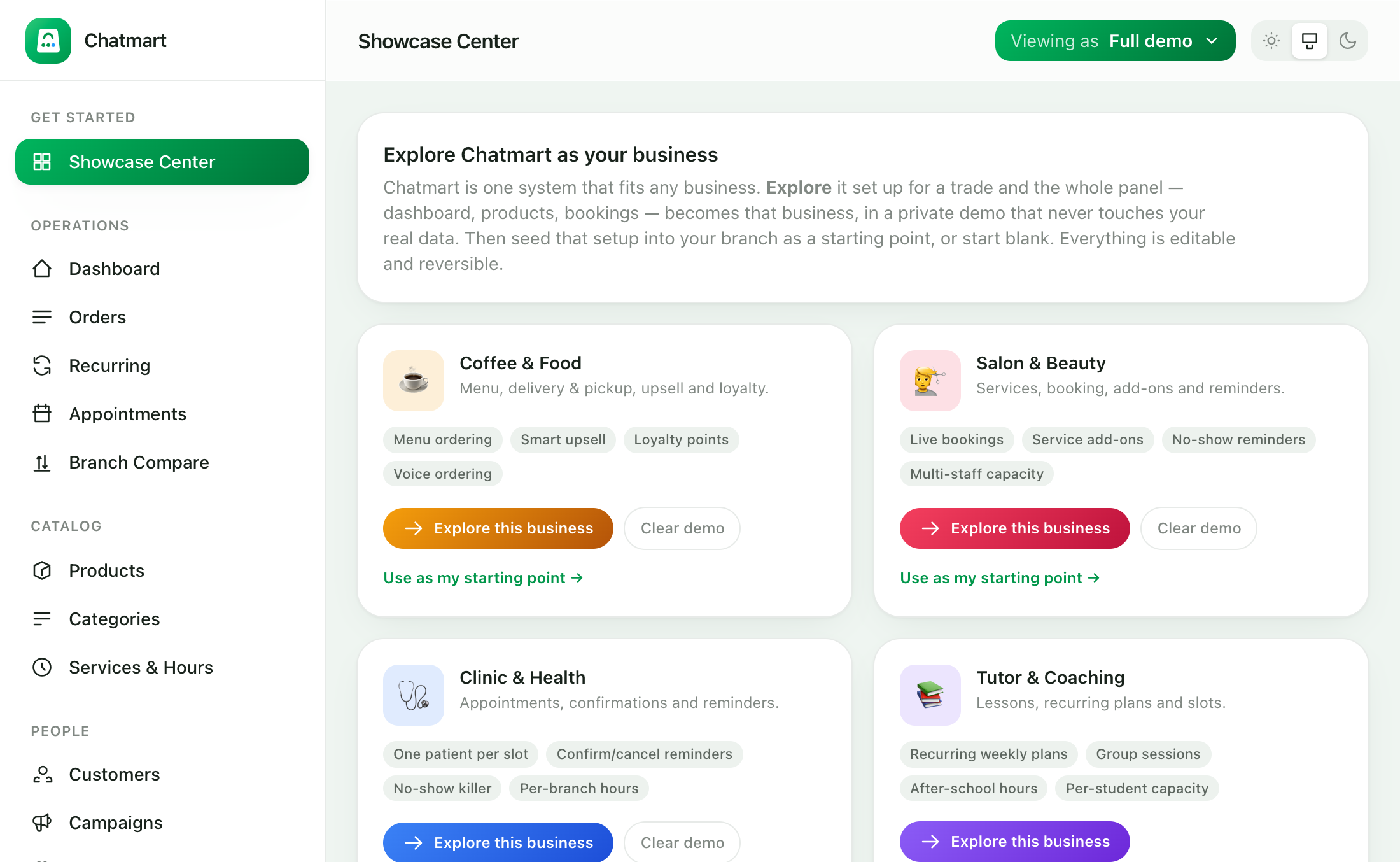
Chatmart is one universal system — and the Showcase Center lets you prove it in a click. Preview the entire panel set up as a coffee shop, a salon, a clinic, a tutor or a retail store in a private demo that never touches your real data, then seed that setup into a branch as a starting point — or start blank. Everything stays editable, and a single Undo removes exactly what was added and nothing you made.
A real booking desk, with no double-booking
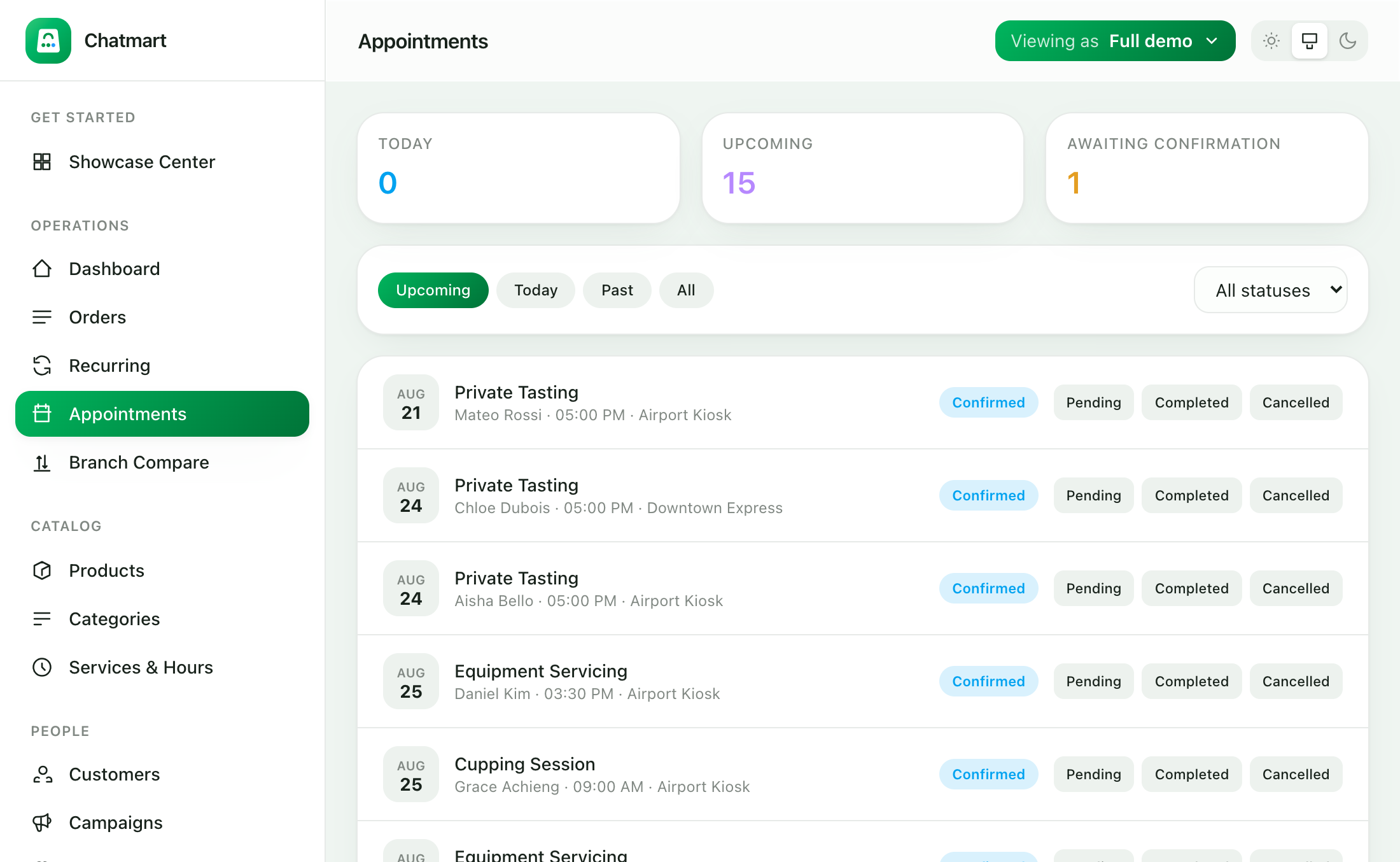
Native in-chat forms. Chatmart implements WhatsApp Flows, Meta’s official in-chat form system, so customers pick a time inside WhatsApp instead of tapping out to a web page. Payloads are encrypted with RSA-OAEP and AES-GCM exactly as Meta requires.
Live slot availability. The times offered are calculated the moment the customer opens the picker, against existing bookings, the service’s duration, staff capacity and opening hours — so a slot taken seconds earlier is never shown and double-booking cannot occur.
No-show reminders. Every upcoming booking gets a one-tap Confirm / Cancel prompt: a cancel frees the slot instantly, and anything still unconfirmed is flagged so your team can act before the chair sits empty.
The gap this fills
WhatsApp is where a huge share of small businesses already take orders — by hand, in an inbox. Ordering tools exist; real appointment capability has been the missing piece. A salon, barber, clinic, tutor, garage or studio needs a customer to pick a real time from real availability, and needs that to stay correct when two people book at once. Chatmart does both: sell products, take bookings, or run the two together from the same installation and the same number.
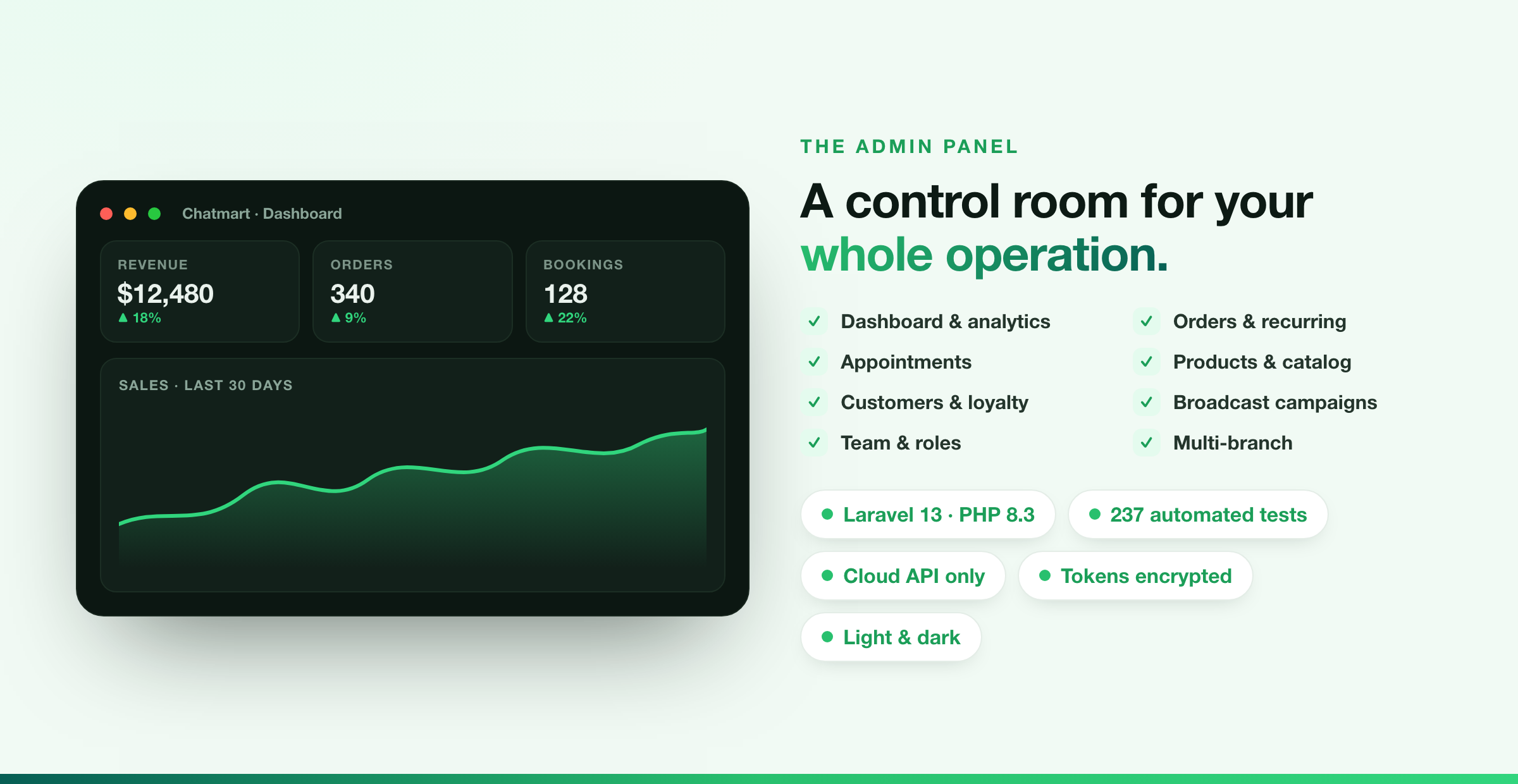
A control room for the whole operation
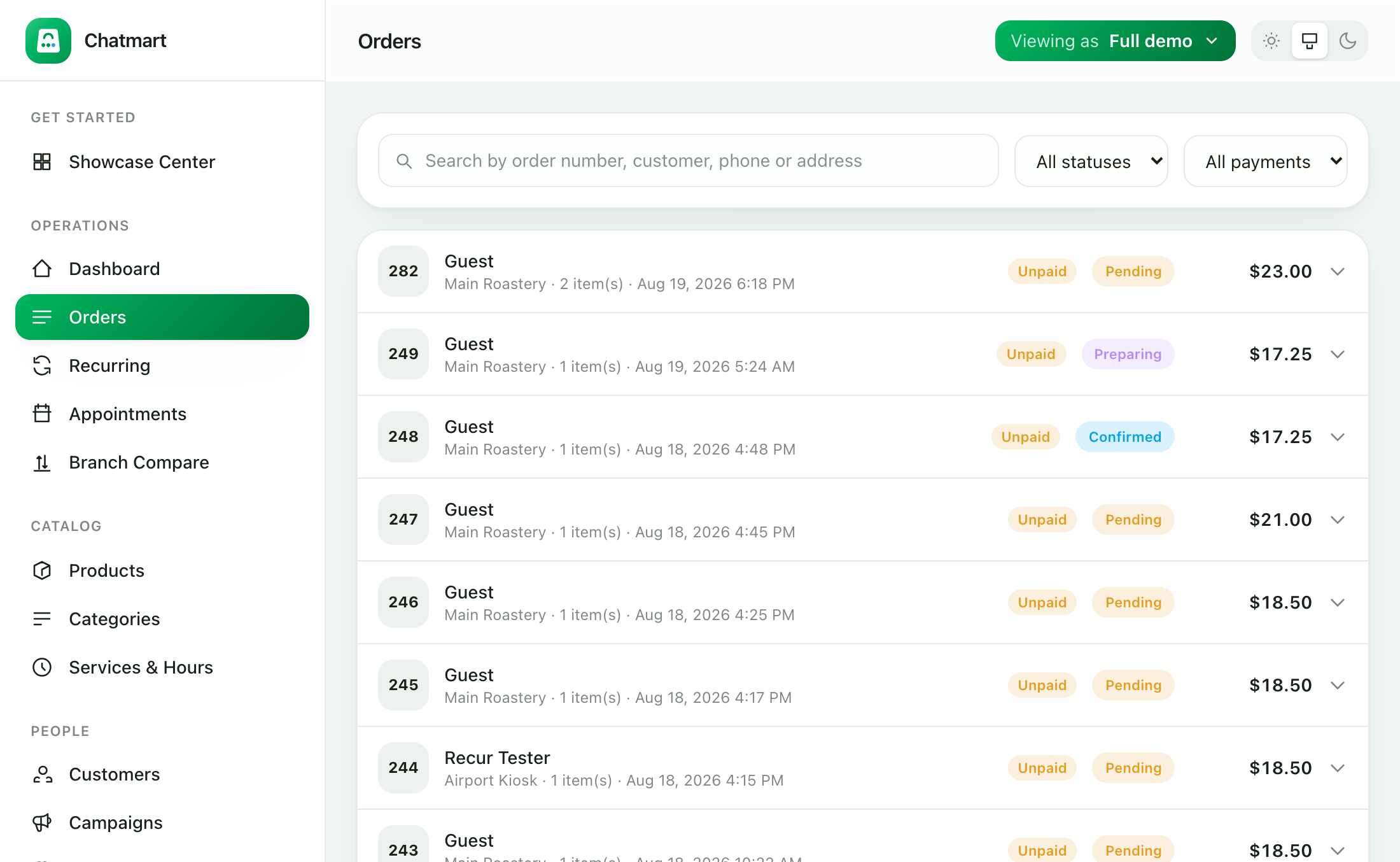
Everything lands in one panel: revenue and booking analytics, a live order pipeline, recurring orders, low-stock alerts and branch comparison — on web and the companion mobile app. Move an order through its lifecycle and the customer is notified on WhatsApp at every step.
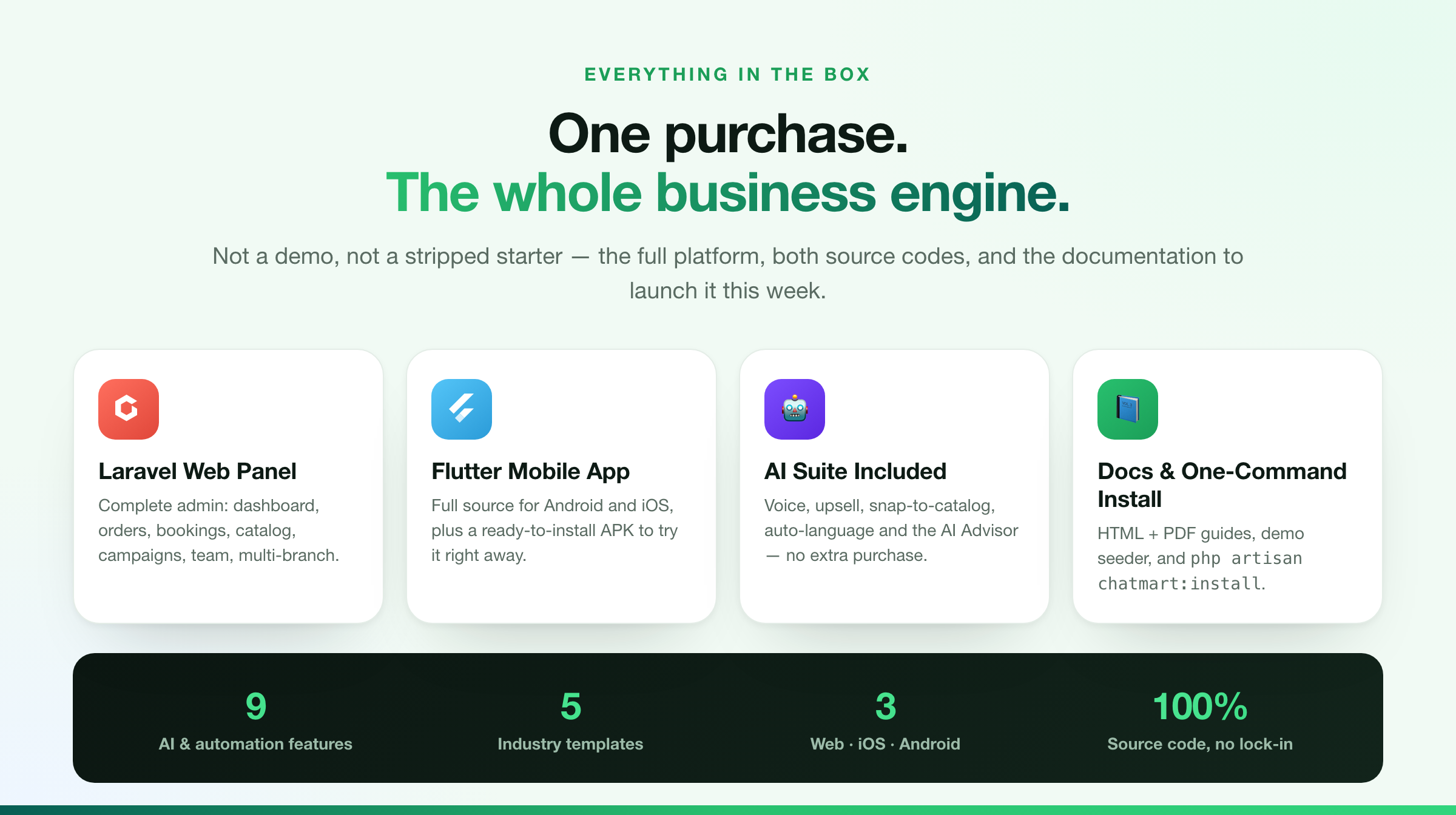
One purchase, the whole business engine
Key features
AI ordering assistant: voice ordering, smart upsell, menu scanning and automatic language detection, each independently switchable
AI Advisor: plain-language growth tips on the dashboard, drawn from your own live sales and bookings
Showcase Center: preview the panel as any industry and seed it into a branch as a starting point, fully reversible
Recurring orders placed automatically on a weekly or monthly schedule, managed from the panel
No-show reduction: appointment reminders with one-tap Confirm or Cancel that free abandoned slots and flag at-risk bookings
Guided WhatsApp conversation driven by a state machine, with reset keywords, session timeouts and recovery from failures
Product catalog with categories, stock, SKUs and images, plus sync to a Meta Commerce Catalog for Multi-Product Messages
Appointment services with duration and capacity, weekly opening hours and the live availability engine
Stripe Checkout links sent in the chat, webhook confirmation, and automatic refunds when a paid order is cancelled
Admin panel: dashboard, orders, recurring orders, appointments, branch comparison, products, categories, services, customers, campaigns, team, settings
Three roles with server-enforced permissions. Staff never see revenue
Broadcast campaigns to a filtered customer list using Meta-approved templates
Loyalty points, awarded on delivery and reversed on cancellation
Order tracking: customers check the status of any order straight from the chat
Abandoned cart recovery, sent once, inside the 24-hour service window
Light and dark themes across every screen
Every customer-facing message in a language file; each branch can speak a different language
Companion Flutter mobile app for Android and iOS over a token-authenticated REST API
Technical highlights
Laravel 13 on PHP 8.3, Livewire 3, Tailwind CSS; Flutter for the mobile app
WhatsApp Cloud API only. No unofficial automation, so business numbers are not put at risk
Webhook signatures verified on every request, failing closed when no secret is set
Inbound messages processed on a queue with idempotency, so Meta retries cannot duplicate a reply
Provider-agnostic AI layer: choose Groq, Google Gemini or OpenAI, swappable from configuration without touching code, and fail-soft so an AI outage never blocks an order
Meta access tokens encrypted at rest
Automated test suite covering the conversation engine, payments, tenancy and scheduling
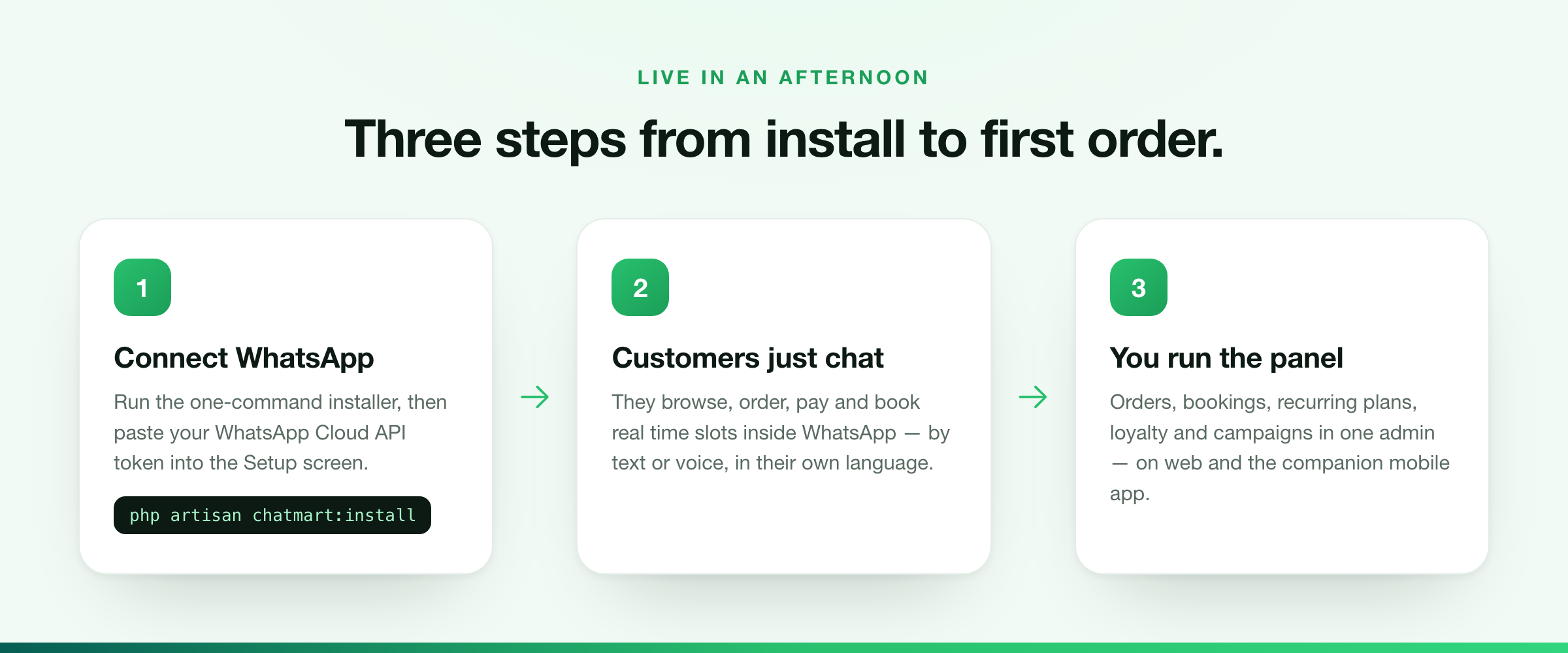
One-command installer: php artisan chatmart:install
Requirements
PHP 8.3 or newer
MySQL 8.0+ or MariaDB 10.6+
Composer 2.x
Apache or Nginx with the document root pointed at the public folder
HTTPS in production, required by Meta for webhook delivery
A Meta WhatsApp Business account, which provides a test number and access token at no cost during setup
Node.js is not required. Compiled CSS and JavaScript are included
Third-party services and ongoing costs
Chatmart is a one-time purchase with no subscription of its own. It connects to outside services that bill you directly, and those charges are ongoing and are not included in the price of this item.
Meta WhatsApp Cloud API — required. No WhatsApp message is sent or received without it. Meta bills per conversation, at a rate that depends on the conversation category and your customer’s country. Meta also provides a test number and a development allowance. Pricing is set by Meta and can change.
AI provider — optional. Only needed for the AI features (voice ordering, smart upsell, menu scanning, auto-language, AI Advisor). Choose Groq, Google Gemini or OpenAI; each offers a free tier that is enough to evaluate every AI feature at no cost. Beyond the free tier the provider bills you directly per use. With AI switched off, Chatmart works exactly as it does without it.
Stripe — optional. Only needed to take card payments in the chat. Stripe charges a percentage plus a fixed fee on each successful charge, varying by country. Without Stripe, orders are still taken and confirmed without online payment.
Firebase Cloud Messaging — optional. Push notifications to the mobile app. No cost at these volumes.
Web hosting — required, as with any PHP application.
You will need your own accounts with Meta and, if you want them, an AI provider and Stripe.
What is included
Complete Laravel source code, and the complete Flutter mobile-app source code
A ready-to-install Android APK, to try the app without compiling it
Documentation as browsable HTML and as an illustrated PDF, covering installation, WhatsApp setup, a screen-by-screen walkthrough, the AI features, customization and architecture
Logo and icon sources for rebranding
Demo data seeder, so every screen can be viewed with realistic content
Support
Support is provided through the item support tab and covers the product working as documented.
Replies
Be the first to reply
Have a question or a thought to share? Add a comment above to start the conversation.