

📸 CafeCheckIn now lets you attach a photo to every check-in
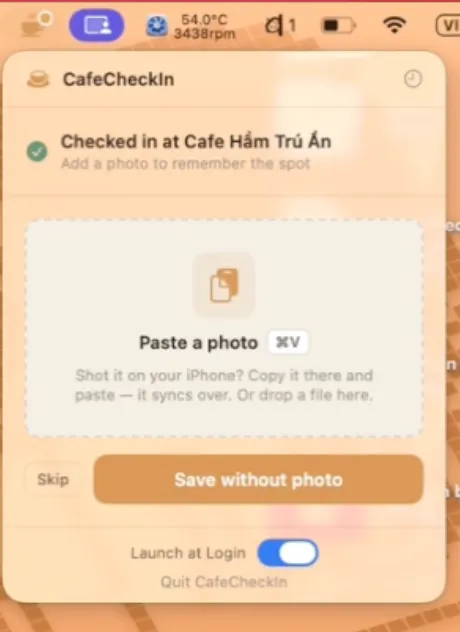
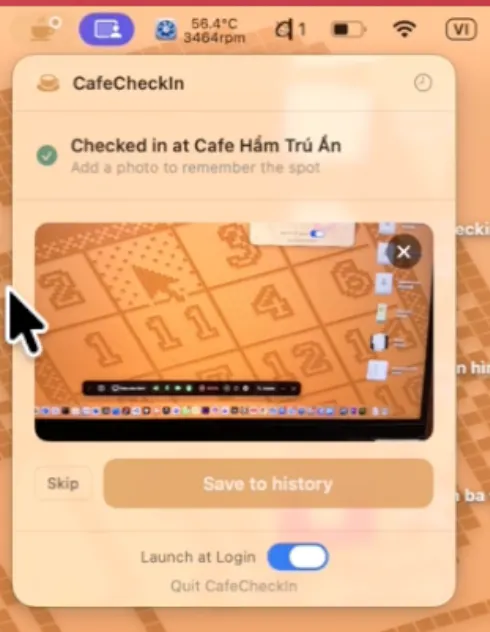
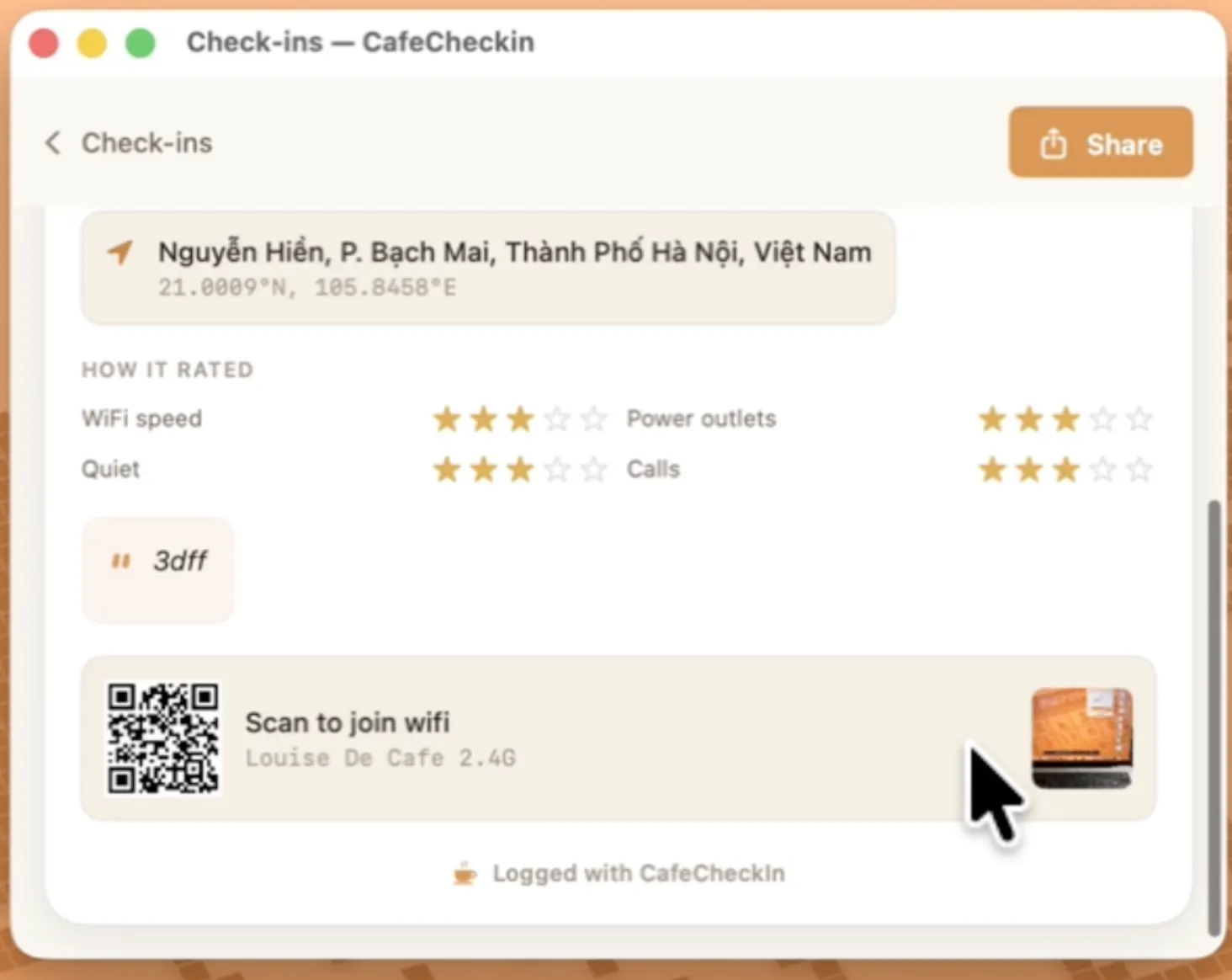
Just shipped a feature I've wanted since day one: after you check in at a café, CafeCheckIn now asks if you want to attach a photo, your coffee, the workspace, the wifi QR taped to the wall, whatever tells the story of that visit.
Two ways to add it:
• ⌘V paste : Snap a photo on your iPhone, it syncs via Universal Clipboard, paste straight into the menu bar popover
• Drag & drop : Drop any image file onto the check-in screen
It's fully optional (Skip is always right there), and the photo gets saved alongside your note + 4 ratings (wifi, outlets, noise, quiet-for-calls) in your check-in history, so when you scroll back through past visits, you actually remember what the place looked like, not just a star rating.
CafeCheckIn is a lightweight macOS menu bar app for people who work from cafés: auto-detects the café you're at, shows weather + one-click wifi password copy, and logs a quick journal entry each time you check in. No sandbox friction, no accounts, just a fast daily loop.
Would love feedback on the paste flow especially, curious if the Universal Clipboard path feels natural or if people expect drag-drop to be the primary path instead.
Replies
Be the first to reply
Have a question or a thought to share? Add a comment above to start the conversation.