These are the five tools currently doing most of the heavy lifting in my SaaS and automation workflow:
Claude system architecture, deep product research, complex technical planning, debugging difficult problems, comparing implementation approaches, and turning unclear ideas into detailed execution plans.
Codex working directly across large codebases, building complete features, refactoring existing systems, fixing production issues, writing tests, handling migrations, and completing changes that touch multiple files and services.
Awish building automations and connecting the apps I use without spending hours on APIs, OAuth setup, or complicated integration steps. I use it when data, notifications, approvals, and actions need to move reliably between different tools.
A client told me their support team was spending too much time before they could even start helping customers.
The problem wasn t writing the reply. Every ticket had to be read, understood, checked for urgency, compared with their documentation, and routed to the right person.
This year, I keep seeing the same workflows: lead follow-ups, email sorting, content publishing, CRM updates, reporting, and customer support.
Creating the first version is usually easy. The frustration starts with app connections, permissions, broken steps, duplicate actions, and deciding when the agent should ask for approval.
What automation do you build most often, and where do you struggle most: setup, integrations, reliability, or maintenance? Ask me all your questions about automation, and I assure you I will solve them.
I will share my experience in my own application step by step, and I believe it will be quite useful for many tasks. I wanted to automate more of my business, but figuring out what was actually worth automating was the harder part.
I m not talking about simple reminders or moving one row between apps.
I mean the messy workflows that involve several steps: checking information, making a decision, updating another tool, asking for approval, sending a message, and making sure nothing was missed.
Have you ever tried automating one of these workflows with AI agents or traditional automation tools?
If yes, where did it become difficult: connecting the apps, keeping context, handling exceptions, avoiding duplicate actions, or knowing when the agent should stop and ask you?
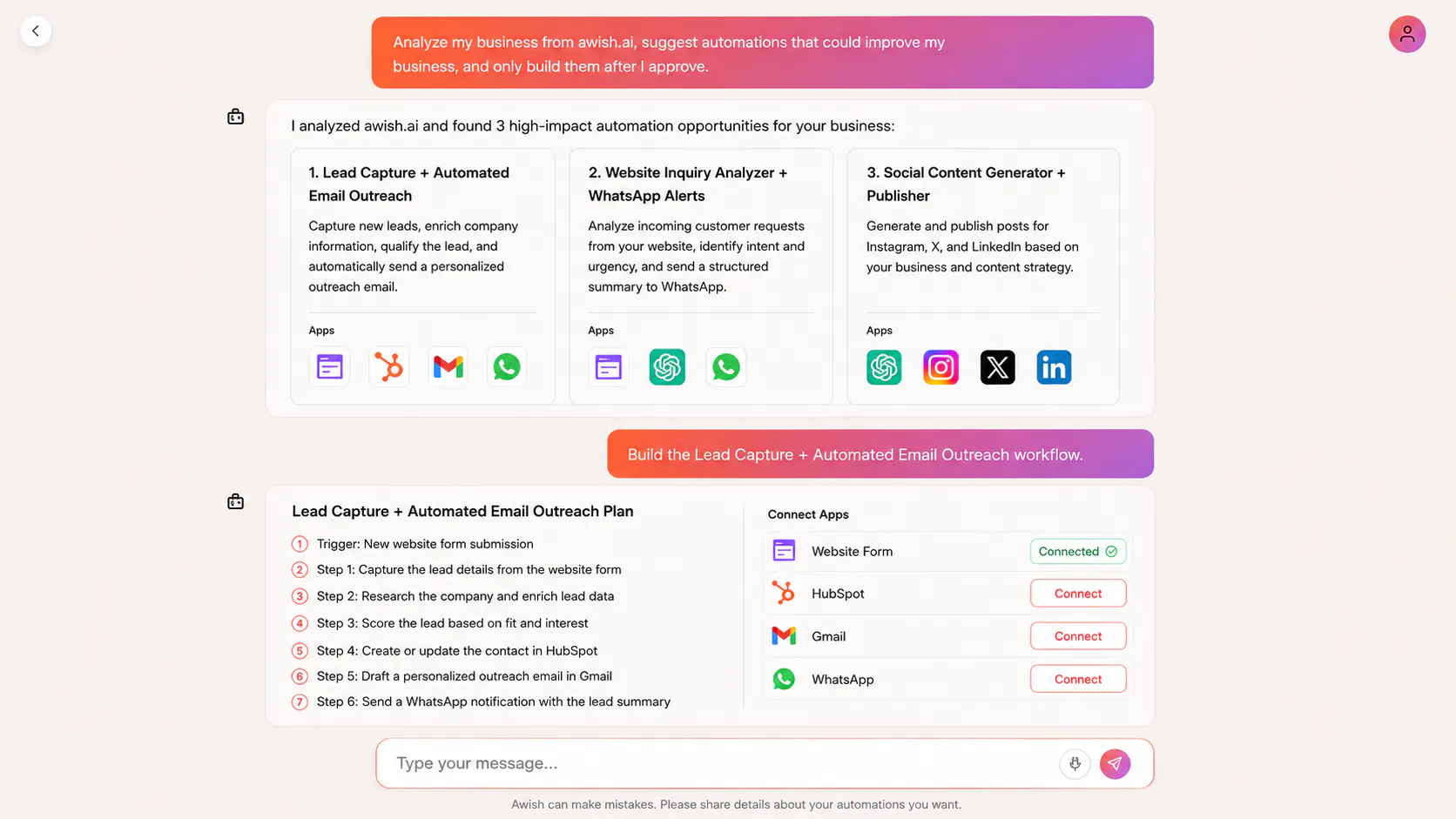
I wanted to see what Awish would automate first if I gave it a real client business instead of a predefined workflow
I used Martolia Marble, one of my previous clients, and gave Awish the website. I asked it to analyze the business, suggest automations that could help it grow, and only build them after I approved them.
Awish analyzed the website and proposed several opportunities. I chose two: a lead generation and email outreach workflow, and an Instagram workflow that tracks relevant trends, plans content, creates the posts, and publishes them.
Awish turns repetitive online work into secure, self-improving automations without code. Describe a task in chat, let Awish plan and connect the right apps with permission, then control everything from WhatsApp, Slack, or Telegram.
We re launching Awish on Product Hunt on July 7, and we d love to invite early users to try it before launch day.
Awish helps individuals and teams turn repetitive digital work into secure, self-improving automations using natural language.
Instead of manually building workflows, you simply describe what you want to automate. Awish plans the workflow, connects the right apps with your permission, and lets you run, pause, approve, and monitor automations from WhatsApp, Slack, or Telegram.