
Voiskey
AI voice typing that sounds right in every app
1.2K followers
AI voice typing that sounds right in every app
1.2K followers
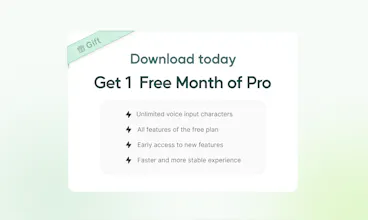
Voiskey starts from what you meant, not just what you said. Speak a rough thought and it comes back shaped for where it's going and who's reading it: casual with a friend, composed with a colleague, technical with an AI. It arrives 5x faster than typing, cleaned up and ready to send, while you still sound like you. Voiskey is now available on iOS, macOS, Android, and Windows, in over 100 languages. It's free to start. Join during launch and get a free month of Pro.



Free Options
Launch Team / Built With


Framer AI AgentsDesign and publish professional sites with AI
Promoted
@jenny_liu9 Handling the code-switching automatically without digging into settings every time is exactly what multilingual folks have been waiting for such a nice launch... congrats team👋
@vikramp7470 Thank you, Vikram! That's exactly the pain point we set out to solve — multilingual folks shouldn't have to babysit settings just to switch languages naturally. Really means a lot coming from someone who gets it. Excited for you to try it out!
@vikramp7470 Thanks so much for the kind words. We work in a multilingual environment ourselves, so Voiskey has helped us a lot in both work and everyday life. It’s been a huge boost to our productivity!
@jenny_liu9 congrats on the launch team !
keeping the personal slang and swings while the still adjusting tone depending on who youe are the talking to sounds confirming to balance.
how does the Voiskey actually learn the way of someone writes over time???
@jenny_liu9 @amrita_prajapati2 Thank you, Amrita! Glad the tone-balancing came through clearly. On the learning side: Voiskey builds a personal dictionary from the corrections you make, so once you fix a name, term, or spelling, it sticks and gets prioritized going forward. Over repeated use it also picks up on your recurring phrasing, slang, and shorthand, so the way it shapes your speech starts to lean more toward how you'd naturally say it rather than a generic style. The context piece (who you're writing to, casual vs. formal) is handled separately at the moment you dictate, while the "learning your words" piece is what builds up over time in the background.
@jenny_liu9 huge congratulation on the launch team! the sanded flat problem hits of the hard , most dictions tools turn the everything into a bland corporate memo..
@jenny_liu9 Love it! Expression Intelligence, with adaptivity and personal inference!
Remembering a name after one correction sounds like a small feature I'd appreciate every day.
@peggykk Those tiny repeats add up. Voiskey learns names, jargon, and spelling preferences so you shouldn’t have to fix the same term over and over.
@peggykk Exactly! It’s one of those small things that makes a big difference. 🙌 That’s what Voiskey is built to do.
@peggykk Totally agree, Peggy — those small memory wins add up fast. Voiskey actually does learn from corrections like that, so once you fix a name it sticks and adapts to how you speak over time. Would love to hear how it goes if you give it a try!
@peggykk Agreed! These small details always used to bug me, so it's great to see one more barrier removed.
How do you decide how much to clean up? I'd want the rough edges fixed without losing what I meant.
@evanbuildsai It's not a fixed level of cleanup — it reads the context of where you're writing and adjusts from there. A casual Slack message gets treated differently from an email. Either way the aim is the same: fix what makes it hard to read, keep everything that makes it yours.
@evanbuildsai Yes, we want to build something that helps you choose the most suitable way to express yourself based on your specific context. For example, in a work setting, we’ll make it as formal as possible; if you’re in a chat, we’ll help retain the natural character of your speech. And if you’re coding, we’ll make it better suited for code-related output. This is the differentiated experience we want to provide for our users—across different scenarios.
@evanbuildsai That’s exactly the balance we’re aiming for! Voiskey cleans up things like filler words, repetition, and messy phrasing, while keeping your original meaning and intent intact.
@jenny_liu9 Congrats, guys! Really cool stuff. And the question I always ask - what about the Armenian language? =)
@adana Thanks Adana! Great news — Armenian is already supported for both voice input and translation. Give it a try and let us know what you think 🙌
@jenny_liu9 Thanks, going to check it !
@jenny_liu9 @adana Glad you like it! Armenian is supported as well. If you have any questions or run into any issues while using Voiskey, feel free to ask us — we’ll be happy to help right away.
this looks pretty solid tbh, switching languages at work is such a hassle so curious if this actually helps
@mi_leeli Right? That mental overhead of switching mid-thought is real. With Translation you just speak normally and it handles the rest at output. Would love to know if it actually helps in your day-to-day.
@mi_leeli Thanks Mi! Multilingual switching is actually one of the areas we've focused on — Voiskey handles code-switching and language detection automatically, so you don't have to manually toggle. Would love for you to try it and see if it fits your workflow!
@mi_leeli I also run into these kinds of issues at work, since my current work involves using multiple languages quite often. Switching between them so frequently can really disrupt my thinking and productivity. But honestly, after using Voiskey for a while, I feel like it really does help. I’d love for you to give it a try too, and I hope it helps you out as well!
@mi_leeli Totally get that! That’s actually one of the things we wanted to make easier 🙌 Voiskey supports 100+ languages, so you can switch between languages naturally while speaking without constantly changing your setup. Would love for you to give it a try and let us know how it works for your workflow!
For research notes, I'd want to dictate a rough explanation while keeping the technical terms intact.
@jackruirui Understood! Two things working together here. Dictation handles the rough input and cleans it up without flattening how you talk. Personal Dictionary makes sure your technical terms land correctly and stay consistent.
@jackruirui Good use case, Jack — Voiskey cleans up filler and rambling but keeps technical terms and jargon intact, so it won't oversimplify or paraphrase your terminology away. Should work well for research notes.
@jackruirui Yes, we handle it that way. Even though what you described is a bit high-level, we make sure to keep your technical terms intact. I think it’s a great way to use Voiskey for taking notes, and I’ve been using it that way myself.
@jackruirui That’s a great use case! We built Voiskey to clean up rough spoken thoughts while preserving the meaning and context, especially when you’re working with more technical content. Would love for you to try it with your research notes and let us know how it handles your terminology!
Congrats on your launch ! Wish big success :3
Just wonder, how does the Voiskey distinguish strong accent of dialects per regions and countries?
If it's only used in certain areas, isn't it hard to get examples?
@marketer_kim Thanks Chaeeun! Voiskey's model already supports 100+ languages and dialects, and we're continuously expanding coverage. We're always working on improving accuracy for regional variations too — appreciate you asking!