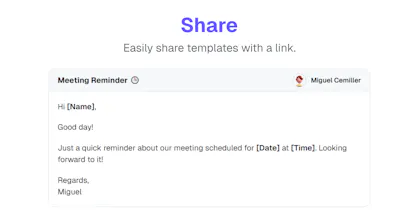
Access your templates instantly and save hours by reusing responses. Perfect for customer service, sales, or repetitive messaging. No more rewriting the same content!
Hey Hunters 👋,
Tired of typing the same replies to customers again and again?
As a support rep, I spent months copying email templates from sticky notes. It was time-consuming and frustrating, especially when formatting got messed up.
So I built Tempstr — a browser extension that saves you hours by letting you instantly access and copy your most-used templates, complete with preserved formatting — all without leaving your browser tab.
Whether you're in customer service, sales, or doing repetitive messaging tasks, Tempstr eliminates repetitive typing and boosts productivity.
🚀 It’s free to try — I’d love for you to give it a spin and share your thoughts!
— Miguel
@juliangoetze By default, it’s Ctrl + Shift + K. But, you can configure it to your own preference by clicking on the shortcut input field on the extension! ☺️
@matthew_podolak Thank you so much! Of course, as long as a user wants it!
Report
This is such a smart solution. Rewriting the same messages or digging through notes for templates gets old fast. I love that Tempstr keeps the formatting and works right in the browser. Trying it out today for my outreach tasks!
Bravo, @miguelcemiller! Tempstr appears to be a game-changer for productivity. I can see this being invaluable in streamlining communication. Are there any analytics features planned to track which templates are used most frequently?
Tempstr
SuperCmd
stagewise
Tempstr
stagewise
minimalist phone: reduce your screentime
Tempstr
minimalist phone: reduce your screentime
Lingocat
Tempstr
This is such a smart solution. Rewriting the same messages or digging through notes for templates gets old fast. I love that Tempstr keeps the formatting and works right in the browser. Trying it out today for my outreach tasks!
HarnessRouter
Tempstr