ツSupercut
Blazing fast, AI Video Messaging for teams
5.0•10 reviews•1.5K followers
Blazing fast, AI Video Messaging for teams
5.0•10 reviews•1.5K followers
Video Messaging for the fastest teams that need to Move Work Forward.
Record & instantly share videos messages that explain your work and help others take action.
This is the 4th launch from ツSupercut. View more
Supercut for Agents
Launched this week
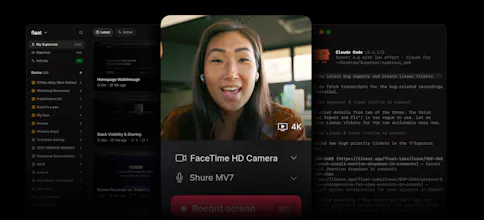
The Supercut MCP gives your AI/coding assistants permission-aware access to recordings, including semantic search, transcripts, frames, comments, reactions, and more.


Free Options
Launch Team

ツSupercut
Exposing semantic search over frames and transcripts through an MCP interface is clever. The permission model giving agents structured access without raw video is cleaner than anything I've seen. We've lost too much engineering context in unindexed Loom links. How does the semantic search handle multi-speaker transcripts? Do you embed at ingest time, and how do you chunk long recordings for retrieval?
ツSupercut
@retain_dev That was exactly the goal. Today the public transcript surface is timestamped sentences, so the agent can anchor retrieval to moments in the recording and then pull frames/comments/reactions around those moments.
We don’t make developers think about chunking or raw video access in the MCP laye, the point is that semantic search gets you to the right recording/context first, then the structured tools let the agent drill in.
Ballpark
Massive release - congrats! Already using the support article usecase!
Building permission awareness directly into the agent access layer rather than bolting it on top is exactly the right architectural call. At RetainSure we work with customer call recordings for CS insights, and the consent and access layer is always where things get complicated. How does the permission model work at query time? Is access enforced at the metadata layer or does it delegate to the underlying recording storage?
ツSupercut
@anand_thakkar1 The MCP/API is designed so access is constrained by the token and the recording’s existing visibility, rather than treating AI access as a separate bypass path.
In practice, if the token can’t access a recording, the agent can’t pull its transcript, frames, comments, or reactions either. Hope that give you a better idea.
I understand this is for teams that have a large video archive and record everything, right? For example, in our case videos are rarely recorded, and for notes we use a regular AI that listens and then produces a meeting report, which is sent by email to everyone who attended the meeting.
ツSupercut
@natalia_iankovych Yep, it’s strongest for teams where recordings are part of the workflow. If you rarely record, a meeting summary tool may be enough.
The difference is that Supercut gives agents access to the actual source context, transcript, frames, comments, reactions, and semantic search across recordings not just the after-the-fact recap.
Semantic search over team recordings is the MCP resource I've been waiting for. Curious how granular the permission layer is - does the agent inherit per-recording share settings, or is it a flat workspace-level toggle?
ツSupercut
@christian_knaut
Good question, the important bit is that access follows the token’s existing permissions. A personal token only sees the recordings that user can see; a workspace token is broader but intentionally admin-scoped.
So from the agent’s point of view, it’s permission-aware access, not “connect once and read the whole workspace
Congrats on the launch, David. The MCP angle is interesting because it turns recordings into something agents can actually use, not just files people forget to watch later.
I’m curious, when teams start using Supercut this way, is the bigger value helping agents find the right moment in a recording, or helping the team trust that the extracted context is strong enough to turn into a doc, ticket, CRM update, or next action?
ツSupercut
@danush_singla Both, but trust is the bigger one. Finding the moment is step one; having enough context around it, transcript, frames, comments, reactions is what makes teams comfortable turning it into action. Don't forget that it's not just video content, it's also comments and reactions...