Hey everyone
One small detail I always found frustrating when recording demos was the cursor.
It s either:
- too small to see
- jittery and distracting
- or just... boring
So I added a custom cursor feature to Snapr.
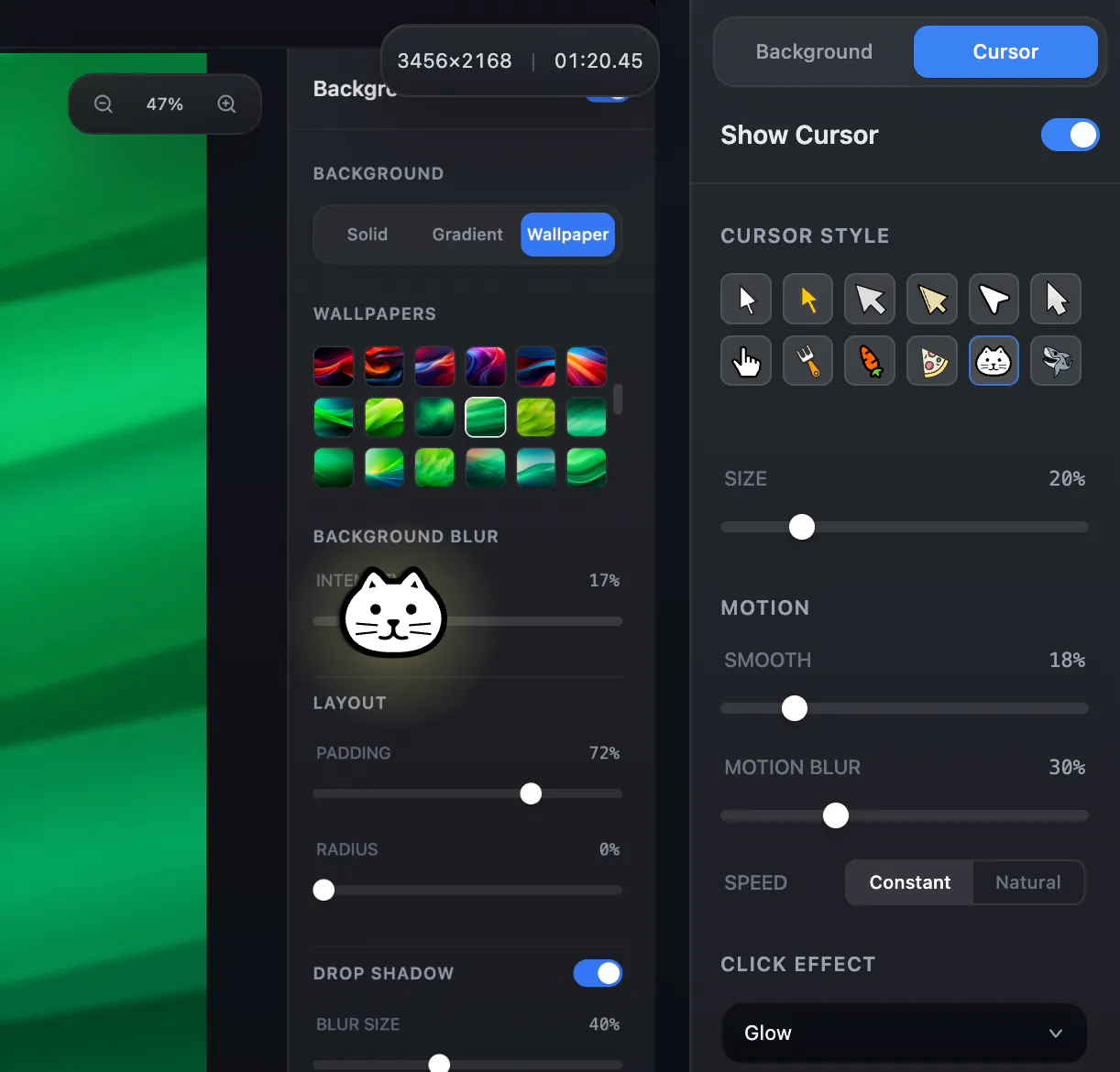
Now you can:
Use different cursor styles and adjust size
Smooth out cursor movement (no more jitter)
Add motion blur trails
Add click effects for better clarity
The goal wasn t to make it flashy
but to make recordings easier to follow.
Especially for tutorials, product demos, and presentations.
Would love to hear your thoughts:
What makes a good cursor in recordings for you?


Feels like screen tools keep getting fragmented… combining everything into one app is a logical step.
@sandeep_gadher I’m more of a “hot-headed builder” than a logical one, but I like the way you put it — “a logical step” sounds much nicer. Thanks!