
scritty
Shared, searchable memory for every AI coding agent
143 followers
Shared, searchable memory for every AI coding agent
143 followers
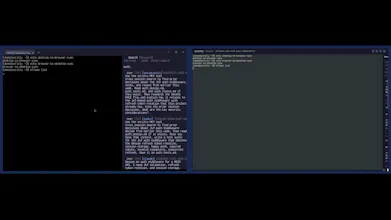
scritty is a terminal emulator that captures every CLI agent's conversation (Claude, Codex, Copilot, Antigravity, Ollama), indexes it into one searchable corpus you control, and serves it back to your agents over MCP and to you over the CLI. One session across desktop, browser, and mobile. Your captures stay on your machine.
Works on Windows/Mac/Linux
Interactive


Free Options
Launch Team / Built With


Viktor.comAn AI coworker that actually does the work
Promoted


The context loss when you switch from Claude Code to another agent mid problem is exactly what kills me, so pulling it all into one searchable memory over MCP is a great idea. Does it keep the full transcript searchable or summarize once a session gets big? Congrats on shipping.
scritty
@i_sanjay_gautam that mid prompt/problem agent switch pain was exactly the trigger for building it. raw exchanges stay searchable as a source of truth, and there are summary/compaction tools (I'm pretty wary of summaries replacing underlying turns) I want summaries to help navigation not become a lossy substitute for the actual transcribed session(s)
...and thanks :)
the piece i keep waiting for. every agent has its own memory silo which means every session gets rebuilt from scratch. cross-tool memory should be a standard everyone shares. also the fact that it stays local instead of getting phoned home makes this ok to leave running.
question for v2: does the index know when two conversations are about the same thing but happened in different tools, or is it just full text search? that dedupe is where this gets scary useful.
scritty
@thenameisarian exactly and for v2 this is why scritty does hybrid retrieval instead of semantic only search. fuses lexical + semantic results with RRF, and you can search across sessions/providers instead of being stuck in one agent thread. in practice helps a lot when you remember exact term/file/function name sometimes, and only rough idea or hazy memory other times.
Dial
If I'm working across multiple client projects that shouldn't ever mix, is the corpus scoped per project/repo by default, or is it one global memory that I'd have to manually wall off? Worried about an agent on project A accidentally surfacing something it learned while I was working on project B.
scritty
@galdayan good question. i don’t want one giant memory blob either. today the real hard boundary is tenants/data dirs, not automatic per-project walls. sessions are private by default, and team visibility is opt-in. if client separation really matters, i’d use separate tenants/data dirs
Dial
this is the exact workflow i have, burning through Claude then hopping to Codex mid problem. one thing that worries me: terminal sessions end up full of API keys, .env dumps, stack traces with internal urls. if you're capturing and indexing everything by default, is there any redaction before it hits the searchable corpus, or is that on me to be careful about what i paste
scritty
@omri_ben_shoham1 fair concern. local-first + no telemetry means by default this all stays on your machine. if you want to share/export, you can do that with normal controls:
selective export, regex passes for common key patterns, SQLCipher encrypted sqlite/packages, whatever policy your team uses. i’d rather keep the raw local transcript intact and secure the share boundary than mutate everything up front.
how does it actually hook into the different CLI agents, do you need to run them through a wrapper or does it just sit and watch the terminal output?
scritty
@ouzhan1949682 no wrapper around vendor APIs. scritty works by being the terminal the agents run inside so it is able to capture sessions directly. scritty spawns shell inside PTY and just watches. detects active agent by scanning child processes, tags it, and indexes locally.
I wanted the memory layer upstream of any vendor/tool rather than bolted on bespoke APIs.
As a solo dev the prompt.toml part hits home lol — I keep a CLAUDE.md of rules and just watch its relevance decay the deeper a session goes, so injecting them every turn is way better. Quick q on the phone-sync PWA: can the agent keep chugging on a long task while I'm away from my desk, or is it read-only until I'm back at the terminal?
scritty
@lennoxbeflying exactly the itch. CLAUDE.md is static and its pull decays as window fills with newer tokens so when youre ~40 turns deep it's buried. asserting rules right before each prompt keeps them on top of stack instead of fossilized at the bottom. that's the whole point of the assembly pipeline.
on the pwa: not read only. it's the same pty, not a mirror so your output and keystrokes both flow both ways. agent runs on your desktop and keeps chugging whether watching or not; phone is live window into that session, so you can read, approve step, or nudge it from the couch/toilet/car w.e. and it lands in same terminal.
caveats is since it is local first the work happens on your machine, so box has to stay awake. if it sleeps agent sleeps. "away" means on your network out of the box (binds 0.0.0.0:3000, hit http://:3000). truly off network you tunnel in (tailscale/vpn) no cloud relay by design, nothing leaves your box.
The part that got me: it serves the captured history back to the agents over MCP. Most "agent memory" tools stop at making things searchable for the human.
I run Claude Code plus a couple of other CLI agents side by side, and they constantly re-derive context the other one already figured out. One local corpus they can all query is exactly the right shape for this.
And keeping captures on-machine instead of phoning home — nice call 👌
scritty
@akbar_b thank you! MCP part was one of the main pieces I cared about most. lot of “memory” products stop at making history searchable for humans... wanted the agents themselves to be able to query the same local corpus. keeping captured content on local machine was non-negotiable for me. ZDR is the only thing that makes sense the way devs use these tools for coding out their IP