
ruOS
A cloud desktop where AI agents do the work for you
155 followers
A cloud desktop where AI agents do the work for you
155 followers
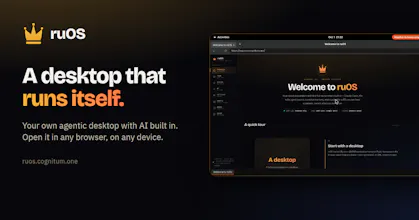
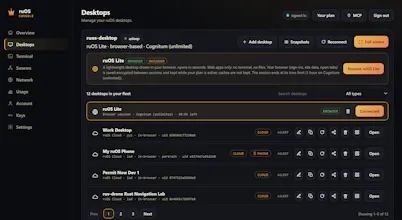
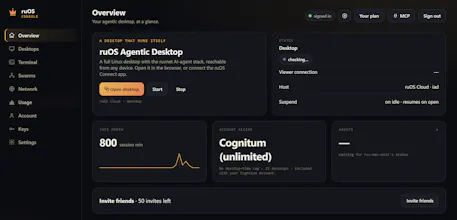
ruOS is a private cloud desktop with an AI team built in. Ask for research, writing or code and the agents (Claude Code, Codex, ruflo swarms) do it while you watch or step away. Opens in any browser on Mac, iPad or Chromebook, nothing to install. Files and AI memory persist across devices. Power users get a real Linux box plus an MCP server, so ChatGPT or Claude can drive it. Try ruOS Lite free in seconds, no sign-up.


Free
Launch Team / Built With


Render: Get up to $100K in startup creditsThe fastest way to launch and scale your startup in the cloud
Promoted
Hey Product Hunt! I'm Martin, on the Cognitum One team.
I've been testing ruOS for weeks before launch, and what still gets me is how fast it is to go from nothing to working. You open a browser tab and there's a full desktop with Claude Code, Codex and ruflo agents already set up and signed in.
I can hand it a task, close my laptop, and come back later to the finished work, with all my files still there.
It's the first time running a team of AI agents has felt simple instead of a weekend of setup.
Congrats to ruv and the whole team on launch day! Try ruOS Lite (no sign-up) and let us know what you build. Happy to help with any questions 🙌
Congrats on the launch!
The persistence across devices is what I'd love to use, since losing agent sessions when switching machines is really starting to annoy me.
How is the MCP access scoped? Can you limit what the AI is allowed to touch inside the desktop?
@kastelicjakob Thanks! We appreciate your support. Picking up the same desktop from another device is one of my favourite parts too! MCP gives the AI control of the connected ruOS desktop. You can restrict file access and system privileges through the account’s permissions, but those restrictions don’t prevent it from interacting with apps already open in that desktop session. For tighter boundaries, use a dedicated desktop with only the apps, files, and accounts you want it to access.
I'm on the team at Cognitum One, and I wanted to share why ruOS matters to me personally.
I've spent the past year watching AI agents get really capable, and every time I tried to put one to real work I hit the same wall: it lived in someone else's cloud, on someone else's terms, and I couldn't see what it had done or why. That's fine for booking a dinner reservation, but not for anything I'd have to answer for.
What I wanted was simple. Give the agents a real computer, let me decide where it runs, set the rules for what they can touch, and show me a record of the work. And let me use more than one agent, because real work is a chain of specialists, not one assistant doing everything.
That's ruOS. It runs on infrastructure you control, works with the models you pick, and keeps context so long-running jobs pick up where they left off.
I'd love to hear what you'd want agents to do if you fully controlled the machine they ran on. Happy to answer any questions!