Launched this week

RunEvr
Agentic project management environment for creatives
279 followers
Agentic project management environment for creatives
279 followers
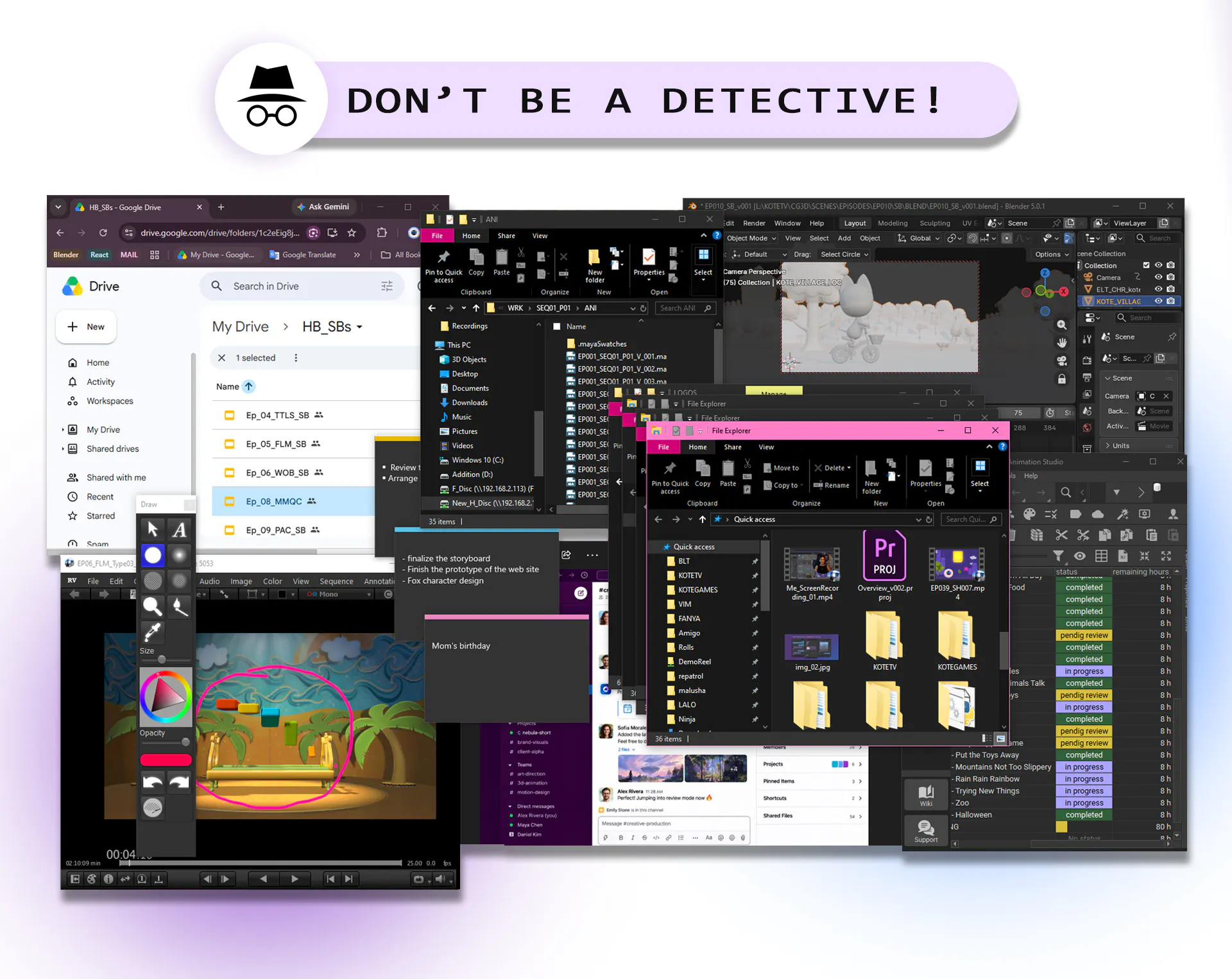
One AI-powered workspace where your projects, conversations, reviews, and creative work stay connected. Every tool switch interrupts creative thinking, scatters context, and adds unnecessary cognitive load. RunEvr is built to keep your entire creative workflow in one place, helping teams stay focused, collaborate naturally, and create without losing momentum.


Congratulations on the launch Adana and team - this actually resonates with me
We went through like 3 different project tools trying to find one that didn't feel like adding another context switch and it was frustrating..
Also genuinely curious how real-time collab feels when you've got multiple people on the same asset
RunEvr
@better_shaya Thanks so much Shaya, glad that resonates - that context-switch fatigue is exactly why we built RunEvr this way.
On real-time collab: multiple people can be on the same asset in the Board at once, live cursors, comments, and reactions land in real time, no screen sharing needed - it feels more like being in the same room than passing a file back and forth.
Would love to have you try it and hear what you think.
creative work is messy in a way regular pm tools struggle with - feedback like 'make it pop more' or 'not quite the right vibe' doesn't map to a clean task/status update. how does the agentic layer here handle that kind of subjective revision request versus a normal checklist item, or is it still mostly structured around trackable tasks under the hood?
RunEvr
@omri_ben_shoham1 Really sharp question - this is exactly the gap we obsess over. You're right: "make it pop more" dies the second you flatten it into a ticket.
So we don't. That feedback lives right where the work is - a comment or voice note pinned to the exact frame, so the vibe and nuance stay intact instead of getting squeezed into a status field. There is a light structure underneath (task → take → review → new take), but it's just there to track where things stand - whose turn, needs another pass - not to define what the feedback means. When an agent picks up a revision, it's working from the real note on the real asset, then hands a new take back for review. Human-in-the-loop, not a checkbox.
So yeah - there's a skeleton under the hood, but it's deliberately thin. It keeps the messy back-and-forth moving, not sanitized.
Honestly though, you've given us a really good angle to keep chewing on - it's exactly the kind of thing we want to keep thinking deeper about. Thank you for that. 🙏
"Agentic project management" is in the product name but the listing doesn't describe what the agent actually does. Is there an AI layer that's doing something like auto-updating task status based on conversation activity, summarizing review feedback into action items, or suggesting next steps, or is "agentic" more of a positioning word rather than a description of how the product actually behaves?
RunEvr
@ansari_adin Fair challenge Ansari— and honestly, "agentic" here is more literal than the examples you gave.
It's not an invisible AI quietly flipping task statuses in the background. Our agents are actual teammates you assign work to — they join a room, take a task, do it, and hand it back through the same review loop a human would. You're not babysitting an assistant; you're delegating to a worker.
Aurora is the clearest example — a manager you just talk to. Tell her "set up shots SH001–SH010 and split them across the team," and she'll batch-create all ten tasks, round-robin them to your performers, each with its own description and deadline. She can spin up rooms and stages, invite members, reorganize and reprioritize tasks, set up review chains, and pull deliverables back into the conversation. Two things keep it safe: she only ever acts with your permissions (never more than you could do yourself), and every change she proposes shows up as a preview you approve or reject before anything actually happens.
Then there's Iris, a scriptwriter — give her a brief, she drafts and revises. Lan, a concept artist who creates and iterates from your feedback. Plus quieter helpers doing translation and transcription, so notes and scripts cross languages without leaving the room.
So "agentic" isn't a buzzword for us — it's the whole point: AI teammates that actually do the work, accountable to the same review cycle as everyone else. Some are live today, more landing right after launch. Early, yes — but real. 🙂
@rafik_mkhitaryan The Aurora example is specific enough to actually illustrate what "agentic" means here, batch task creation with round-robin assignment from plain English is a concrete capability rather than a positioning claim.
the "AI agents as equal team members" framing is the bold part here. if one's assigned a creative contributor role and it proposes something - a concept direction, a script beat, whatever - does that actually carry the same review weight as a human teammate's proposal in practice, or is there always an implicit human veto where the AI's idea just never wins out over a person's in a real tie?
RunEvr
@galdayan We actually work with AI agents as equal teammates inside the workflow.
Their ideas and contributions are treated like any other team member’s input - we consider their suggestions, review the versions they create, request changes, give feedback, or approve the final result.
Of course, the team keeps the final decision-making power, but the goal is not to treat AI as just a tool.
It’s about creating a real collaboration between human and AI teammates.
saw calls in the tags but didn't see it covered above, is that built in or does it hook into zoom/meet?
RunEvr
@owen_parker4 Thanks Owen!
Calls are built right in - no Zoom or Meet hookup needed. They run natively inside a room's Board, so you jump on a call exactly where the work already lives: you're talking and interacting with the same files, tasks, and media in real time, instead of screen-sharing a window from another app. That's the whole idea - the call happens where the context is, not in a separate tab.
Congrats on the launch! What’s been the biggest challenge while building RuneVR?
RunEvr
@nadiia_prokofieva Thank you! ∞
The biggest challenge was that we were building RunEvr while running a full Animation Sudio.
RunEvr actually came from the pain of managing real production processes. We were solving our own problems every day, while at the same time building an entirely new environment around them.
Balancing Product development with running the Studio was definitely the hardest part - but it also meant every feature was tested in real production before becoming part of RunEvr.
What kind of Integrations do you have?
RunEvr
@adamkamaneh At the moment, we're focused on building the core experience. Integrations are on our roadmap, and we're actively working on expanding them.
If there's a specific tool your team relies on, we'd love to hear it.