Launching today

Pexo
Produce pitch perfect launch videos with precise control
588 followers
Produce pitch perfect launch videos with precise control
588 followers
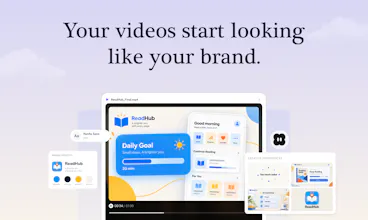
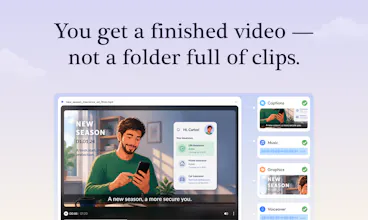
Pexo makes creating your launch video as simple as having a conversation. Share your product, website, or assets. It plans the story, chooses the right AI model for each task, generates and assembles the scenes, and handles voiceover, music, captions, motion graphics, and editing. Leave a comment or circle what you want changed, and Pexo makes the edit. You direct one agent from idea to a finished, on-brand launch video.





Pexo
Hey Product Hunt 👋 I’m Evan, founder of Pexo.
Over the past decade, I’ve built products for content creators. AI has completely changed how fast we can build software—we can now go from an idea to a working web app in just a few hours.
But when we needed a video—for a product launch, feature update, marketing campaign or social content—everything slowed down.
Producing something polished still meant spending a week editing it ourselves, hiring an expensive agency, or spending hours retrying complex prompts just to get usable footage from AI video tools.
That got us thinking: If we can already “vibe-code” entire products in plain language, why are we still manually keyframing product videos?
So we built Pexo—an autonomous AI video agent that puts a full production studio right in your chatbox:
Start with whatever you have: Share your product, website, or any assets. Pexo shapes the story, writes the script, chooses the right AI model for each step, then generates and assembles a cohesive final cut.
Edit by leaving comments: Click any frame, say what you want changed, and Pexo handles the edit. No timeline needed.
Get a finished, on-brand video: Pexo handles voiceover, music, captions, motion graphics, and the final edit—while keeping everything consistent with your brand.
Our goal is simple: let founders, marketers, and product teams focus on what they want to say instead of figuring out how to edit it.
Product Hunt Launch Special 🎁
Use code BZ8B29 for 10% off monthly plans, 500 bonus credits.
👉 What is the first launch or product video you’d delegate to Pexo? I'll be in the comments all day! 🚀
GNGM
BTW, how to claim the 500 bonus credits?
Pexo
@justin2025 After signing up, click your profile picture in the top-right corner, select “Redeem code”, and enter BZ8B29 to claim your 500 bonus credits. Enjoy creating! 🎬
GNGM
GNGM
Just curious, is your launch video made by Pexo as well?
Pexo
@justin2025 Yes! The entire launch video was made with Pexo. 🎬
Clipto
Made our demo with Pexo after shelving it over the quote. Feels good to finally have it done.
Pointing at a frame and saying what needs changing sounds way easier.
I have definitely put off making product videos because the editing felt like too much work.
minimalist phone: reduce your screentime
I like this whole concept. Can it also "scan" e.g. my look/appearance and I will be the narrator in the explainer video?